> ## Documentation Index
> Fetch the complete documentation index at: https://moengage-user-guide.mintlify.site/llms.txt
> Use this file to discover all available pages before exploring further.
# Manage Basic Recommendations
On the Recommendations page, you can manage the created recommendations. The status of the recommendations is shown on the listing page itself. You can edit, archive, or unarchive a recommendation.
# Edit Recommendations
To edit a recommendation, perform the following steps:
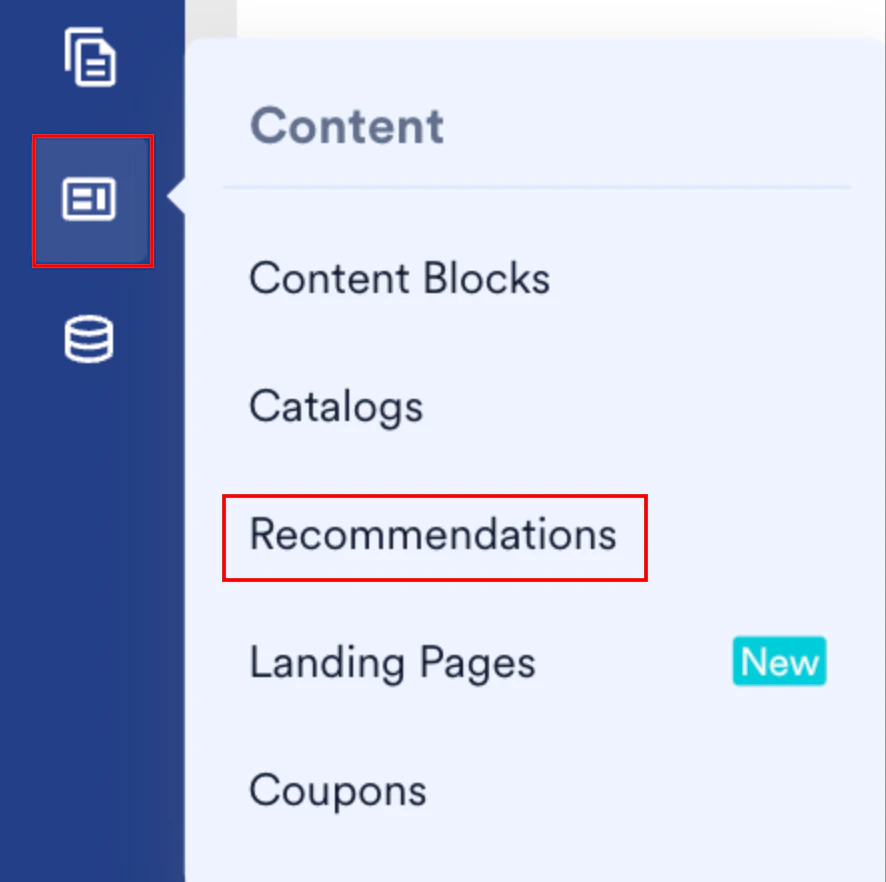
1. On the sidebar menu in MoEngage, hover over the Content menu item  . The **Content** menu appears.
2. Click **Recommendations**.
. The **Content** menu appears.
2. Click **Recommendations**.
 The Recommendations page appears.
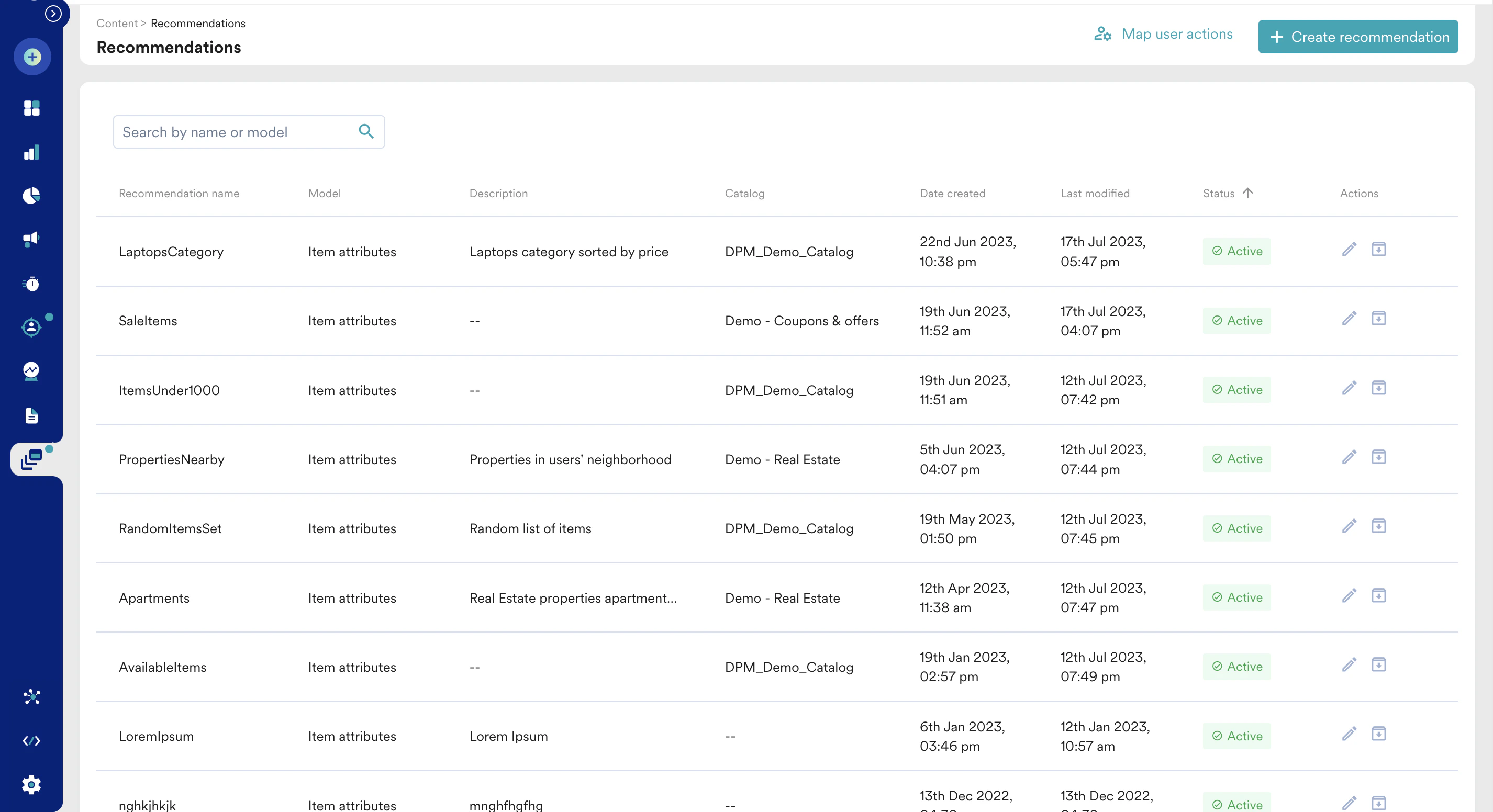
3. Click the pencil icon for the required recommendation to edit it. The Edit Recommendation page is displayed.
The Recommendations page appears.
3. Click the pencil icon for the required recommendation to edit it. The Edit Recommendation page is displayed.
 4. Choose the configuration you want to update, make the desired changes, and click **Save** at the bottom of the page.
We encourage you to test the results for a few sample users before saving any changes.
# Archive or Unarchive
You can disable an active recommendation on the Recommendations page by clicking the **Archive** icon in the **Actions** column.
4. Choose the configuration you want to update, make the desired changes, and click **Save** at the bottom of the page.
We encourage you to test the results for a few sample users before saving any changes.
# Archive or Unarchive
You can disable an active recommendation on the Recommendations page by clicking the **Archive** icon in the **Actions** column.  You can enable an archived recommendation by clicking the **Unarchive** icon in the **Actions** column.
  # Test Results
At the bottom of the recommendation settings, you can find the **Test recommendation** option. Enter the unique MoEngage ID of your customer and click **Show results** to see the results for a user at this particular time.
# Test Results
At the bottom of the recommendation settings, you can find the **Test recommendation** option. Enter the unique MoEngage ID of your customer and click **Show results** to see the results for a user at this particular time.
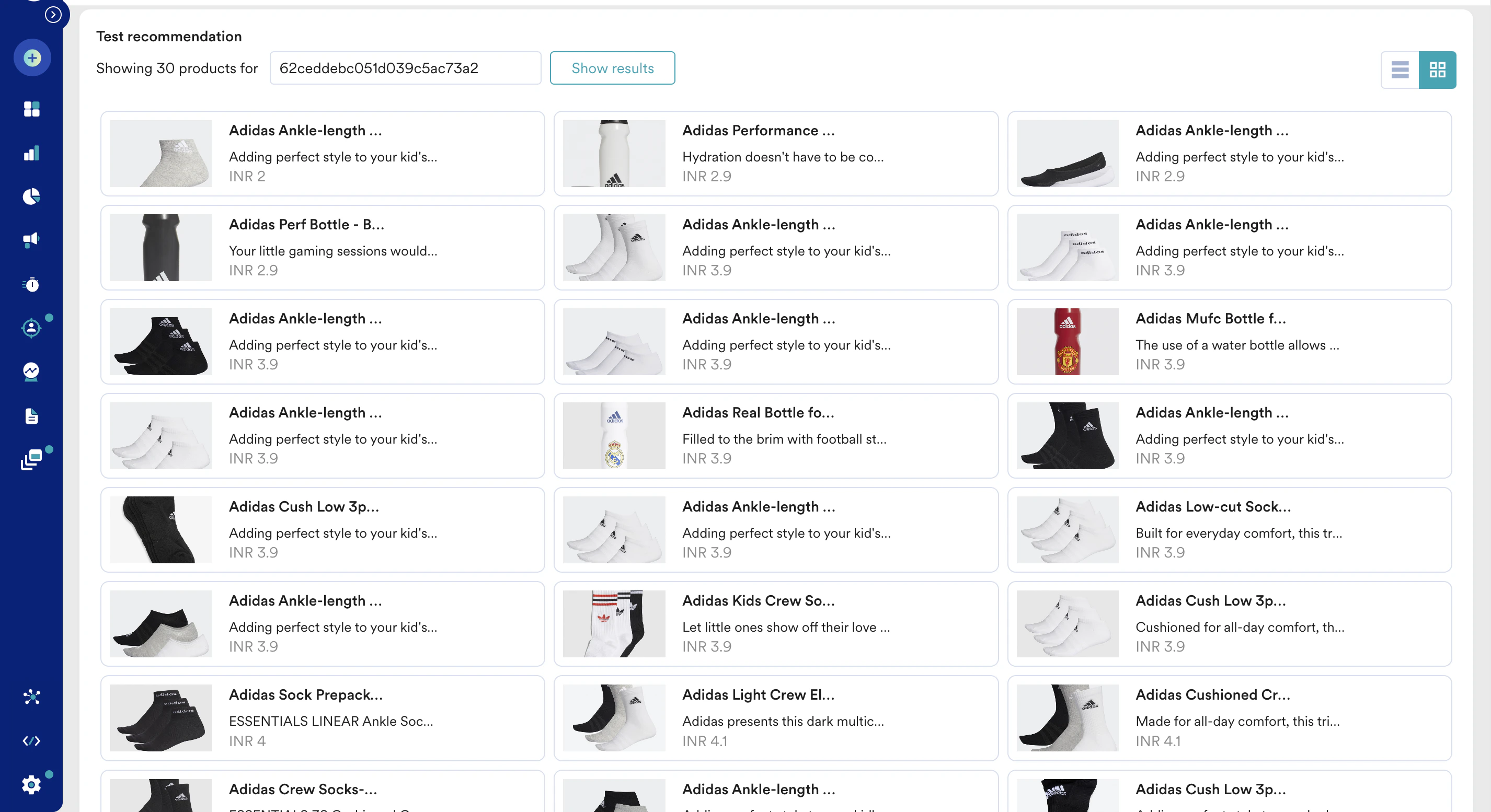 To test the results of a previously created recommendation, navigate to the Recommendations page and click the pencil icon for the required recommendation. This will take you to the recommendation settings where you can scroll down and test results.