> ## Documentation Index
> Fetch the complete documentation index at: https://moengage-user-guide.mintlify.site/llms.txt
> Use this file to discover all available pages before exploring further.
# Why Are Users Not Merged After Using the User Merge API?
## Problem
Users are not merged even after using the User Merge API.
## Explanation
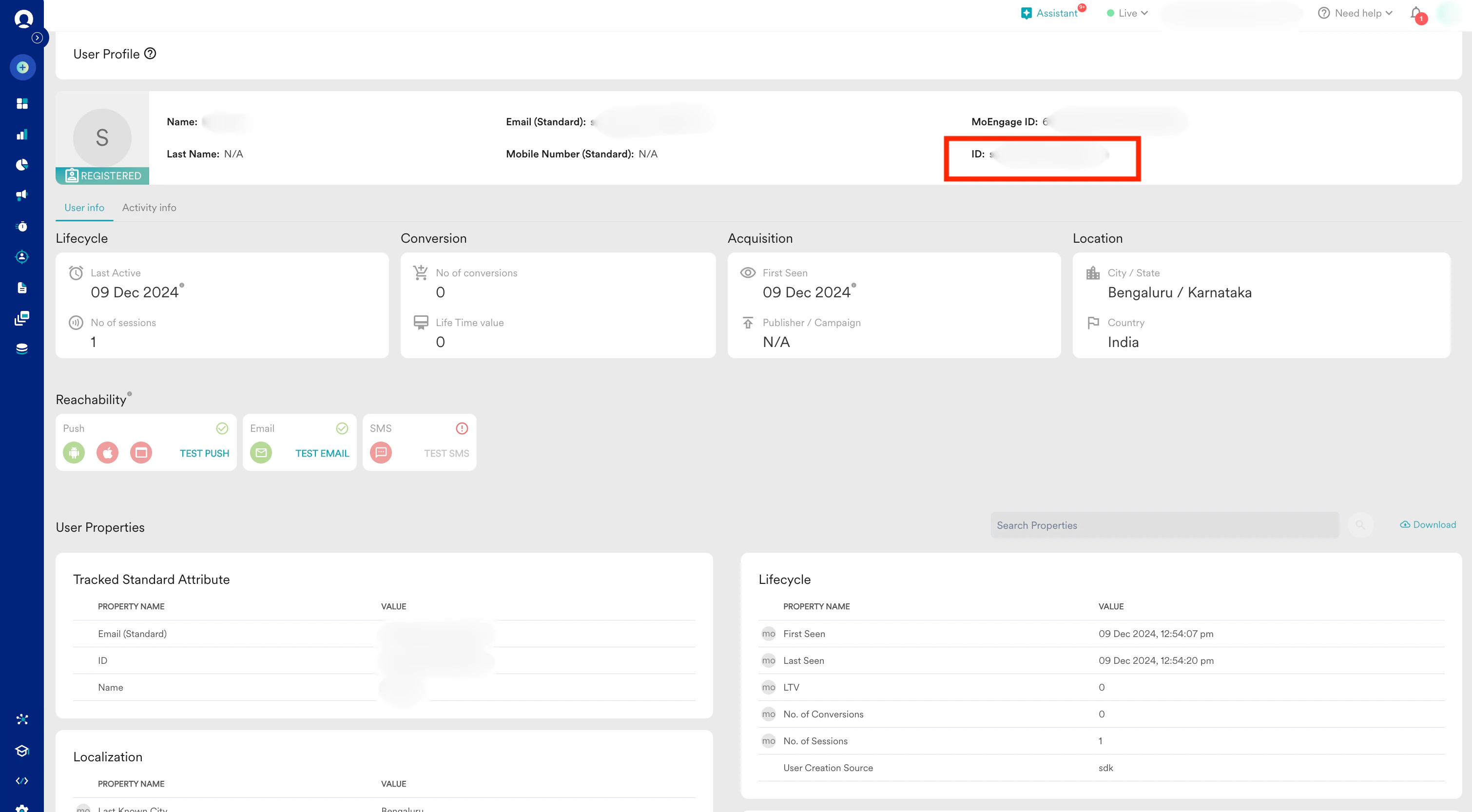
This issue occurs because you have passed the *MoEngage ID* instead of the *ID*.
Please note that the Merge User API is not functional in workspaces where the Identity Resolution feature is enabled.
## Solution
Perform the following steps:
1. *Update the payload*. Update the following payload with the ID that must be merged and retained.
```json Code theme={null}
{
“merge\_data”: [
{
“merged\_user”: “user\_id\_that\_you\_want\_to\_merge“,
“retained\_user”: “user\_id\_that\_you\_want\_to\_retain”
}
]
}
```
2. *Use the correct identifier.* The UID is the unique identifier for a user, which MoEngage stores in the [ID attribute of the user profile](/user-guide/data/user-data/user-profile). Ensure that only the UID/ID attribute in the user profile is used to merge users.
 Only registered users in MoEngage can be merged with another registered user, regardless of the source of creation.