> ## Documentation Index
> Fetch the complete documentation index at: https://moengage-user-guide.mintlify.site/llms.txt
> Use this file to discover all available pages before exploring further.
# Forgot Password?
If you forget the password for your MoEngage account, you can create a new password anytime.
## Reset Your Password
To reset your password, perform the following steps:
1. Go to your MoEngage account login page.
2. Click **Forgot password**.
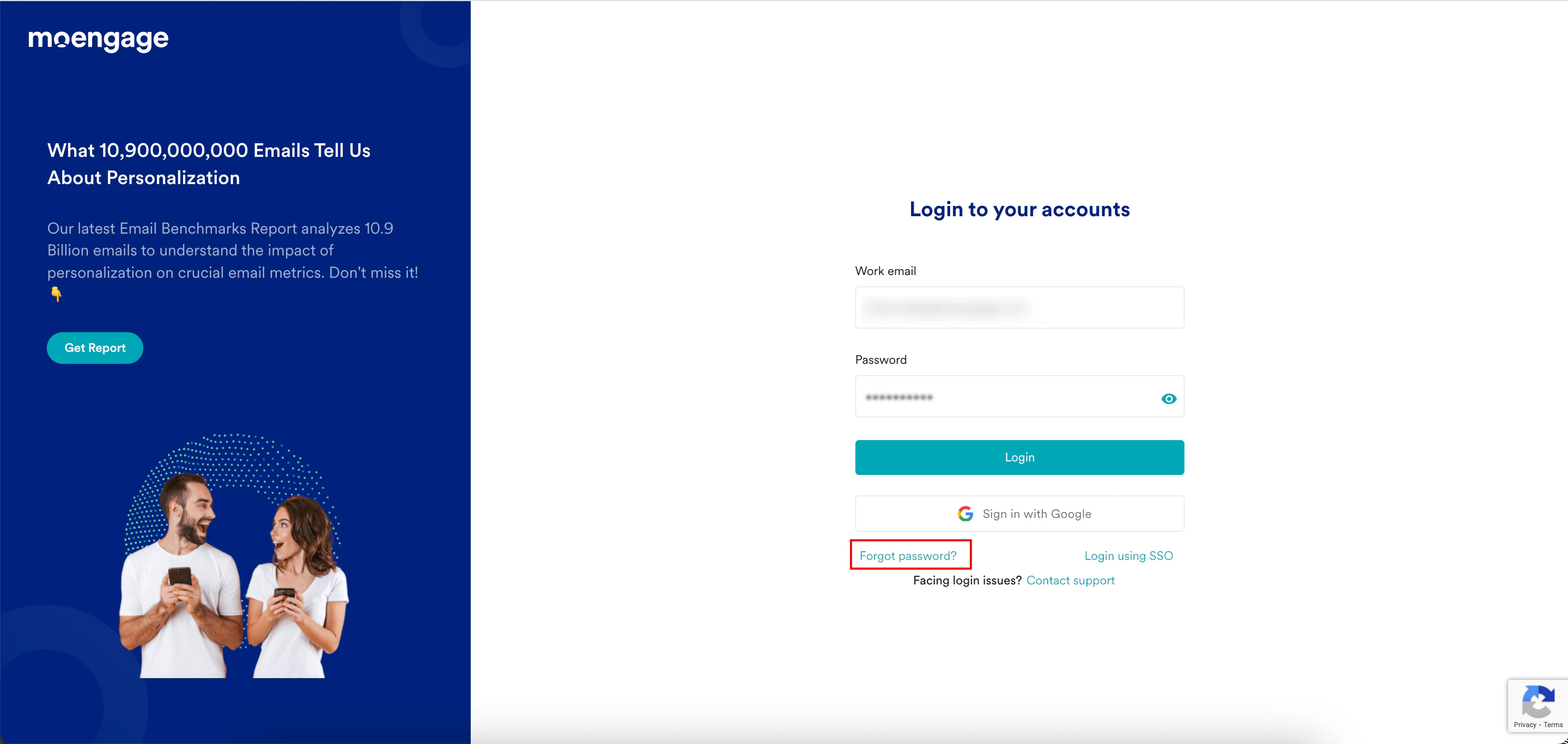 The Forgot password page appears.
3. In the **Email** box, type your MoEngage email ID.
4. Click **Send Link**.
The Forgot password page appears.
3. In the **Email** box, type your MoEngage email ID.
4. Click **Send Link**.
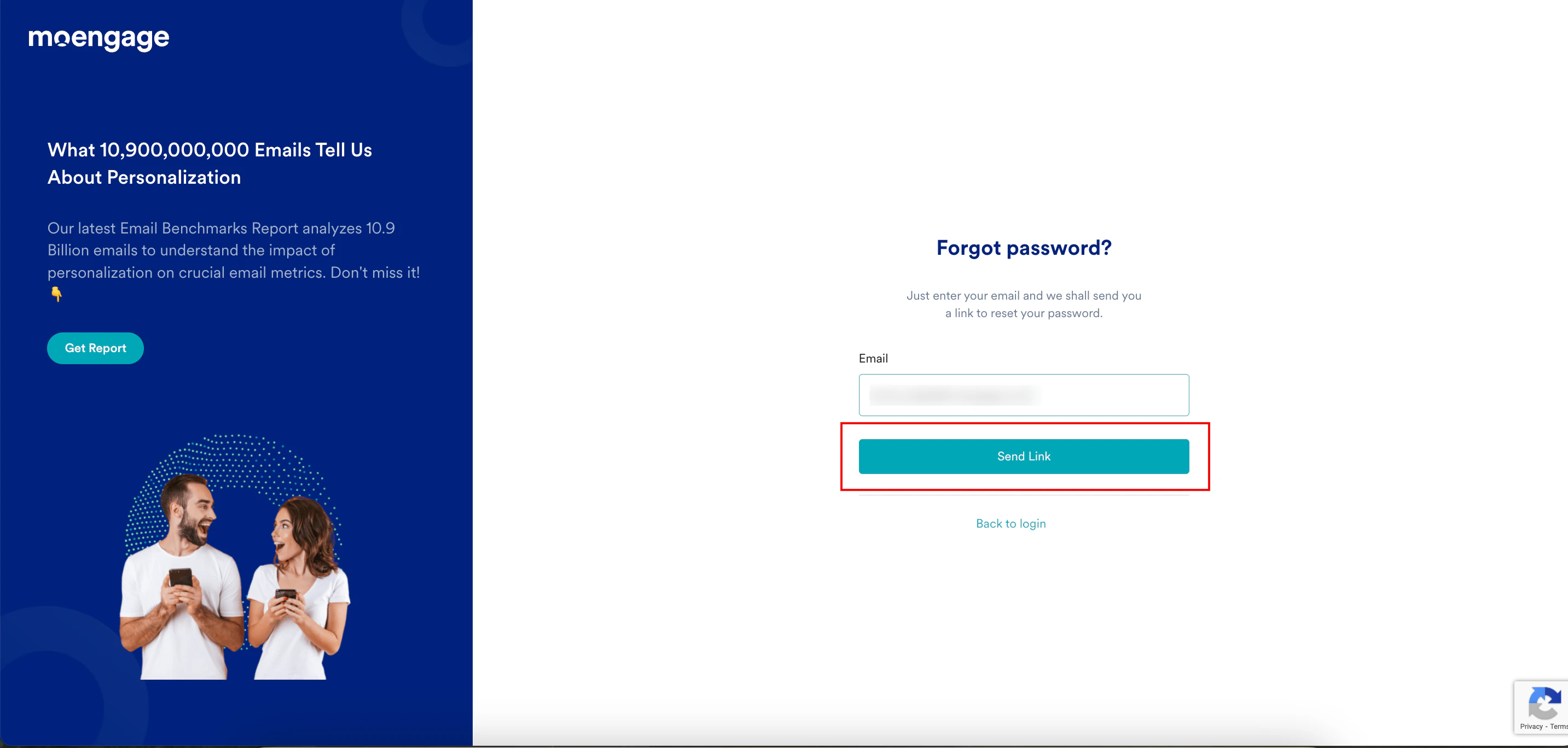 You receive an email from MoEngage with a link to reset your password.
5. Open the email you received from MoEngage and click the link to reset your password. **
You receive an email from MoEngage with a link to reset your password.
5. Open the email you received from MoEngage and click the link to reset your password. **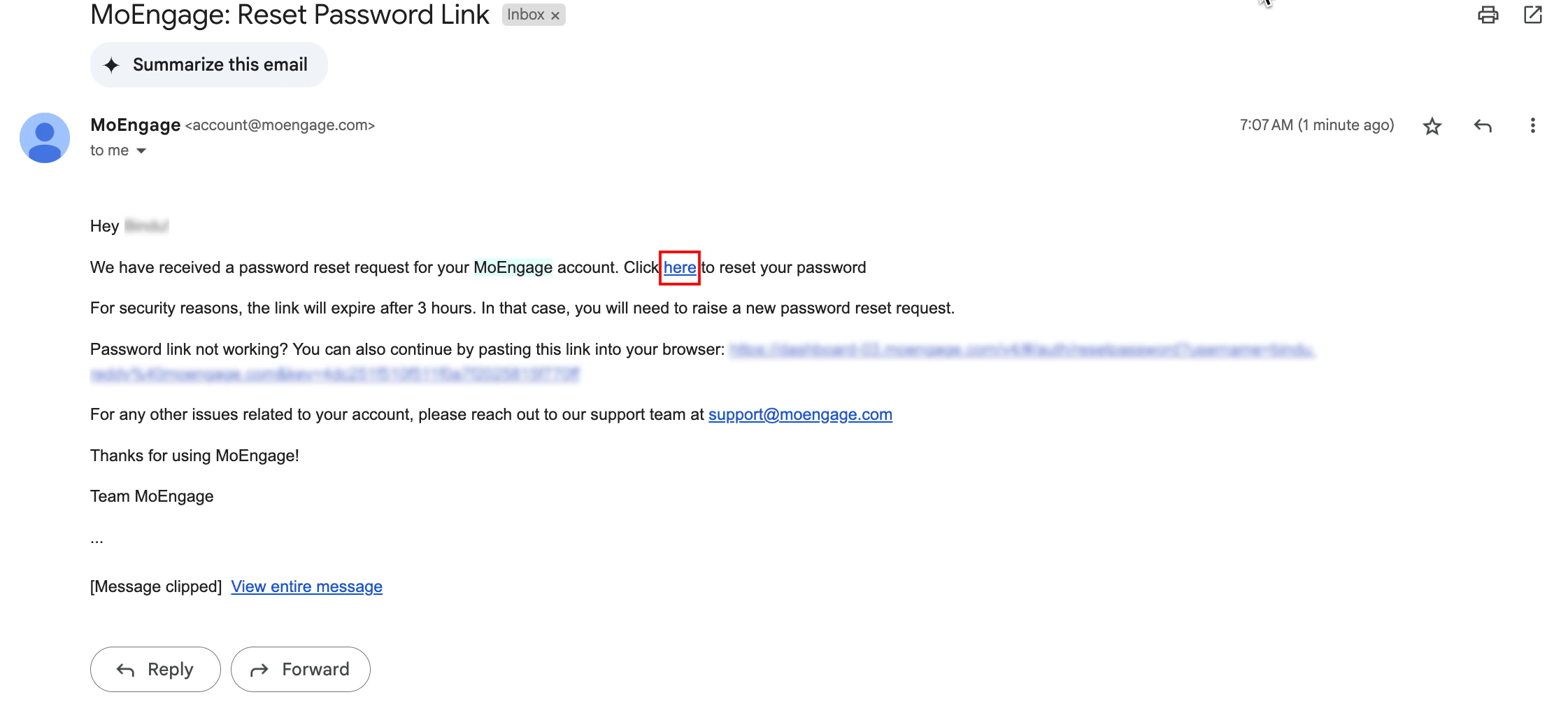 **
6. On the **Reset** p**assword** page, enter the following details:
1. In the **New password** box, type your new password. Ensure the password meets the following criteria:
* Contains 8 to 20 characters.
* Contains one capital letter.
* Contains one number.
* Contains one special character among !@#\$%^&\*()\_?/,`<>`;:`{}`|\~ and no space.
2. In the **Confirmed password** box, type the same password for confirmation.
Choose a password that you haven't already used.
3. Click **Reset Password**.
**
6. On the **Reset** p**assword** page, enter the following details:
1. In the **New password** box, type your new password. Ensure the password meets the following criteria:
* Contains 8 to 20 characters.
* Contains one capital letter.
* Contains one number.
* Contains one special character among !@#\$%^&\*()\_?/,`<>`;:`{}`|\~ and no space.
2. In the **Confirmed password** box, type the same password for confirmation.
Choose a password that you haven't already used.
3. Click **Reset Password**.
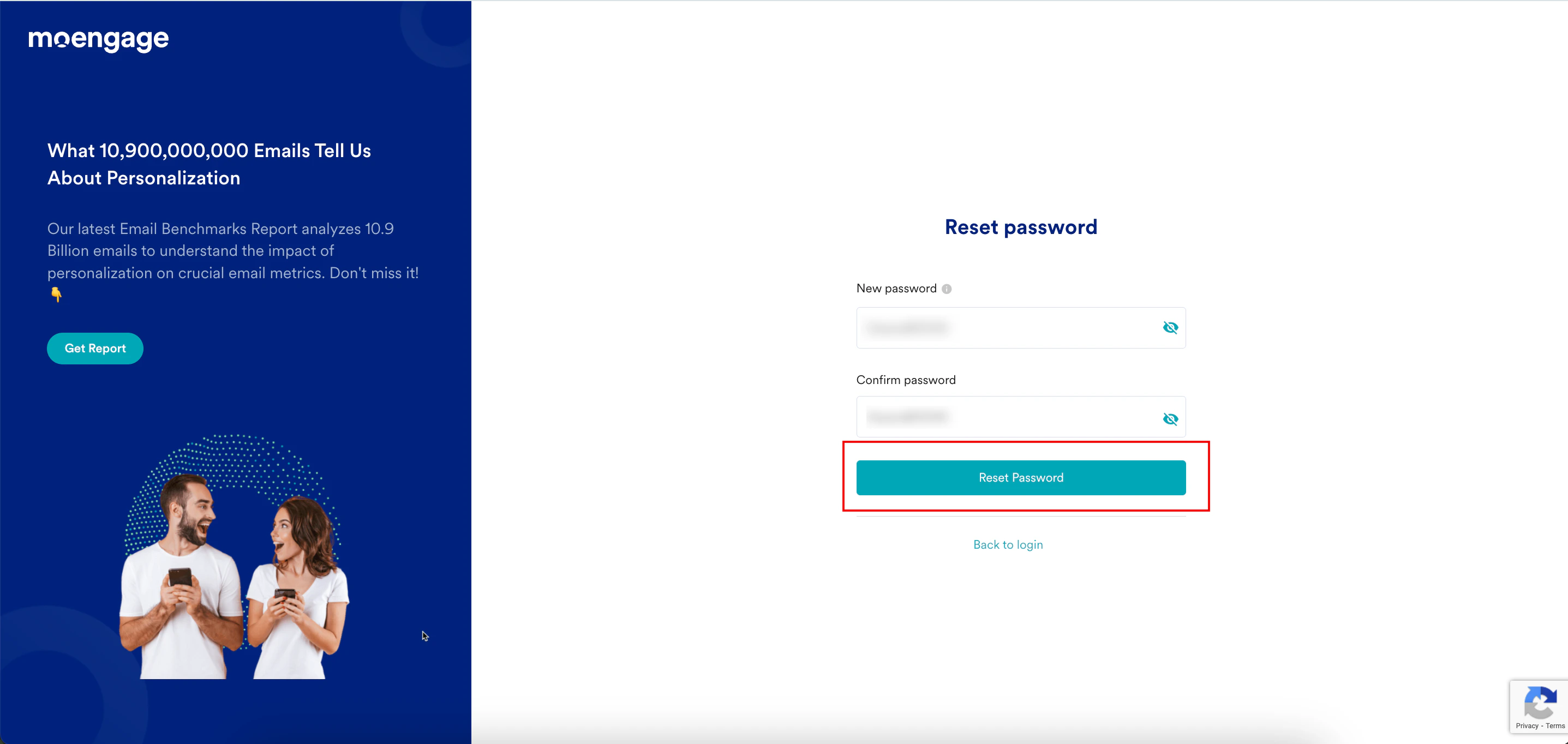 You have successfully reset your password, and MoEngage will redirect you to the login page. You can [log in to your MoEngage dashboard](/user-guide/getting-started/initial-setup/log-in-to-moengage) using the new password.