> ## Documentation Index
> Fetch the complete documentation index at: https://moengage-user-guide.mintlify.site/llms.txt
> Use this file to discover all available pages before exploring further.
# Recovery Codes
Recovery codes in 2-step verification are a set of one-time-use codes that allow you to log into your account even if your primary 2-step verification device (like a phone or authenticator app) is lost, stolen, or inaccessible.
# Download Recovery Codes
MoEngage provides a set of 10 recovery codes when setting up or resetting 2-step verification on your device. MoEngage also allows you to generate new recovery codes if you use all of the previous ones.
You can download recovery codes in the following scenarios:
* When setting up 2-step verification on your device for the first time. For more information, refer to [Set Up 2-Step Verification on Your Device](/user-guide/getting-started/initial-setup/set-up-2-step-verification-on-your-device).
* When resetting 2-step verification on your device. For more information, refer to [Reset 2-Step Verification on Your Device](/user-guide/getting-started/initial-setup/reset-2-step-verification-on-your-device).
# Log in to MoEngage Using Recovery Codes
**Prerequisites**
You must have the recovery codes downloaded.
Perform the following steps to log in to your MoEngage account using one of your downloaded recovery codes:
1. Try to [log in to your account](/user-guide/getting-started/initial-setup/log-in-to-moengage) using your credentials, based on the login method configured for the account.
2. On the 2-Step Verification page, click **Enter a 2-step recovery code**.
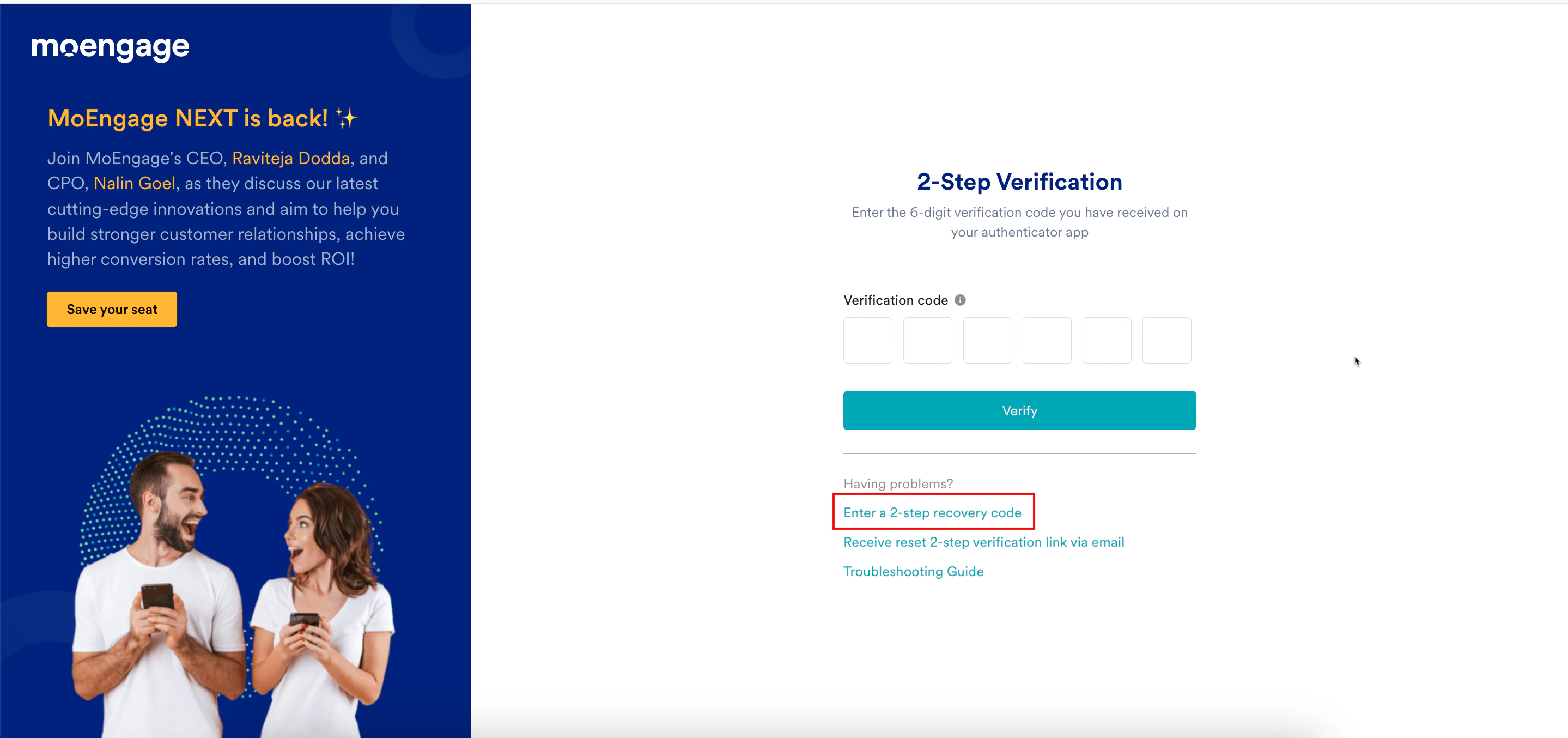 The 2-Step Verification page is refreshed.
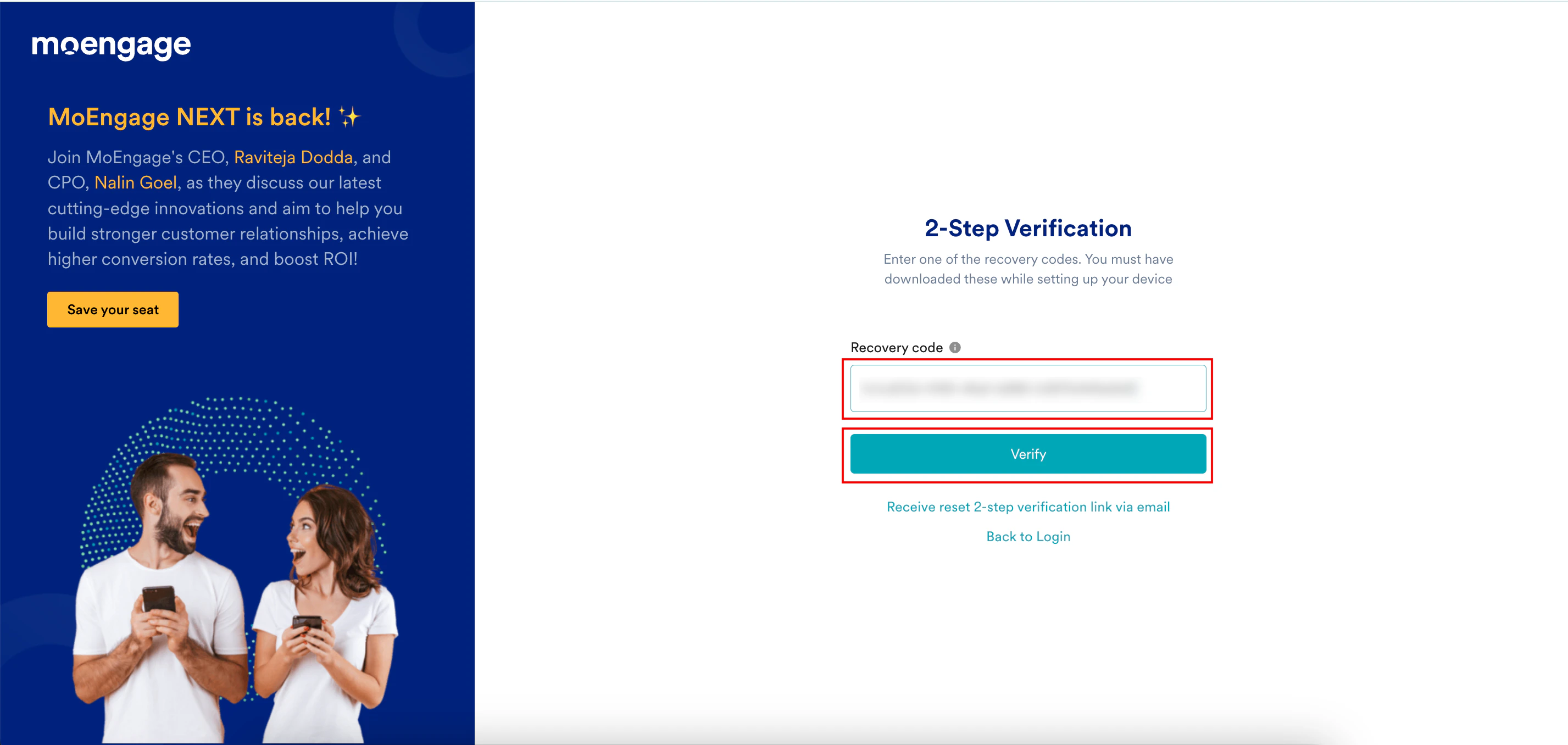
3. In the **Recovery code** box, type the recovery code.
Each recovery code is unique and can only be used once. Once used, the code is marked as invalid, and MoEngage will not allow you to use it again.
4. Click **Verify**.
The 2-Step Verification page is refreshed.
3. In the **Recovery code** box, type the recovery code.
Each recovery code is unique and can only be used once. Once used, the code is marked as invalid, and MoEngage will not allow you to use it again.
4. Click **Verify**.
 You are now successfully logged into the MoEngage dashboard.