> ## Documentation Index
> Fetch the complete documentation index at: https://moengage-user-guide.mintlify.site/llms.txt
> Use this file to discover all available pages before exploring further.
# User Events Integration Validation
User events integration is one of the most important parts of the entire integration. To ensure that the events are flowing correctly to MoEngage, we can follow the steps below.
# What is to be validated?
* Events Tracking is working as expected.
* All the attributes are being tracked
* The data types of the attributes are correct
# How to Validate?
## Check Event Tracking
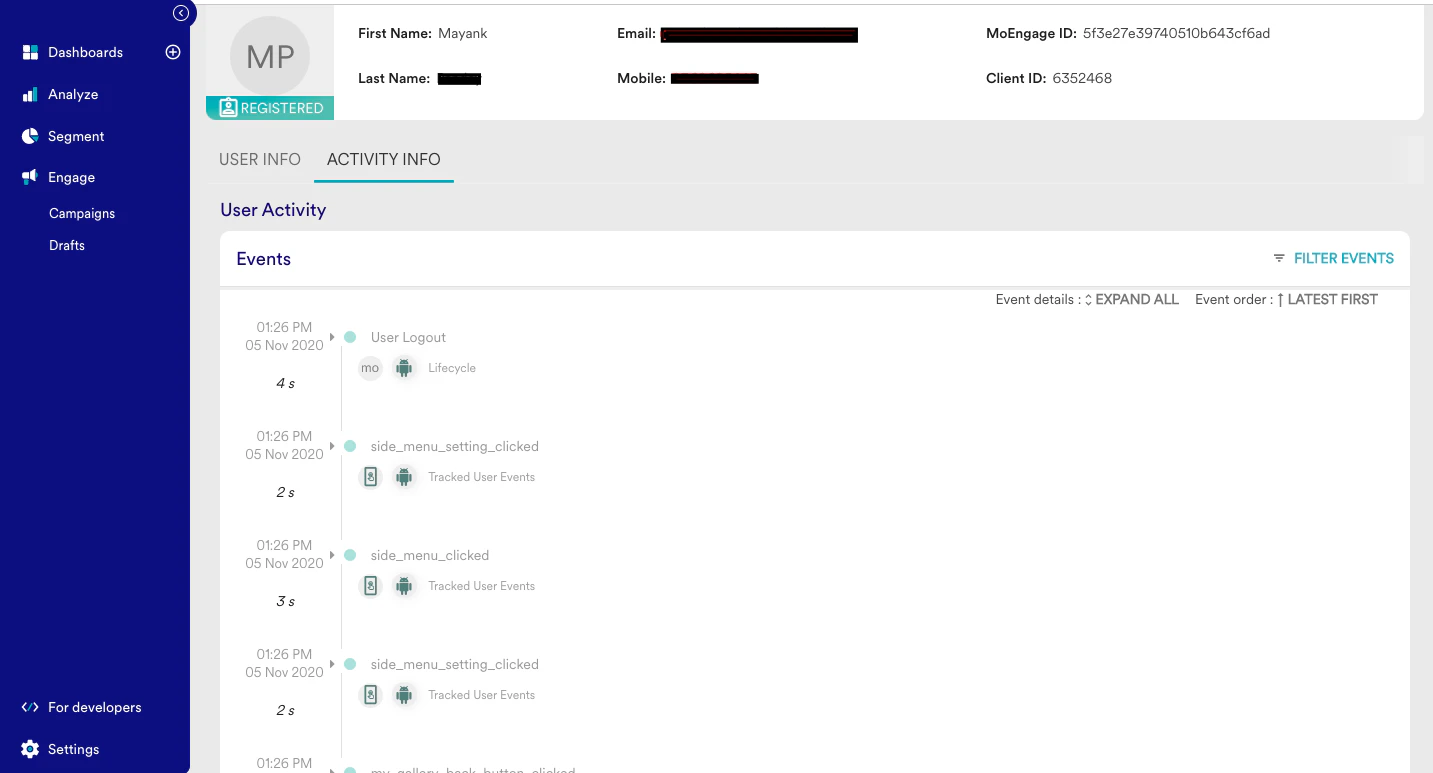
* On the app, perform the events that need to be tracked on MoEngage
* Open the [user profile](/user-guide/data/user-data/user-profile) on the MoEngage Dashboard and go to the Activity info
* You should be able to see all the events performed in this section.
 ## Check the Event attributes
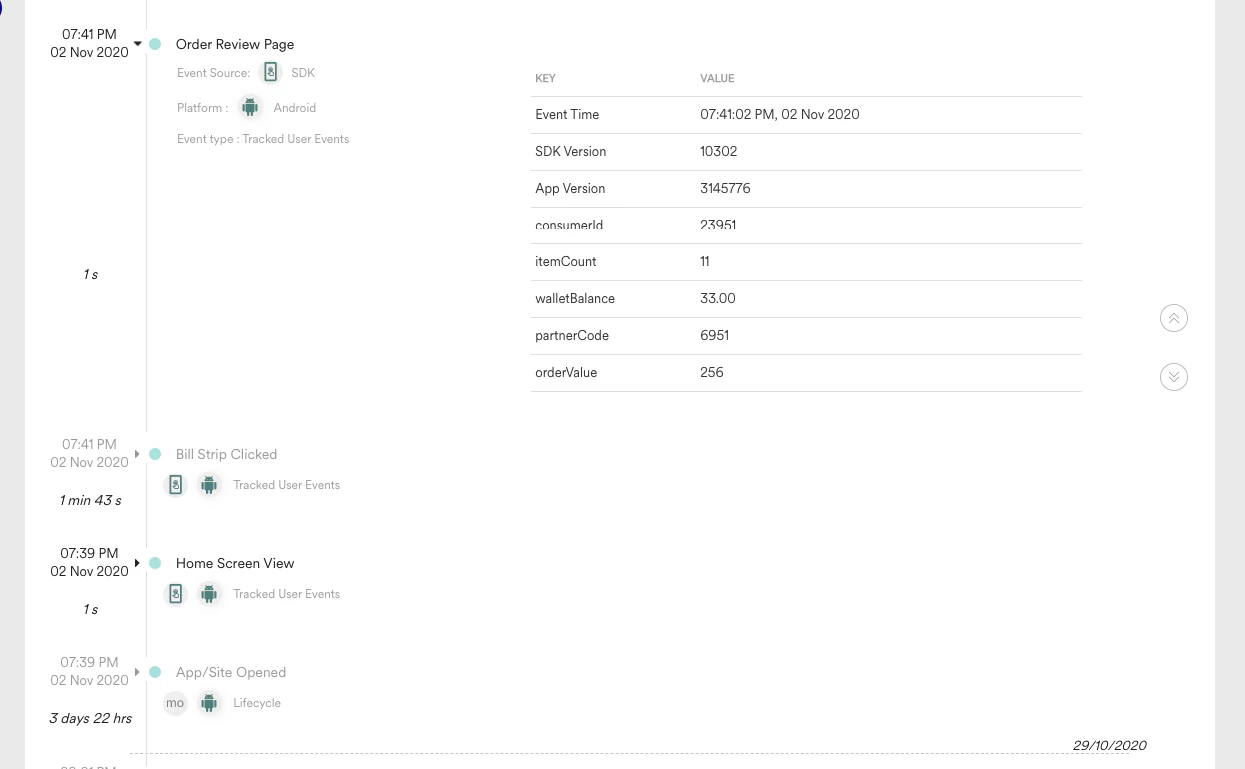
* Click an event on the activity info page. This will expand the event and display the event attributes.
* Check for all the attributes that need to be passed with the event
* Event Source has to be SDK, Platform has to be the type of device where the event is performed and type has to be tracked user events.
## Check the Event attributes
* Click an event on the activity info page. This will expand the event and display the event attributes.
* Check for all the attributes that need to be passed with the event
* Event Source has to be SDK, Platform has to be the type of device where the event is performed and type has to be tracked user events.
 ## Check the attribute data types
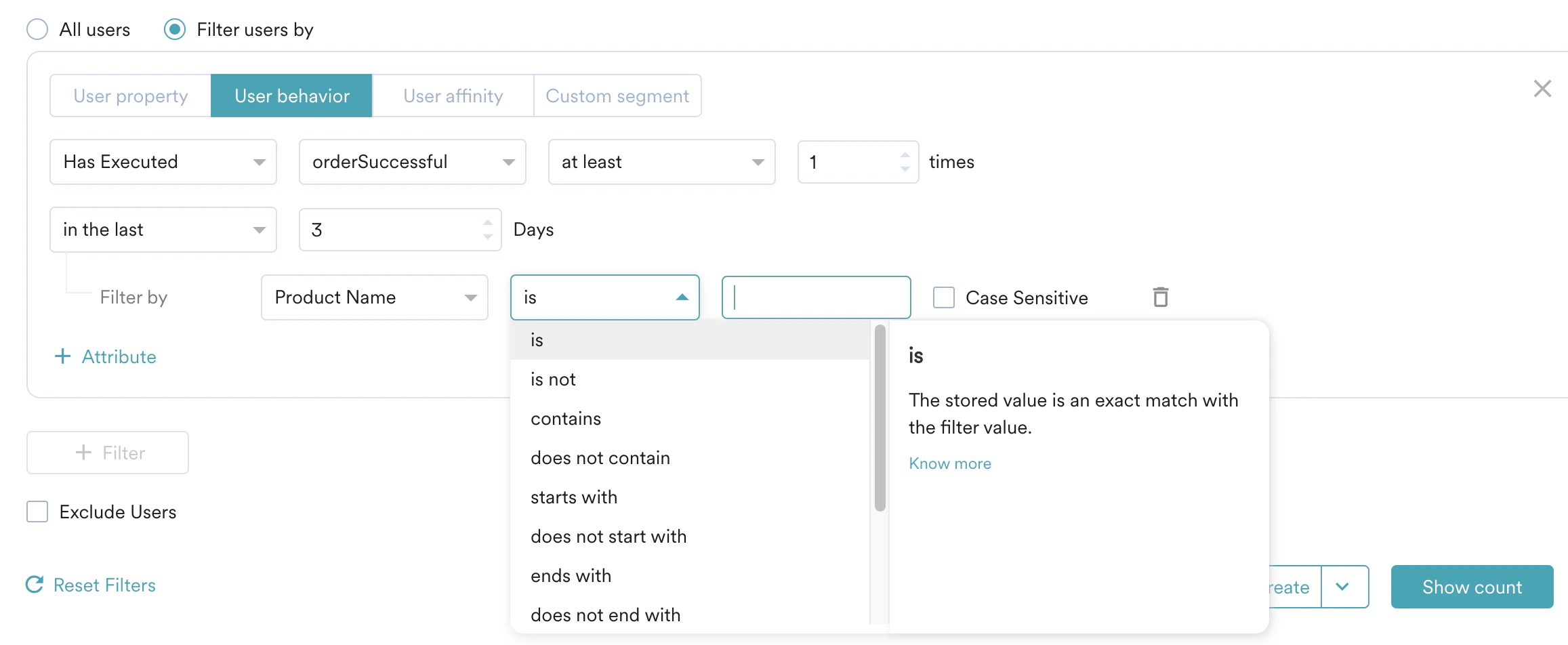
* String data type attributes should have string-related operators like is, contains, starts with, etc
* Date attributes should have operators like on, in between, before after, etc
* Number attributes should have operators like equal to, greater than, in between, etc
## Check the attribute data types
* String data type attributes should have string-related operators like is, contains, starts with, etc
* Date attributes should have operators like on, in between, before after, etc
* Number attributes should have operators like equal to, greater than, in between, etc
 # Potential Issues and Solutions
* Unique Event Name - It is most important to track unique names for events across platforms.
* Event attributes Data Type - It is also important to maintain datatype consistent across platforms.
* Without the proper event tracking the user behavior cannot be identified, and automated campaigns cannot be created. To fix events-related issues, refer to [Android](/developer-guide/android-sdk/data-tracking/basic/track-events), [iOS](/developer-guide/ios-sdk/data-tracking/basic/tracking-events), and [Web](/developer-guide/web-sdk/data-tracking/web-sdk-events-tracking) docs.
# Potential Issues and Solutions
* Unique Event Name - It is most important to track unique names for events across platforms.
* Event attributes Data Type - It is also important to maintain datatype consistent across platforms.
* Without the proper event tracking the user behavior cannot be identified, and automated campaigns cannot be created. To fix events-related issues, refer to [Android](/developer-guide/android-sdk/data-tracking/basic/track-events), [iOS](/developer-guide/ios-sdk/data-tracking/basic/tracking-events), and [Web](/developer-guide/web-sdk/data-tracking/web-sdk-events-tracking) docs.