> ## Documentation Index
> Fetch the complete documentation index at: https://moengage-user-guide.mintlify.site/llms.txt
> Use this file to discover all available pages before exploring further.
# Widget Library
Widget library allows you to save customized widgets to reuse.
### Add widget to library
* Right click on an element
* Select **+ Add Widget**
* choose product grid
You can save a widget to the library when you add it to the webpage by selecting the option **Add to widget library**.
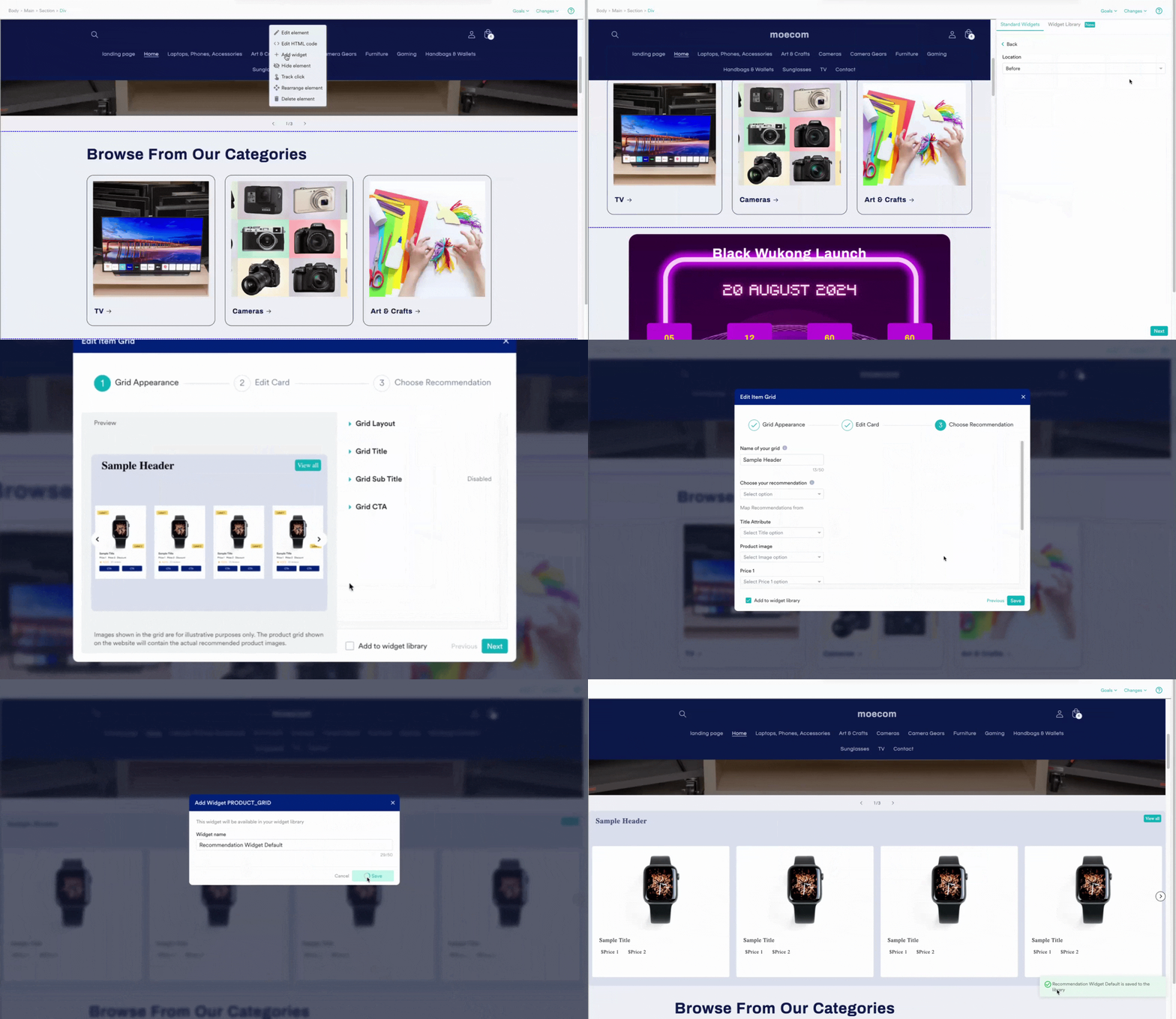 * To add any widget that is already a part of an experience, you simply have to edit the experience, select the widget and choose **Add to widget library**.
### Reusing saved widgets from the library
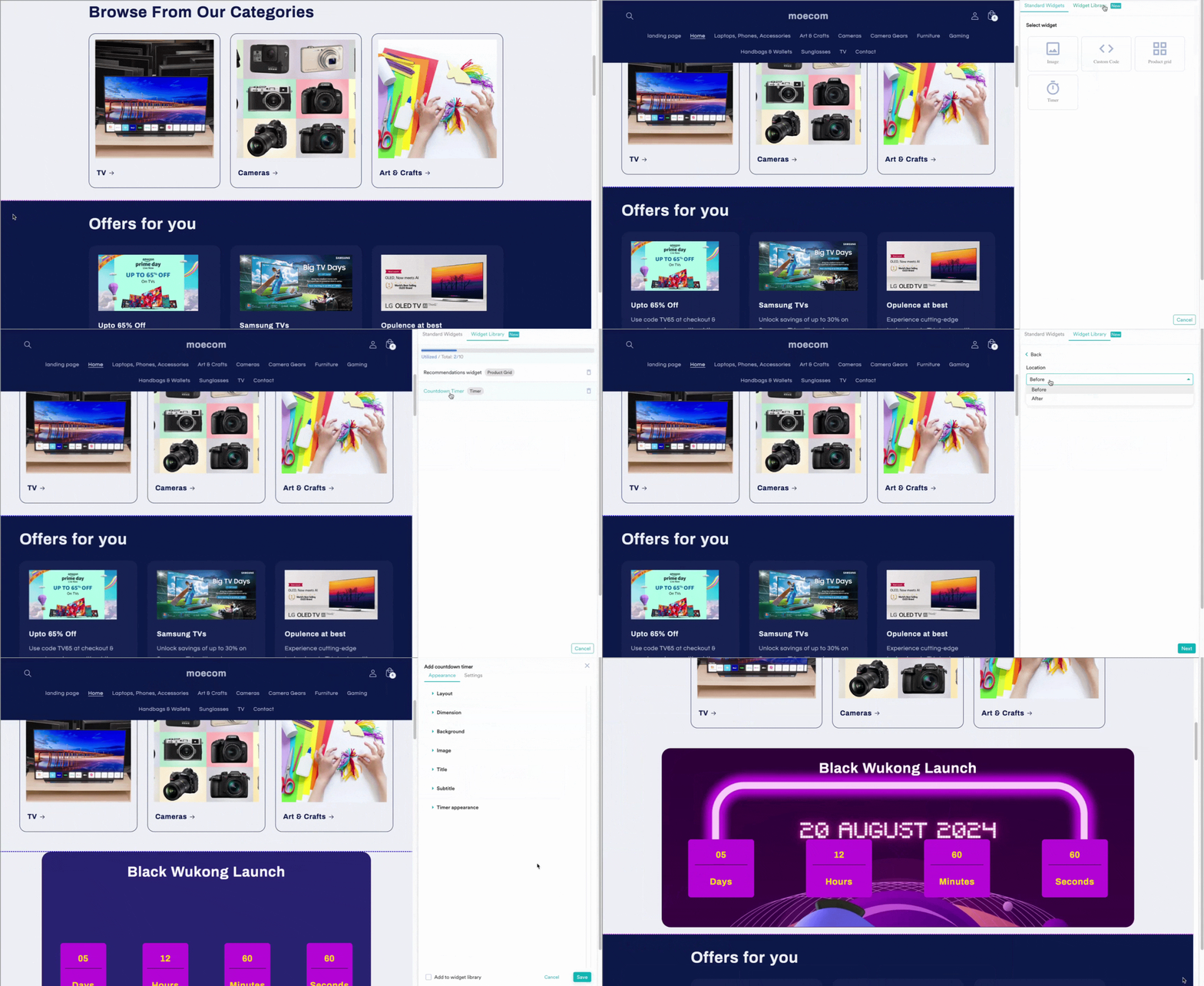
Once a widget is part of the library, you can reuse it in any of the experiences that you have created.
* To add any widget that is already a part of an experience, you simply have to edit the experience, select the widget and choose **Add to widget library**.
### Reusing saved widgets from the library
Once a widget is part of the library, you can reuse it in any of the experiences that you have created.
 ##
##