> ## Documentation Index
> Fetch the complete documentation index at: https://moengage-user-guide.mintlify.site/llms.txt
> Use this file to discover all available pages before exploring further.
# October 2021
# New Features
## Dashboard
The Data Management dashboard visualizes all the tracked data available in a MoEngage account. Take relevant actions based on the dashboard.
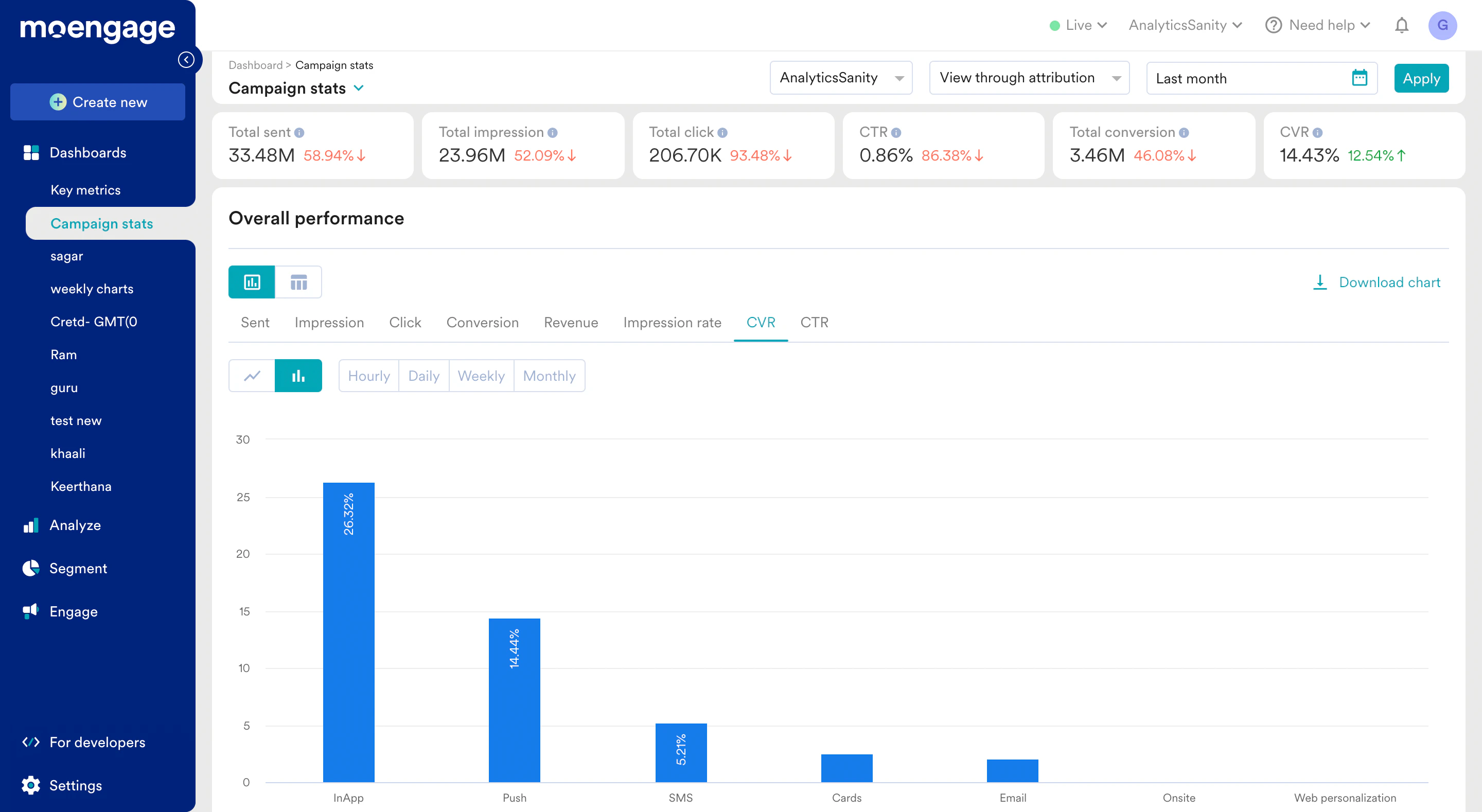 For more information, refer to [Campaign Stats](/user-guide/analyze/dashboards/campaign-stats).
## SMS
MoEngage is providing ICS as a new SMS provider. The provider is an integrated connector and is configured in the MoEngage Dashboard. You send SMS campaigns using ICS.
For more information, refer to [Campaign Stats](/user-guide/analyze/dashboards/campaign-stats).
## SMS
MoEngage is providing ICS as a new SMS provider. The provider is an integrated connector and is configured in the MoEngage Dashboard. You send SMS campaigns using ICS.
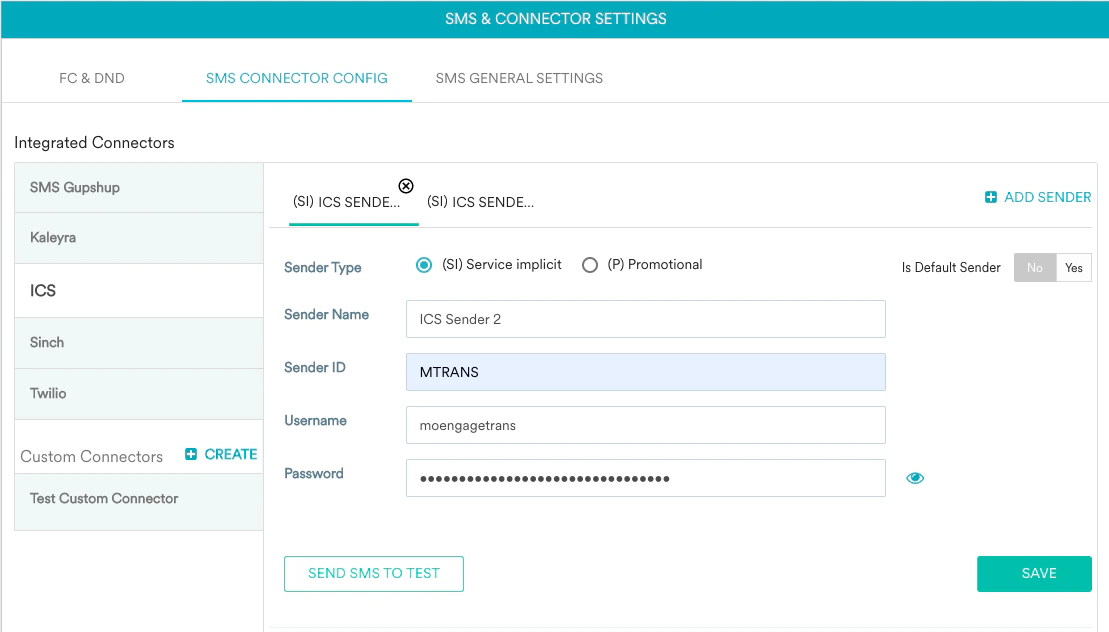 For more information, refer to [Configure ICS](https://partners.moengage.com/hc/en-us/articles/4422440506388-ICS).
## Multivariate Testing
You can now automatically select a winning email campaign using the MoEngage Intelligence tool Sherpa.
For more information, refer to [Dynamic Multivariate Testing for Email](/user-guide/intelligence/ab-testing/what-is-ab-or-multivariate-testing/dynamic-multivariate-experiment).
## Flows
The following are the new features in Flows:
* A new page displays all the flows available in your account with the following filters:
* Search flows with keywords (Search flows)
* The date on which the Flows were created (Select created date)
* Status of the Flows (Status)
* Entry criteria of Flows such as One-time, periodic and event-triggered. (Select entry type)
* Campaign tags
* Who created the flows (Created by)
* Error management
# Enhancements
## Flows
The new user interface in Flows provides the following:
* Creation of flows
* New canvas background.
* New nodes addition and update.
For more information, refer to [Configure ICS](https://partners.moengage.com/hc/en-us/articles/4422440506388-ICS).
## Multivariate Testing
You can now automatically select a winning email campaign using the MoEngage Intelligence tool Sherpa.
For more information, refer to [Dynamic Multivariate Testing for Email](/user-guide/intelligence/ab-testing/what-is-ab-or-multivariate-testing/dynamic-multivariate-experiment).
## Flows
The following are the new features in Flows:
* A new page displays all the flows available in your account with the following filters:
* Search flows with keywords (Search flows)
* The date on which the Flows were created (Select created date)
* Status of the Flows (Status)
* Entry criteria of Flows such as One-time, periodic and event-triggered. (Select entry type)
* Campaign tags
* Who created the flows (Created by)
* Error management
# Enhancements
## Flows
The new user interface in Flows provides the following:
* Creation of flows
* New canvas background.
* New nodes addition and update.