

Overview - Push Amplification™ Plus
This article briefs Push Amplification™ Plus, the advanced Push Amplification™ solution of MoEngage, and its impact on reach or impressions for your campaigns.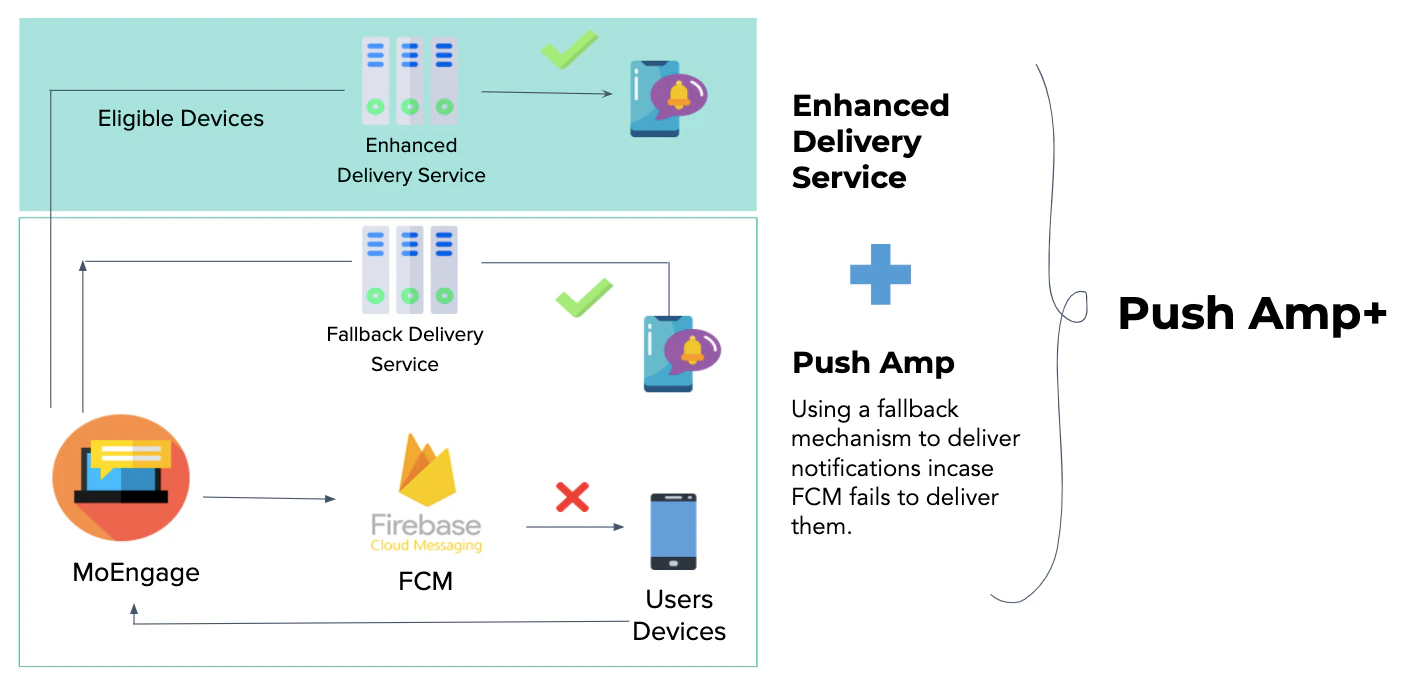
The impact of Push Amplification™ Plus is visible on the dashboard only for the campaigns created after April 3rd, 2020, 12:00 AM GMT.
Why Do We Need Push Amplification™?
Push notifications are reliable ways of engaging your mobile app users. To successfully run any engagement or retention program, marketers want to maximize the reach of their campaigns. But in the case of Android, the notifications never reach 40–70% of your users. There are multiple reasons why your users do not receive the notifications sent by you. For more information, refer to Why users are not receiving push notifications sent by you? Push Amplification™ Plus helps marketers improve the delivery of their push notifications so that their messages can reach more users.What is Push Amplification™ Plus?
Push Amplification™ Plus is an advanced version of Push Amplification™, the industry-first Push Amplification™ solution of MoEngage, built to increase push notification delivery rates by a maximum of 40% across Android device manufacturers. Additionally, our customers have witnessed an uplift in push delivery rates by a maximum of 75% on Xiaomi devices. Push Amplification™ Plus is a combination of two services:- An enhanced push notification delivery service for the eligible set of devices
- A fallback delivery service(known as Push Amplification™) used if FCM notification delivery fails
How Does Push Amplification™ Plus Work?
Marketers can choose to use Push Amplification™ Plus for their campaigns while sending them. For campaigns using Push Amplification™ Plus, an eligible set of devices that are reachable using Push Amplification™ Plus is identified from the target segment. These eligible devices are sent notifications directly by Push Amplification™ Plus. These devices are not targeted by FCM because the delivery rate through Push Amplification™ Plus is higher than FCM. The rest of the devices in the target segment that are not eligible for the Push Amplification™ Plus service are sent notifications through FCM. If FCM delivery fails Push Amplification™ starts working. Push Amplification™ detects the failure in notification delivery and acts as a fallback to the FCM, thereby delivering the notification to users’ devices. This helps marketers reach those users who would have otherwise been missed by FCM. This amplifies the reach and improves overall delivery rates by a maximum of 40%. For more information, refer to this page.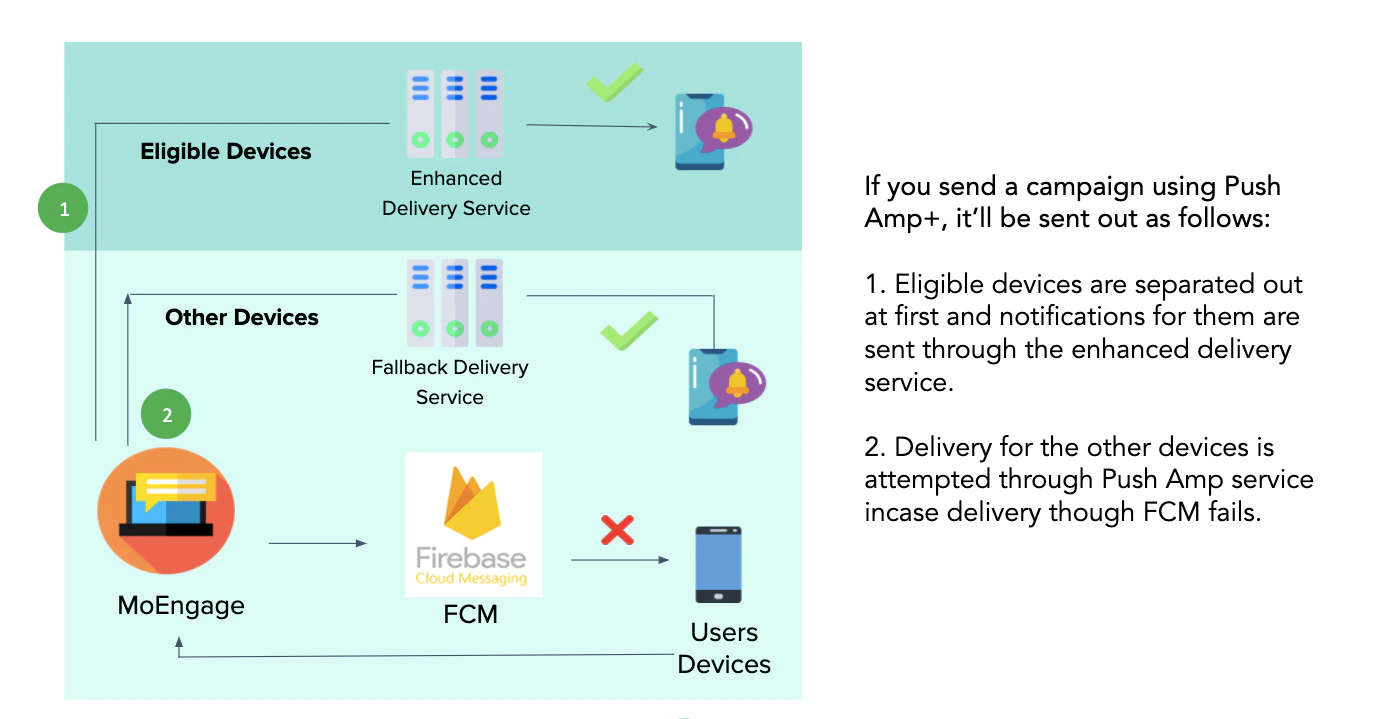
How to Enable Push Amplification™ Plus?
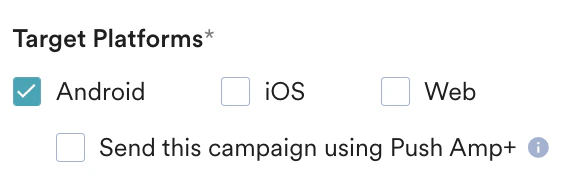
To enable Push Amplification™ Plus for your account, please contact your MoEngage Customer Success Manager (CSM) or the Support team. After Push Amplification™ Plus is successfully enabled for your account, you can use Push Amplification™ Plus at the campaign level. This means that you can enable Push Amplification™ Plus for some Push campaigns and not use it for other campaigns and compare overall delivery with the ones not using Push Amplification™ Plus. To use Push Amplification™ Plus for a campaign:- On the Target user page, select the platform as Android.
- Select the Send this campaign using Push Amplification™ Plus checkbox.
- Push Amplification™ works only for Android. It is available for One Time Push, Periodic Push, Event-Triggered Push, Location-Triggered Push, and Push sent using Flows campaigns.
- It is not applicable on Device-Triggered Push.
- Because Push Amplification™ Plus is an advanced version of Push Amplification™, enabling Push Amplification™ Plus also enables Push Amplification™ with it.
Measure Uplifts by Push Amplification™ Plus
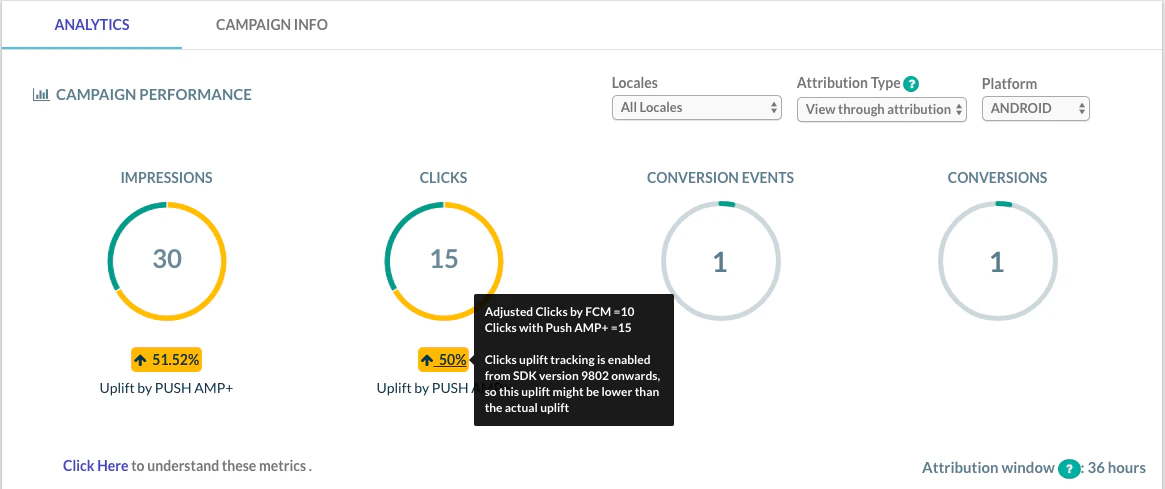
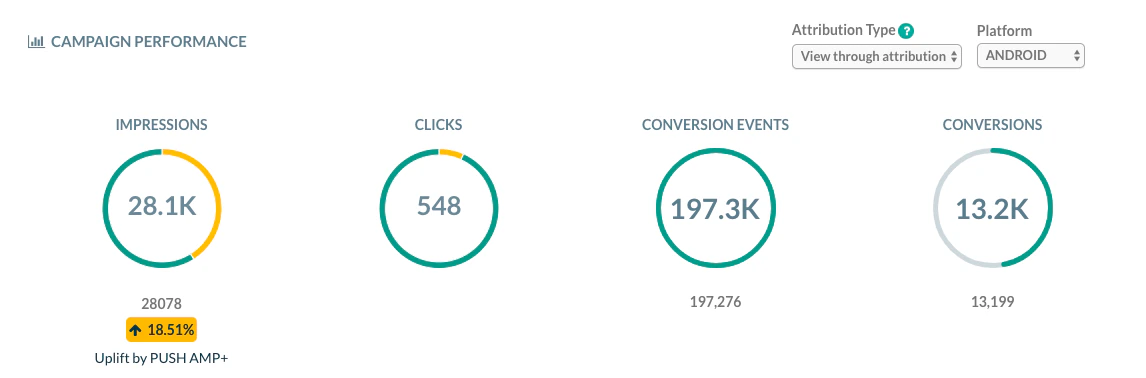
After Push Amplification™ Plus is successfully enabled for your account, when you configure a campaign, you can measure the impact of Push Amplification™ Plus on that campaign’s Impression and Clicks. After the campaign is sent, go to Campaign > Analytics and select Android as Platform.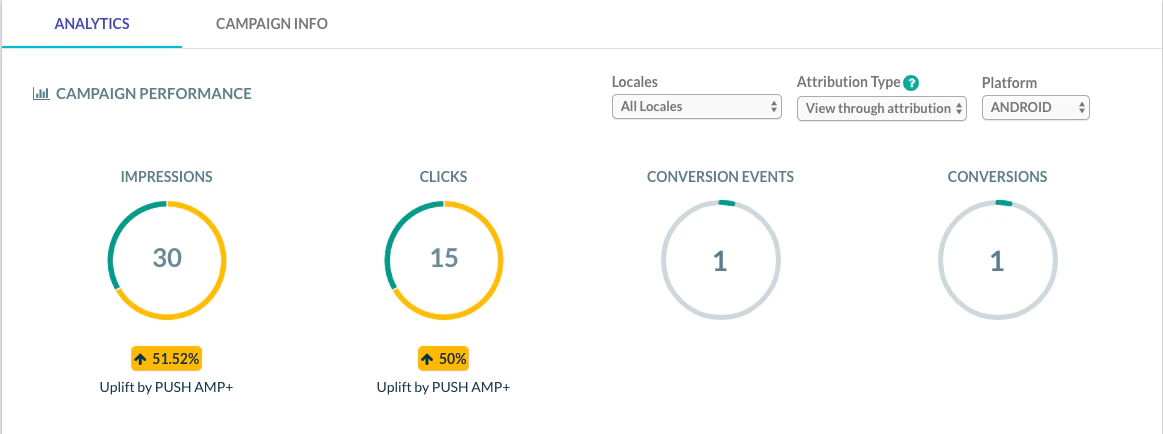
Periodic Campaigns
Periodic Campaigns
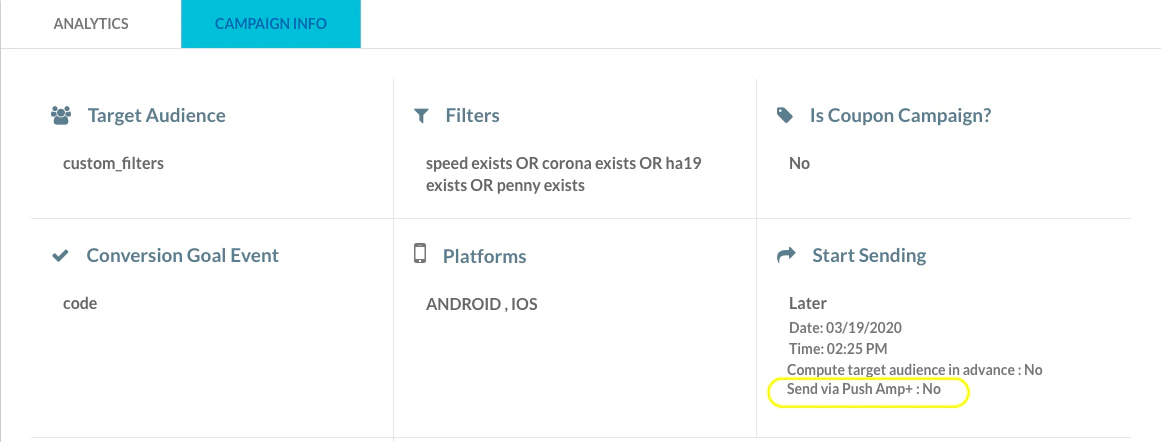
For periodic campaigns, Push Amplification™ Plus uplifts are shown for each child campaign based on whether Push Amplification™ Plus was enabled or disabled while sending a specific child campaign. For the parent campaign, aggregated stats are shown with Push Amplification™ Plus uplift. However, it has the following limitation: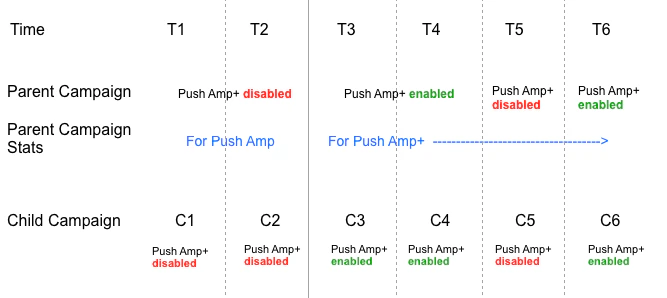
- If you do not send any child campaign with Push Amplification™ Plus enabled, the parent campaign shows Uplift for Push Amplification™.
- If you send any one child campaign with Push Amplification™ Plus enabled, the parent campaign shows Uplift for Push Amplification™ Plus.
How Uplifts are calculated?
This section explains the formulas used for calculating the uplifts.- Uplift in Impressions
- Uplift in Clicks






- Uplift in conversions and conversion goals are currently not available. MoEngage is working on these features and they will be available shortly.
- Push Amplification™ Plus is an Android-based feature, so the Impressions and Clicks uplifts are applicable only for Android.
- We show an uplift for Impressions for All Platforms to provide an indication of Push Amplification™ Plus impact on an overall level. However, the uplift in Clicks for Android as opposed to uplift in Clicks for All Platforms always remains the same, hence Clicks uplift is not shown for All Platforms.
- Push Amplification™ Plus data and uplift is shown for All Locales. We are currently not tracking locale-specific data for Push Amplification™.
- We started tracking clicks for Push Amplification™ Plus only from SDK version 9.8.02 onwards, so the Click uplift might be lower than the actual uplift.