Introduction
For a media or entertainment brand, comparing time-series data for different contents helps marketers identify which shows, movies, or episodes are performing well in terms of viewership, engagement, and retention. Analyzing viewing trends over time can highlight popular genres, themes, and formats, assisting in making content acquisition and production decisions. In this article, we will understand how you can analyse different content viewership on your app or site in terms of engagement and retention.Expected Result
Marketers will be able to see time series comparison of video viewership on their app or site: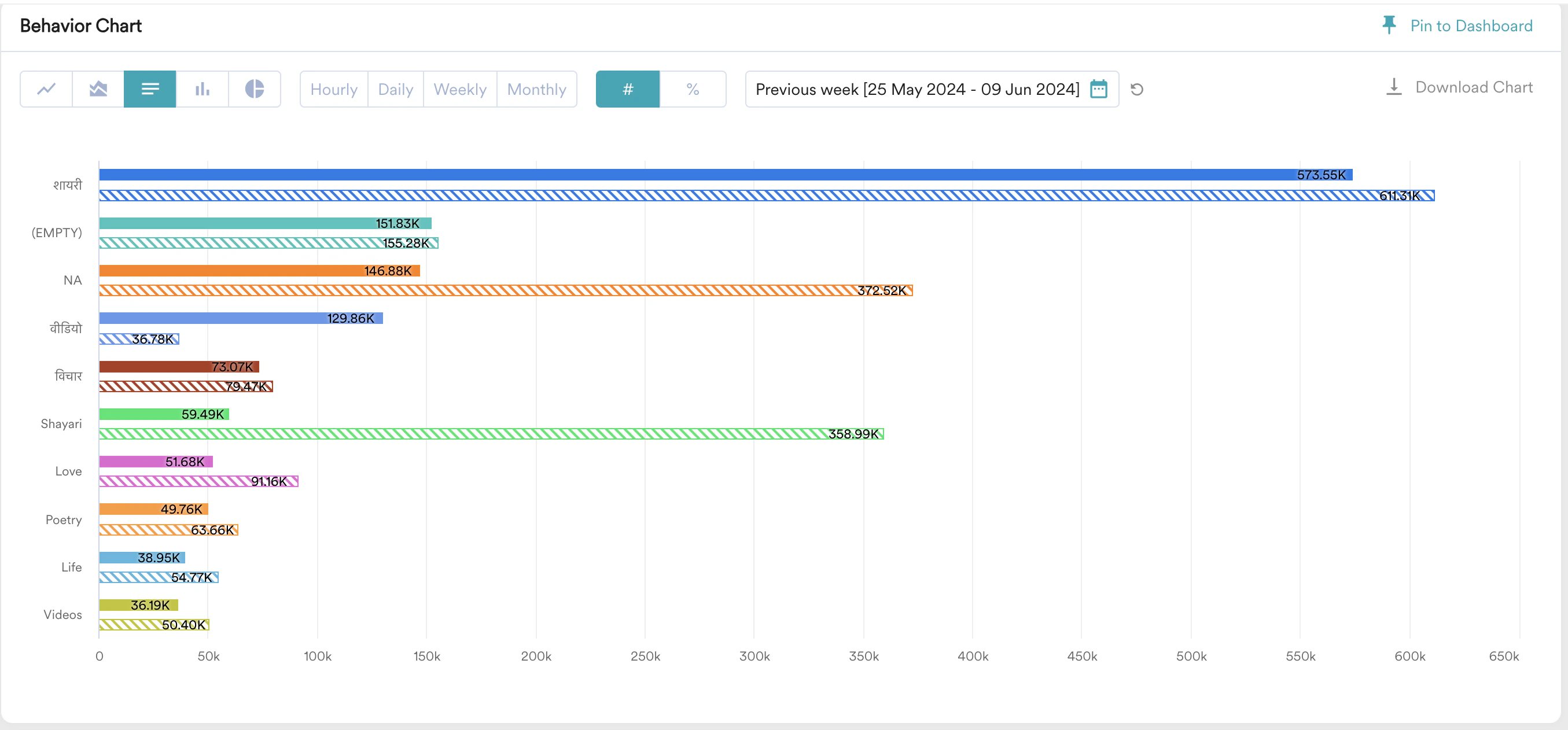
Analyze Content Performance
In this section, let us analyze the content performance.Compare Based on Engagement, Popularity, and Viewership
- Navigate to Analyze > Behaviour on your MoEngage Dashboard.

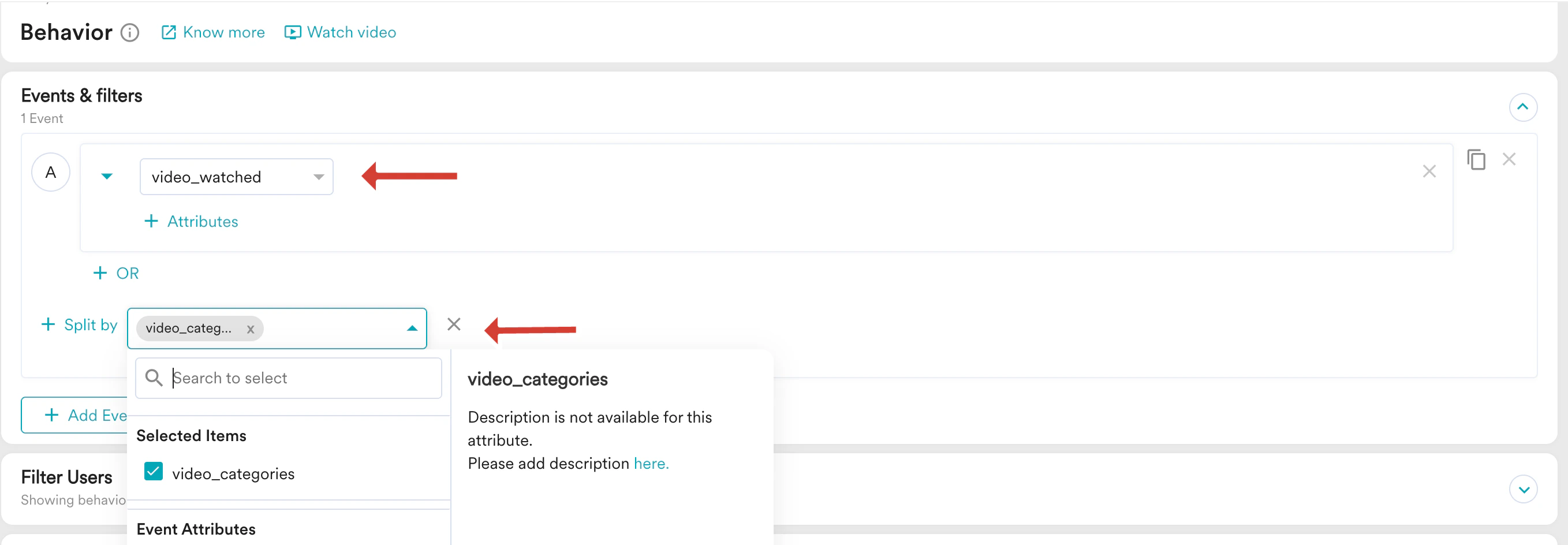
- Add your content viewed event.
- From the Split by drop-down list, split based on category event attribute.
- Select your required option from the Analysis type drop-down and the Duration field.

- Click Apply.
- Select your comparison duration.
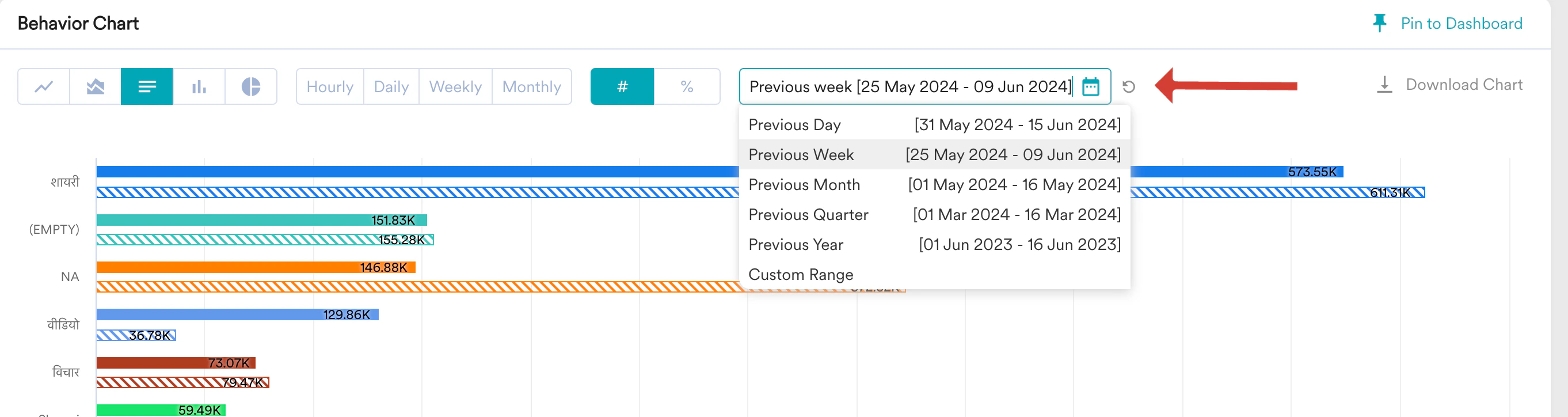
Compare Based on Retention
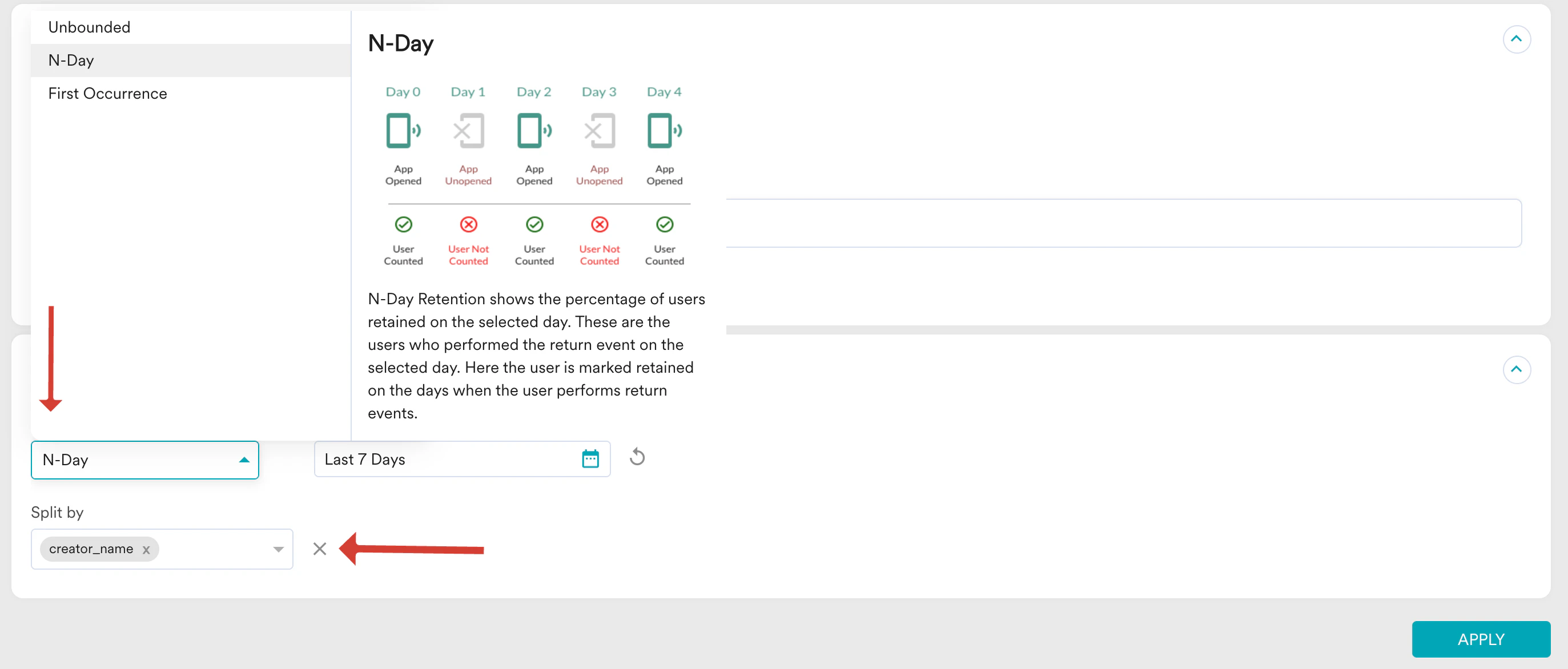
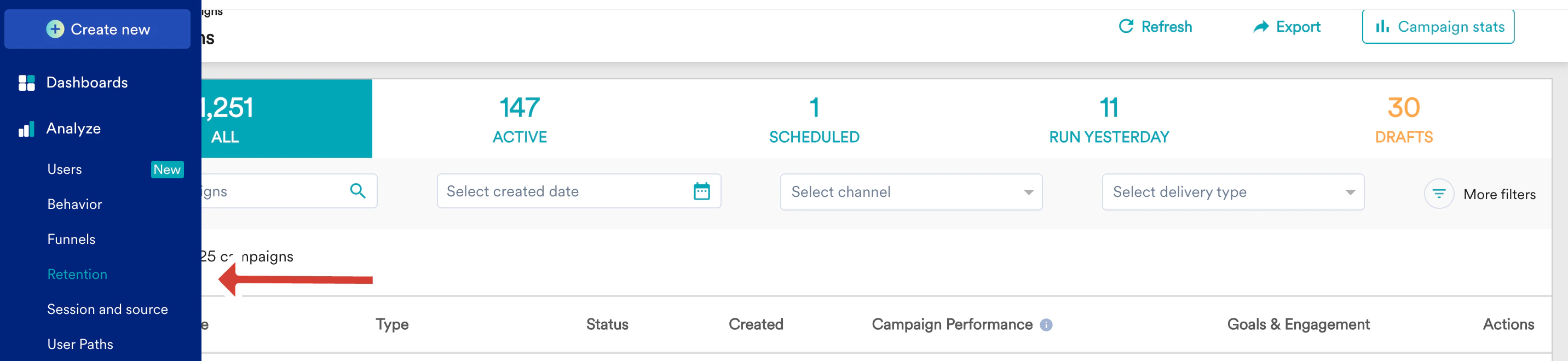
In this section, let us compare based on retention.- Navigate to Analyze > Retention on your MoEngage Dashboard.
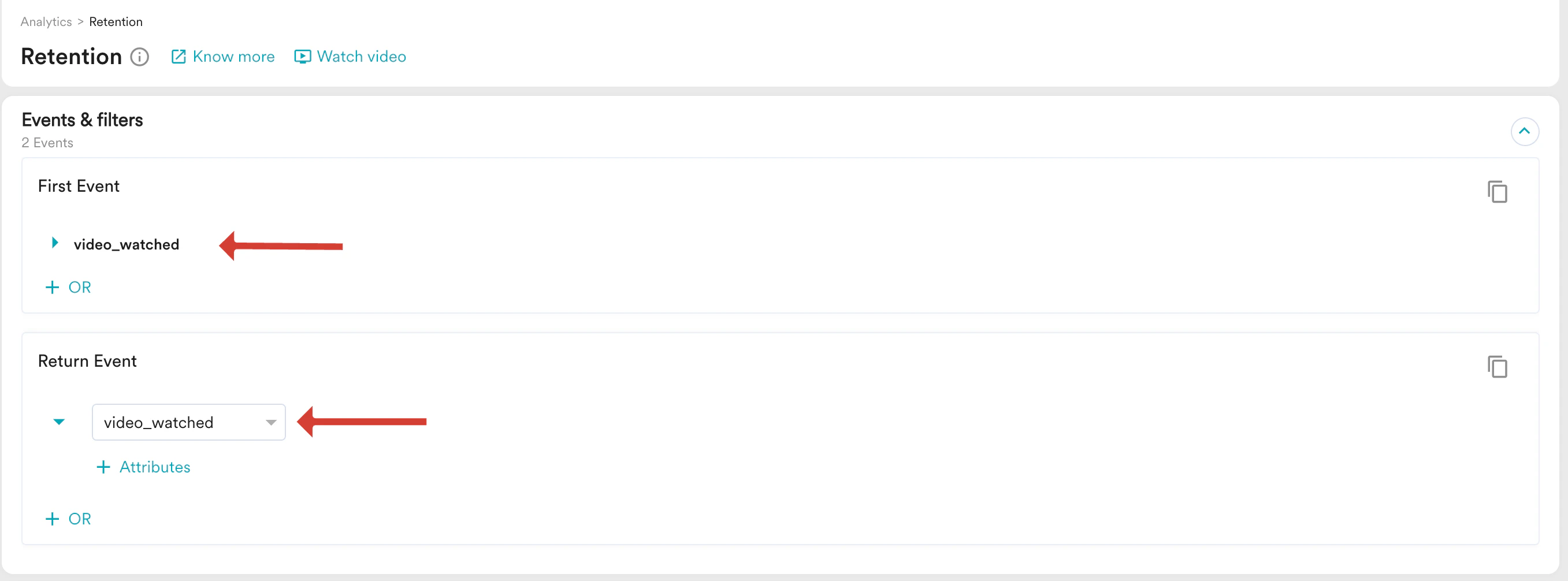
- Select your first event and returning event.
- In the Retention Options section, from the Retention type drop-down, select your retention type.
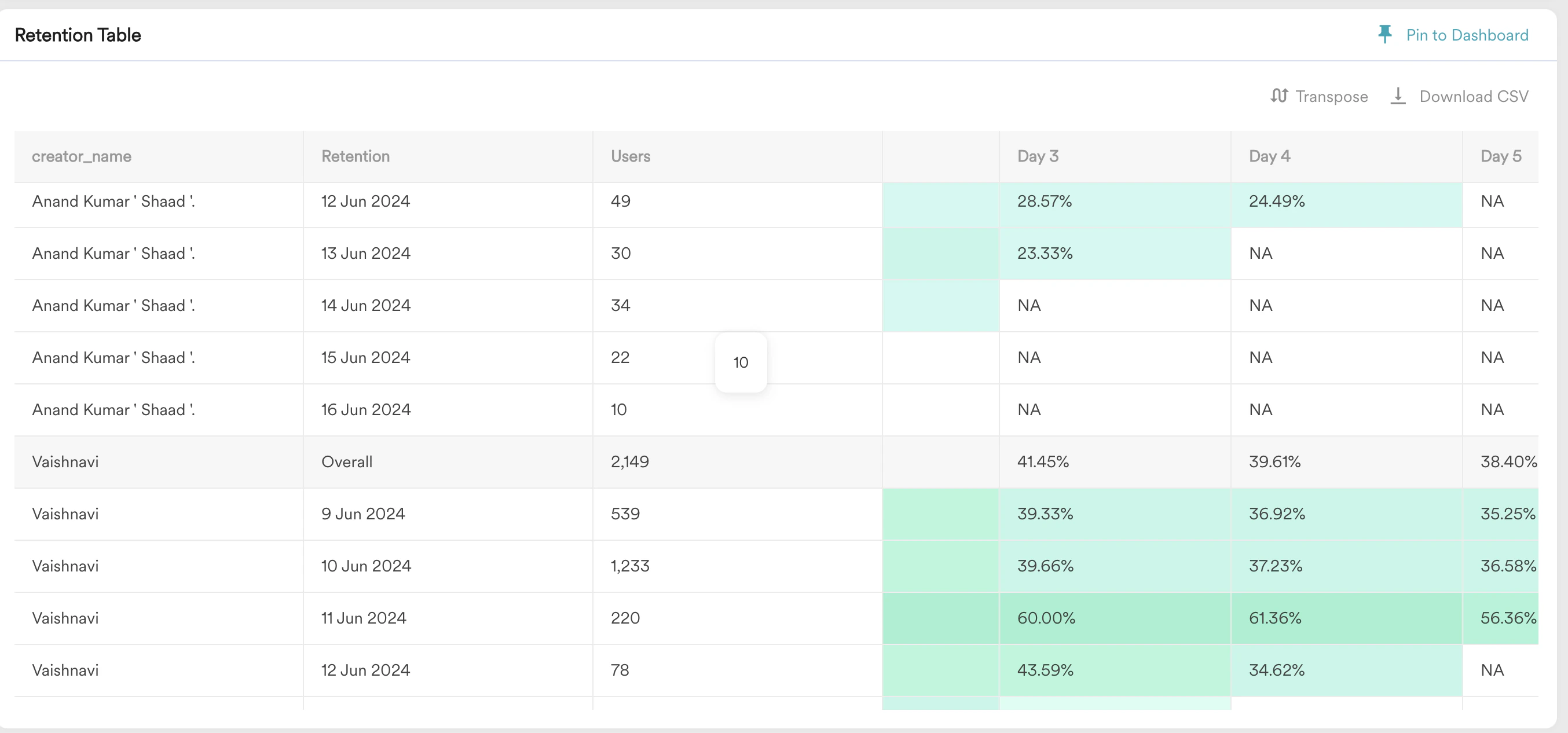
- From the Split by drop-down list, split by the video creator name.
- Click Apply.