

- Number of users who have granted Web Push permission on your website
- Number of users who have subscribed/unsubscribed in a specified time duration
- Segment users based on the Web Page URL on which they subscribed to push notifications
- Segment users based on the Web Page URL they viewed
- Number of users receiving and clicking Web Push notifications
Navigation
- All these queries will be run on the following navigation: MoEngage Dashboard > Segment > Create Segment.
- You can view the Daily and Total Web Push Subscribers count on the following navigation as well: MoEngage Dashboard > Dashboard > Key Metrics.
Identifying the Total Web Push Subscribers
To identify the number of users who have subscribed to Web Push Notifications:- Select the Filter users by option.
- In the User Property tab, select the Web Push Subscription Status attribute and select True from the drop-down.
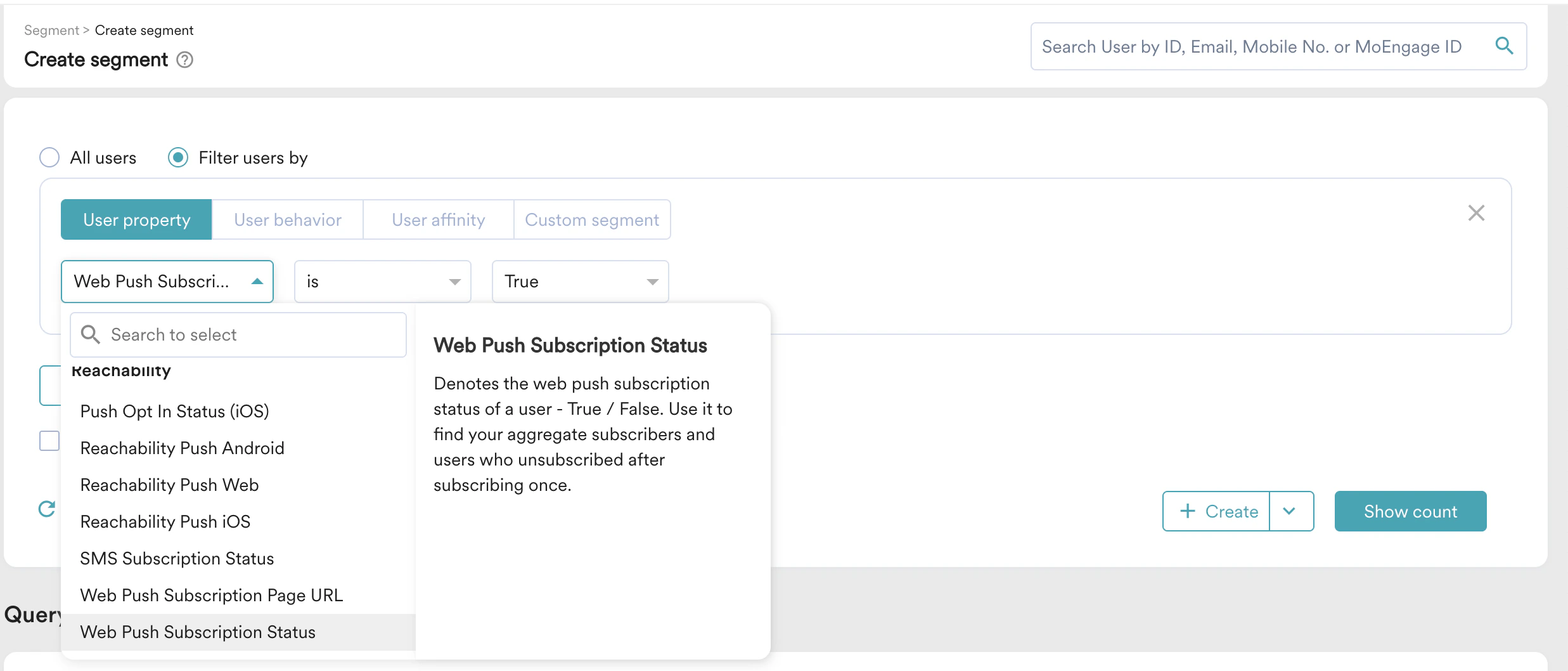
Web Push Subscriptions
You can also find out how many users have subscribed to Web Push over a specified time (allowed time filters - in the last X days, in between 2 dates, before a date, after a date, on a date, and today). The MoEngage identifier for this event is the user behavior termed Subscribed to Web Push. To identify the number of subscriptions:- Select the Filter users by option.
- in the User behavior tab, select the condition Has Executed**Subscribed to Web Push event at least 1 time and add the timeframe of your choice, as shown below.
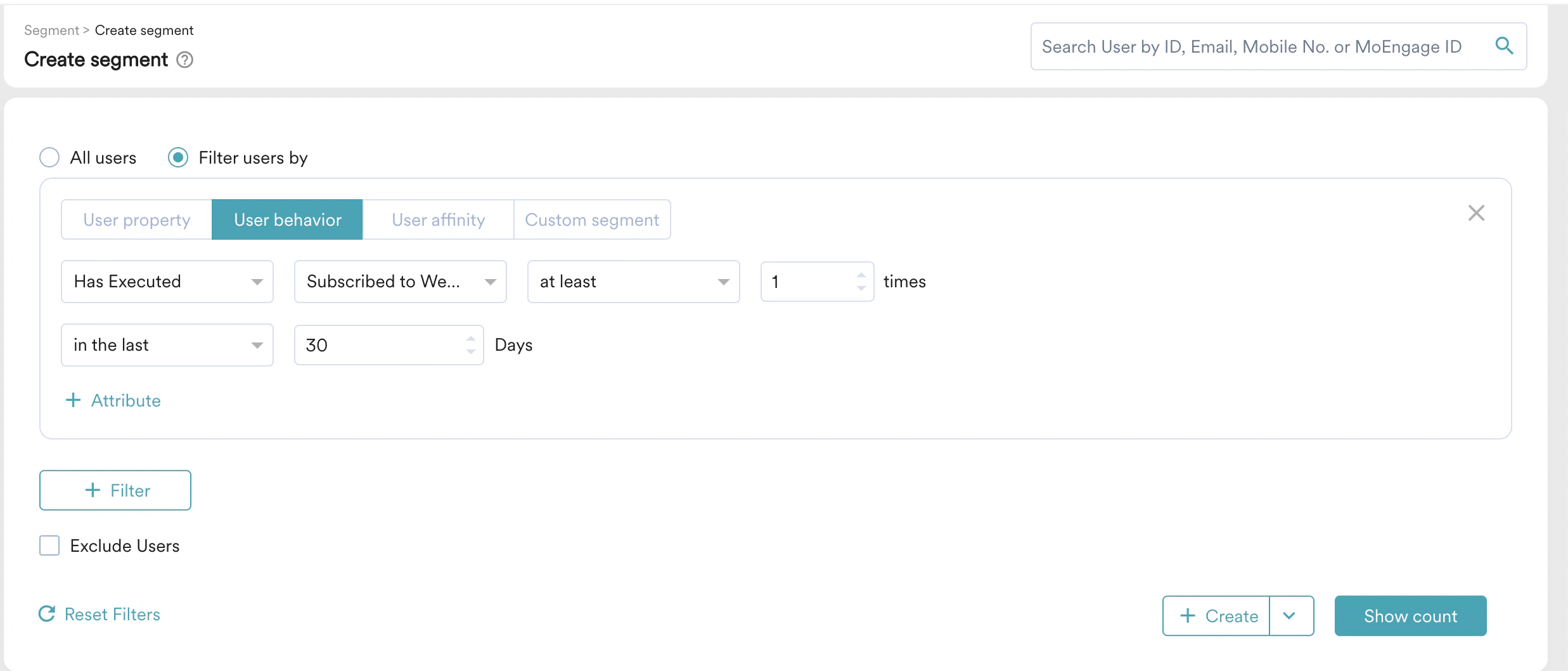
Web Push Unsubscriptions
You can find out how many users have unsubscribed from Web Push over a specified time (allowed time filters - in the last X days, in between 2 dates, before a date, after a date, on a date, and today). MoEngage identifier for this event is the user behavior termed Denied Web Push Subscription. To identify the number of unsubscriptions:- Select the Filter users by option.
- in the User behavior tab, select the condition Has Executed Denied Web Push Subscription event at least 1 time and add the timeframe of your choice, as shown below.
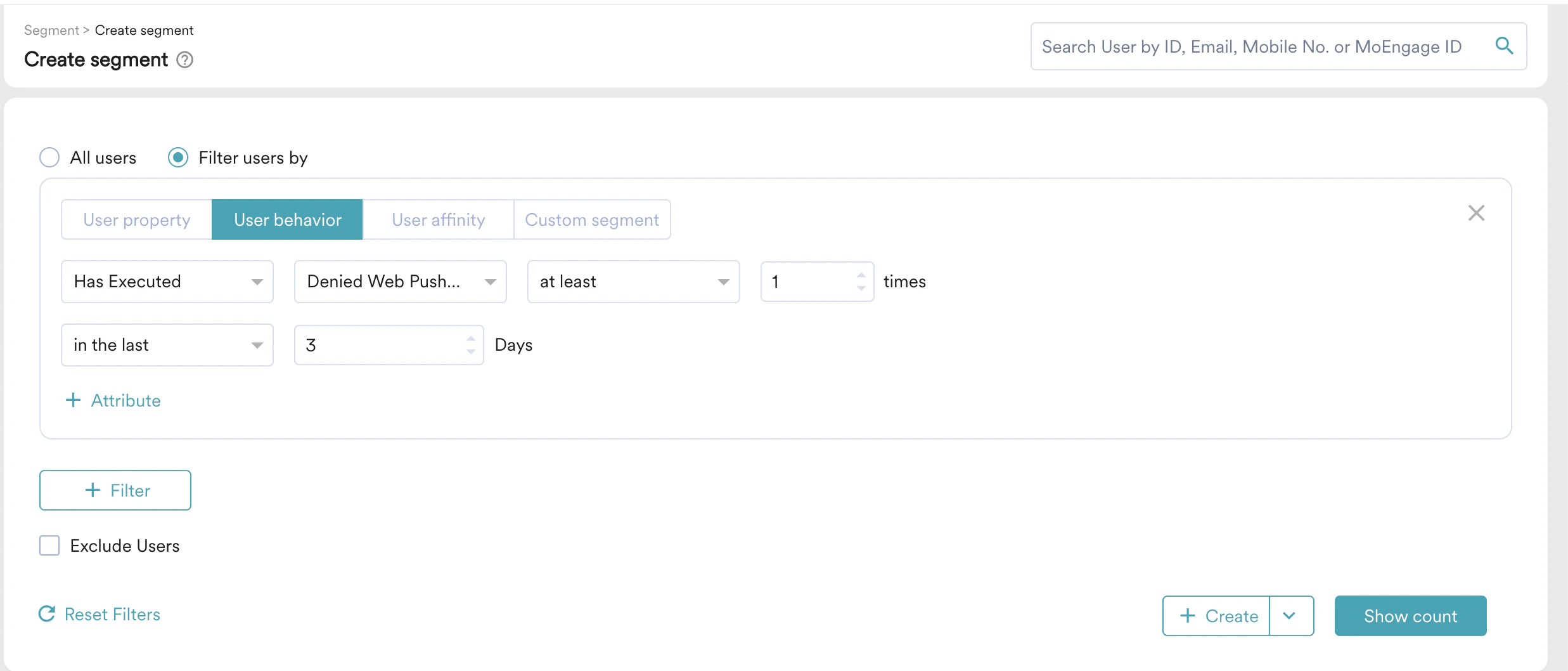
There are two sources from where we get to know about users unsubscribing from Web Push Notifications. You can select the event attribute Source to distinguish between the two.
- Website: When users directly remove permission from the website and reload the page, we update the subscription status to False and create the event Web User Unsubscribed with the event attribute Source as Website.
- Campaign: When users remove Push permission from Browser Settings, we get to know about the status from Push Services (GCM, AutoPush, etc.) when a campaign is sent to that user. We update the subscription status to False and create the event Web User Unsubscribed with the event attribute Source as Campaign.