New Features
Test User Priority Queue Management
Release Date: 17 May 2021 You can now track data of specific users in real-time to test the new campaigns, app updates or integrations updates.- Mark users as test users and mark devices as test devices
- Test user detail is displayed on the User Profile page.
- You can create a search query for test users on the Segmentation page.
Redesigned Create Campaign Page
Release Date: 18 May 2021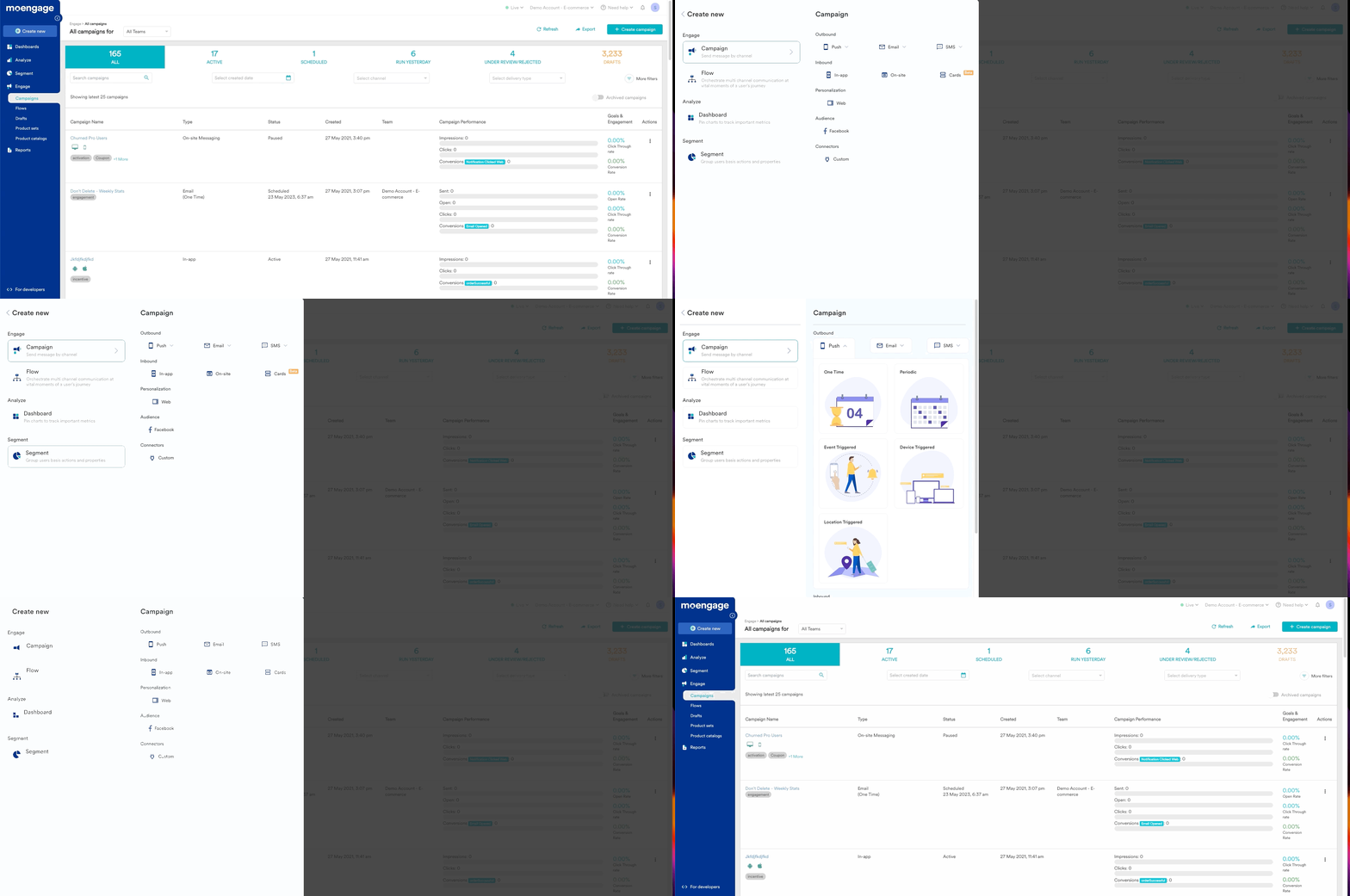
- A new Campaign or Segment or Flow or Dashboard can now be created from the home screen through Create New button on the left navigation bar.
- Create Campaign button is added in the All Campaigns page, providing a faster and easier way to create a new campaign.
- Flows are separated from campaigns inside the MoEngage menu option in the sidebar. You can access all the Flows drafts on the new All Flows page only.
- Campaign drafts are now available on the All Campaign page as well
- Child campaign instances for all Periodic campaigns are no longer displayed on the All Campaigns page
- The year with the date of campaign creation or schedule or campaign sent is displayed on the All Campaigns page. The timestamps on the All Campaigns page or Campaign information page are now displayed according to the Account Time Zone configured by the Account Admin.
Filter Changes
- Direct filters for campaign channels and delivery types are added. Periodic campaigns can now be identified directly using Periodic delivery type and campaign created by API as API Triggered
- Created By filter Campaigns and flows can be filtered by users who have created the campaign/flow
Naming conventions
To make it easier for our users, we have changed the nomenclature for campaigns. The new nomenclature is based on the channel and delivery type as shown in the table below:SMS and Email Reachability in Segmentation
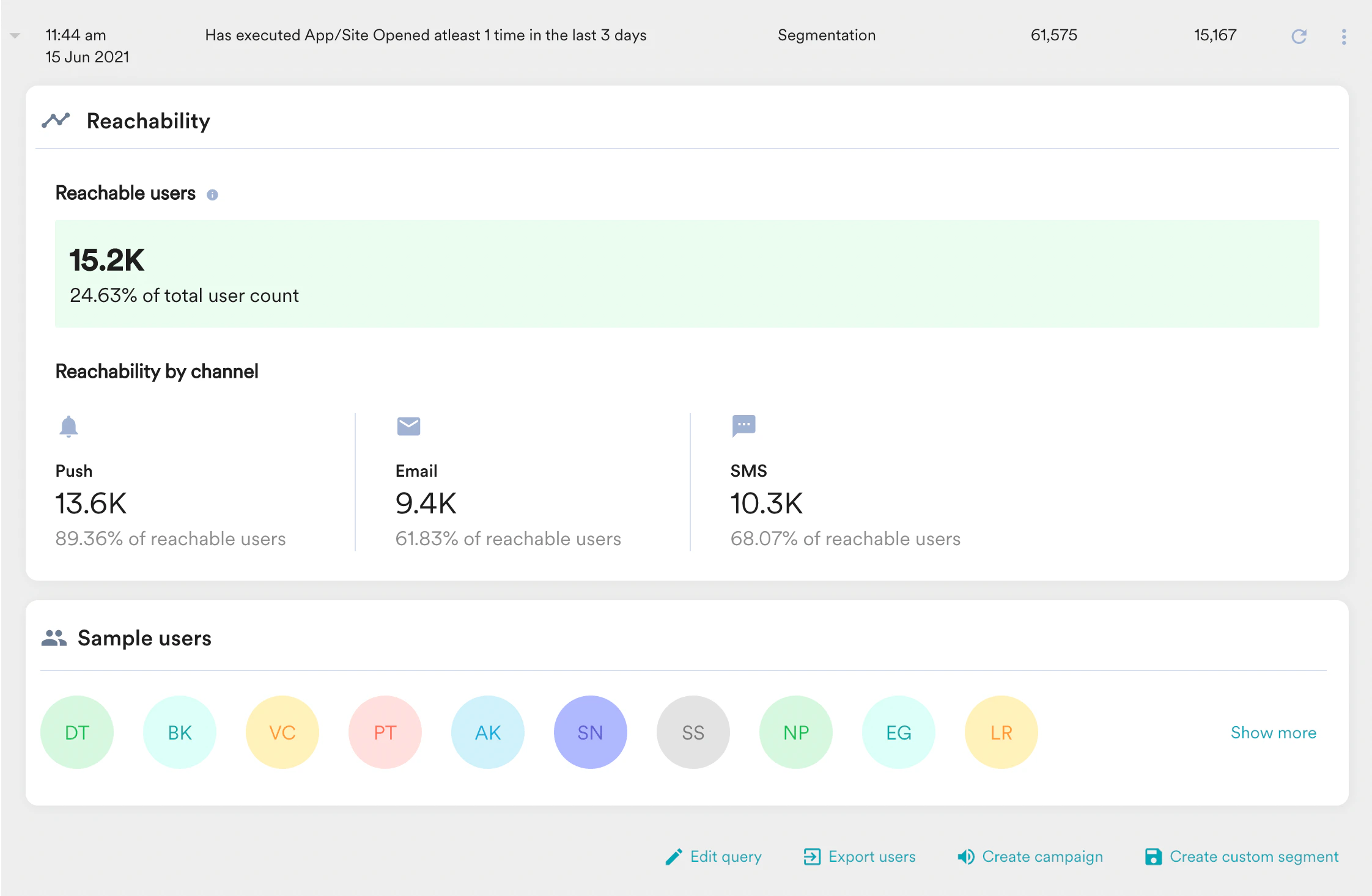
Release Date: 25 May 2021 Marketers can now get a count of users who are reachable via SMS and Email channels along with Push channel for any selected segment. When a new query is run on the segmentation page, the following information on reachability is now available to the marketer:- Total reachable users - number of users reachable through one or more channels (Push, Email, SMS).
- Total reachable users as a percentage of total users.
- Number of users reachable via Push, Email, and SMS channels.
- Users reachable via Push, Email, and SMS channels as a percentage of total reachable users.
Campaign Analytics for On-site Messaging and Web Personalization
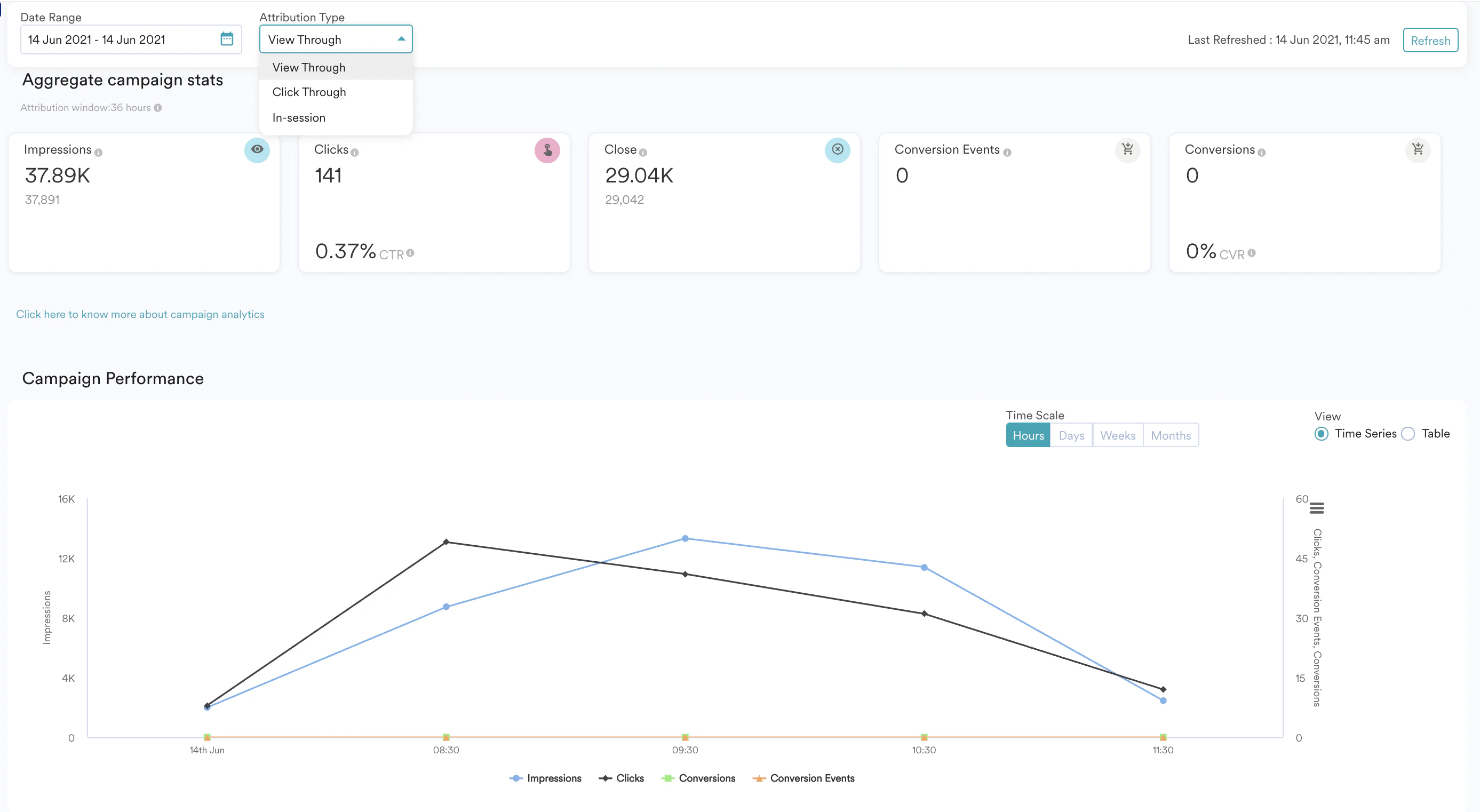
Release Date: 25 May 2021 We have now enabled campaign analytics for on-site messaging and web personalization channels. You can view the campaign performance and view how many users viewed this campaign.