

To enable this feature for your account, contact your MoEngage CSM (customer success manager) or the Support team.
Introduction
An Object is a versatile data type that holds data in a key-value pair. An object can hold a single or multiple key-value pairs. As a marketer, you may want to segment users depending on a specific item they have added to their cart. There may be enumerable attributes that define the specified item, which can be encapsulated in a single object and can used to identify the item. For example, you want to log a list of users who added the book Atonement to their cart. The book can be defined using the following Object: CodeTypes of Objects
MoEngage supports the following types of objects:Simple Object
A simple object consists of an element holding multiple key-value pairs, as shown below: CodeNested Object
An object inside another object is a nested object, as shown below: CodeArray of Objects
An array of objects is a collection of elements that individually hold several key-value pairs, as shown below: CodeNomenclature Used in the Object Data Type
Consider the following object Stationary: CodeKey Factors for Object Data Type Ingestion
Ingest Object Data Type
This section describes how you can ingest the Object data type into MoEngage.S2S API
Sample cURL requestSDK
Sample cURL requestSnowflake
The Object data type is supported in Snowflake as well.Store Compatible JSON Data in Snowflake
To store valid JSON inside Snowflake, you must change the data type of the column to VARIANT type. For more information, refer here. The JSON stored inside Snowflake should be a valid JSON; otherwise, the values will not be written as JSON. Here is an example JSON column: JavaScriptImport JSON Data via Snowflake
Existing attributes in MoEngage that have been marked as an Object type and are available to map to columns in Snowflake: You can always create new Object attributes from the mapping step as well, as shown below:MoEngage does not support mapping with nested attributes. Only top-level attributes are available to map.
Zapier
Zapier now supports creating users and events with object-type attributes. To mark an attribute as an object type, you need to define these attributes inside the Object-type Attributes list: Any attribute with an invalid JSON value is dropped. The same flow applies to the Import User Event Action.Any attributes that are intended to be Object type but are defined under the Custom Attributes list are sent to MoEngage as strings. Here, the default type casting conversion rules of MoEngage are applied based on the attribute’s pinned data type.
Exceptions
- Only five objects can be ingested for each workspace by default.
- Elements inside an object or in an array_objects are dropped if nulls or blanks exist.
- A heterogeneous array of objects is not supported. An array of objects should only consist of objects as the array elements.
- Case 1: If there is a mix of objects and primitive elements, primitive elements are dropped.
- Case 2: If there are no objects in the array but the array consists of other primitive elements, MoEngage takes the first element’s datatype as the reference datatype and attempts to typecast the rest of the elements into that datatype. If this attempt is unsuccessful, the elements are dropped.
Use Object Data Type
This section describes how to use the Object data type.Data Management
After ingesting your Object data type attributes in MoEngage, you can manage them in the Data management section of the MoEngage dashboard. To edit an Object data type, follow the steps below:- Navigate to your MoEngage dashboard and click Settings > Analytics and Data > Data management > User attributes or Events.
- Select the user attribute of the Object data type or search for one using the search bar.

- Click the vertical ellipsis on the attribute row and click Edit.
- Modify your Object structure. For example, change the string attribute to boolean, numeric to string, and so on.
- Click Save. A warning is displayed on saving the modifications.
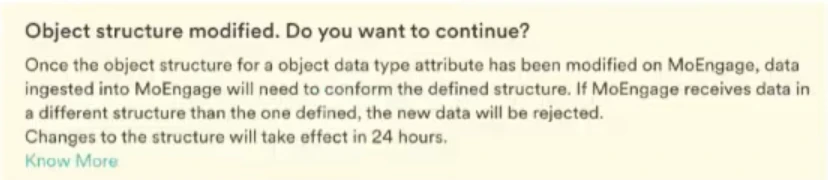
- Click Continue to confirm.
You can edit the Object attribute once every 24 hours. For the same reason, the edit option will only be activated 24 hours following the current edit.
Activities Allowed on Object Attributes in Data Management
- You can pin data type as Object or Array of Object for any custom user or event attribute.
- For any Object or Array of Object data type, the system auto-detects the object’s structure and saves it as metadata for segmentation.
- The structure detected must have all children of the Object and their data type up to two levels.
- You can manually define each child node for any Object or Array of Object type attribute.
- If the schema of an Object attribute is defined manually, it cannot be modified for 24 hours (to avoid unwanted issues with any running campaigns/triggers). After the schema is manually defined, any incoming data is validated against it and rejected if it does not conform to the definition.
- For any Object or Array of the Object type attribute, you can paste a sample JSON to generate a defined Object structure.
- You can specify the data type of each child node up to two levels. The data types supported are as follows:
- Numeric
- Boolean
- String
- Date type
- Primitive Array
- JSON (to ingest any level of nested object)
- You can create more than 100 children nodes for any object definition. If an object has more than 100 children nodes, MoEngage accepts only the first 100 children nodes defined earlier.
- If an existing attribute is pinned as an object, the previous values are not type-casted and left as they are.
- New values coming in for the attribute are treated differently for different scenarios as follows:
- If the incoming value is an object under defined limits, it will be accepted.
- If the incoming value is a primitive data type (number, string, bool), it is encapsulated and typecasted as an object.
- You can change the data type of an attribute pinned as an object to “Any” or any of the primitive data types.
- You can change Block/Unblock and Show/Hide sub-attributes of the Object data type for only root-level attributes.
- You can edit the schema of Object data type attributes in the following manner:
- Add new sub-attributes to the object for up to two levels of nesting.
- Delete existing sub-attributes.
Exceptions
- An attribute can ingest data as an object or as any primitive data type.
- Any attribute that has ingested any data point of the object data type cannot be encrypted.
- Any attribute that has been ingesting data in any primitive data type and marked as PII encrypted attribute cannot ingest object data points going forward.
User Profile
This section describes the user profile.User Info
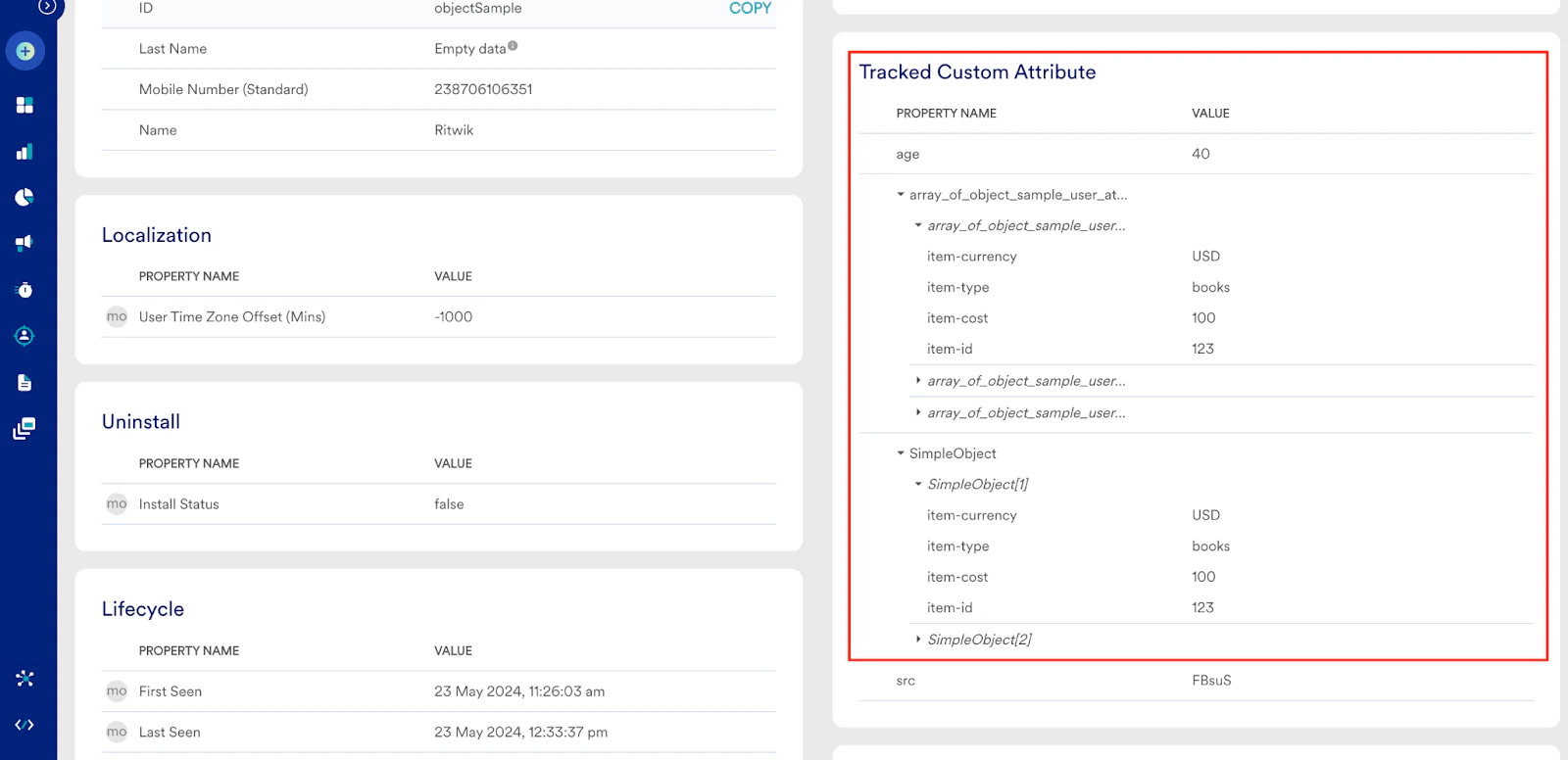
After you ingest your Object data type attributes in MoEngage, you can view them in the User Profile section on your MoEngage dashboard. To view the Object attribute, follow the steps below:- Navigate to your MoEngage dashboard and create a Segment with object attributes.
- On the Create segment page, scroll down to the Query Results section and then select a query.
- Select a sample user to navigate to the User Profile page. Alternatively, use the upper right search bar to search for a user with an ID.
- You can view all your object-type attributes on the User Profile page under the Tracked Custom Attributes section.
Activity Info
To view the object attribute associated with an event in activity info, follow the steps below:- Navigate to your MoEngage dashboard and create a Segment with Object attributes.
- On the Create segment page, scroll down to the Query Results section and then click a query to expand it.
- Select a sample user to navigate to the User Profile page. Or search for a user (using user ID) in the user search box on the upper right corner of the Create segment page.
- From the User Profile page, go to the Activity Info tab, where you can view all your events and event attributes in the object type section.
Object Data Type Support in Campaigns and Channels
The table below mentions the delivery type and indicates whether or not the object data type is supported across different campaigns.
NA* indicates that the delivery type is not supported for that particular campaign.
The table below mentions the channels and indicates whether the object data type is supported.
The table below outlines the steps involved in campaign creation and indicates whether the object data type is supported across different campaigns.
The table below outlines the steps involved in Flow creation and indicates whether the object data type is supported across different campaigns.