

Edit Templates in Mobile View
To edit a template in Mobile view:-
On the editor, click the Desktop icon.
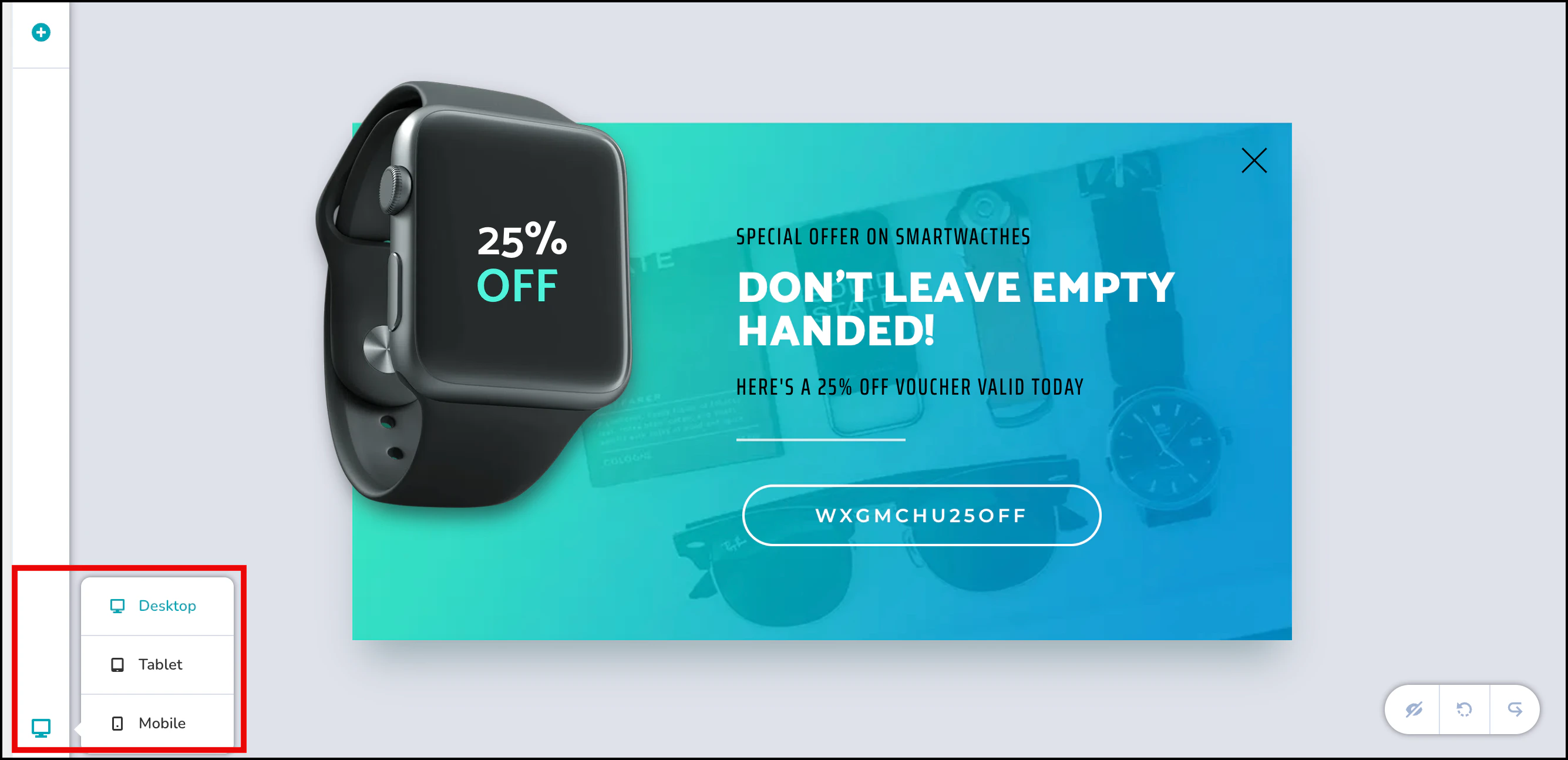
- A list of device views appears: Desktop, Tablet, and Mobile. You can switch between these views to see how the template will look on different devices.
- To edit your template for mobile, click Mobile to open the Mobile view.
-
You can now begin styling your template for mobile devices.
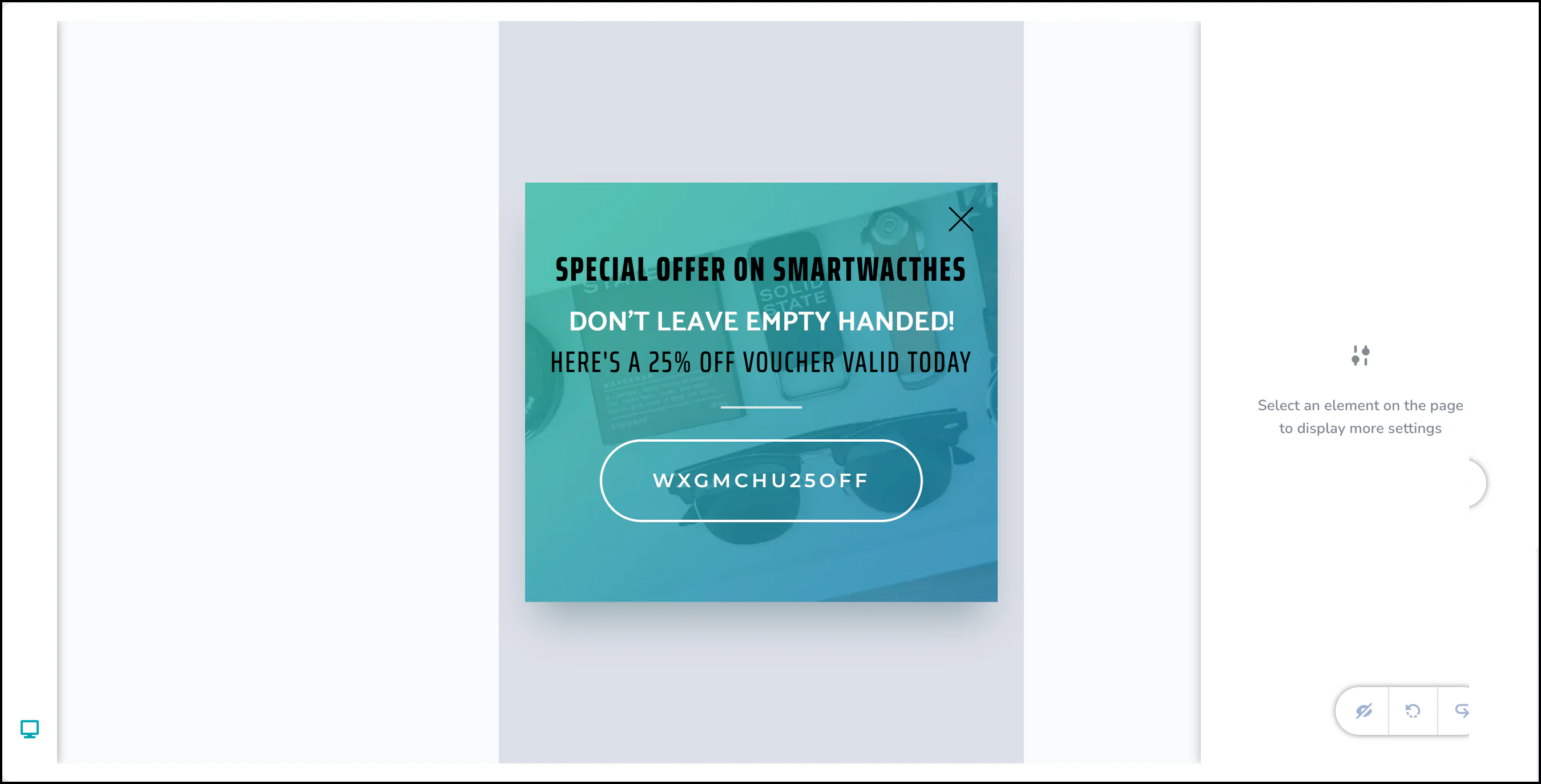
InformationWhile elements cannot be added directly from the mobile view, you can configure elements to appear specifically on mobile by adding them in Desktop View and adjusting their visibility settings.
Add Elements to Mobile Web Templates
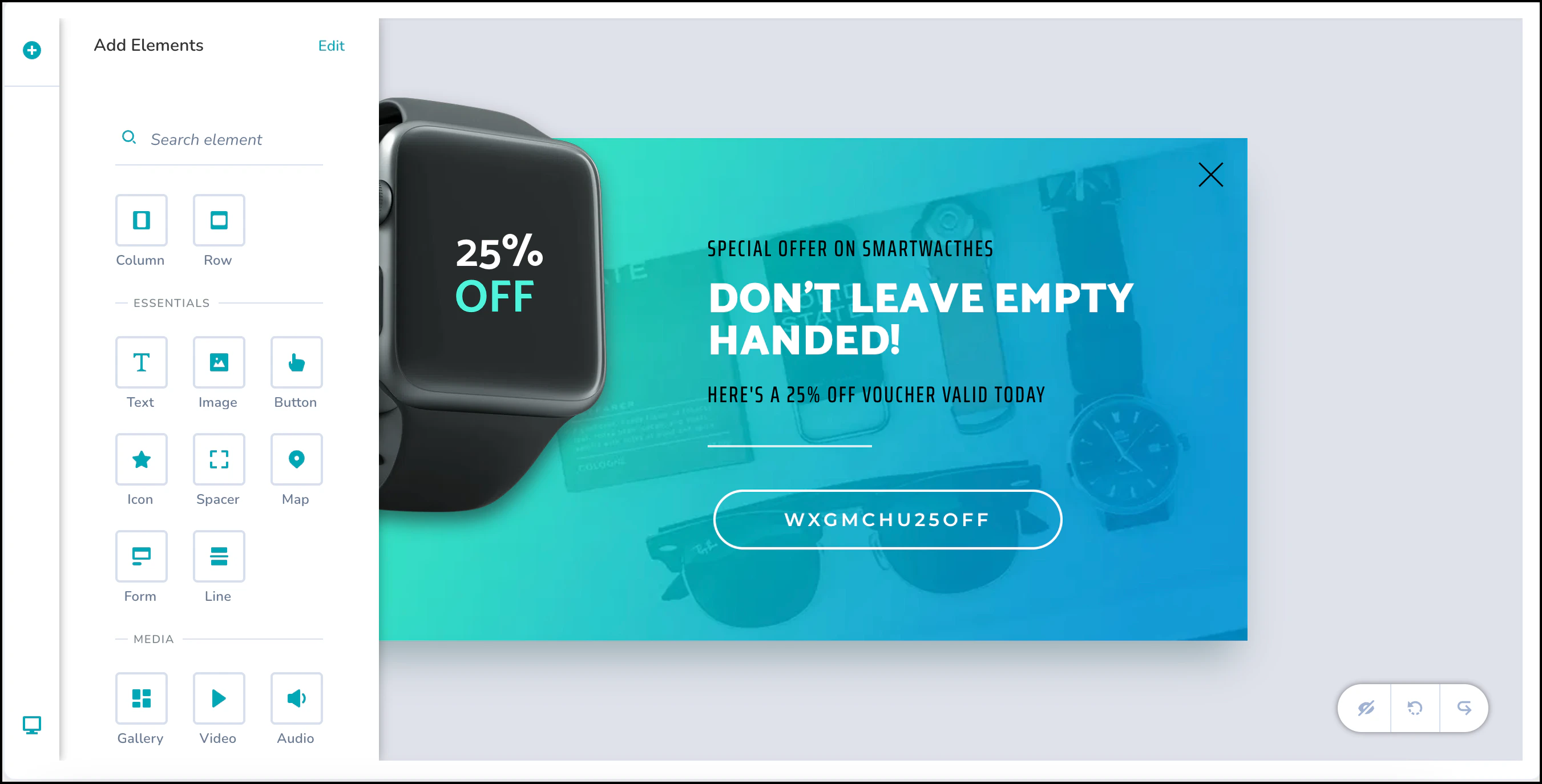
To add new elements to your Mobile web templates:- Switch to the Desktop view.
-
In the top-left corner of the editor, click the + icon to add a new element.
-
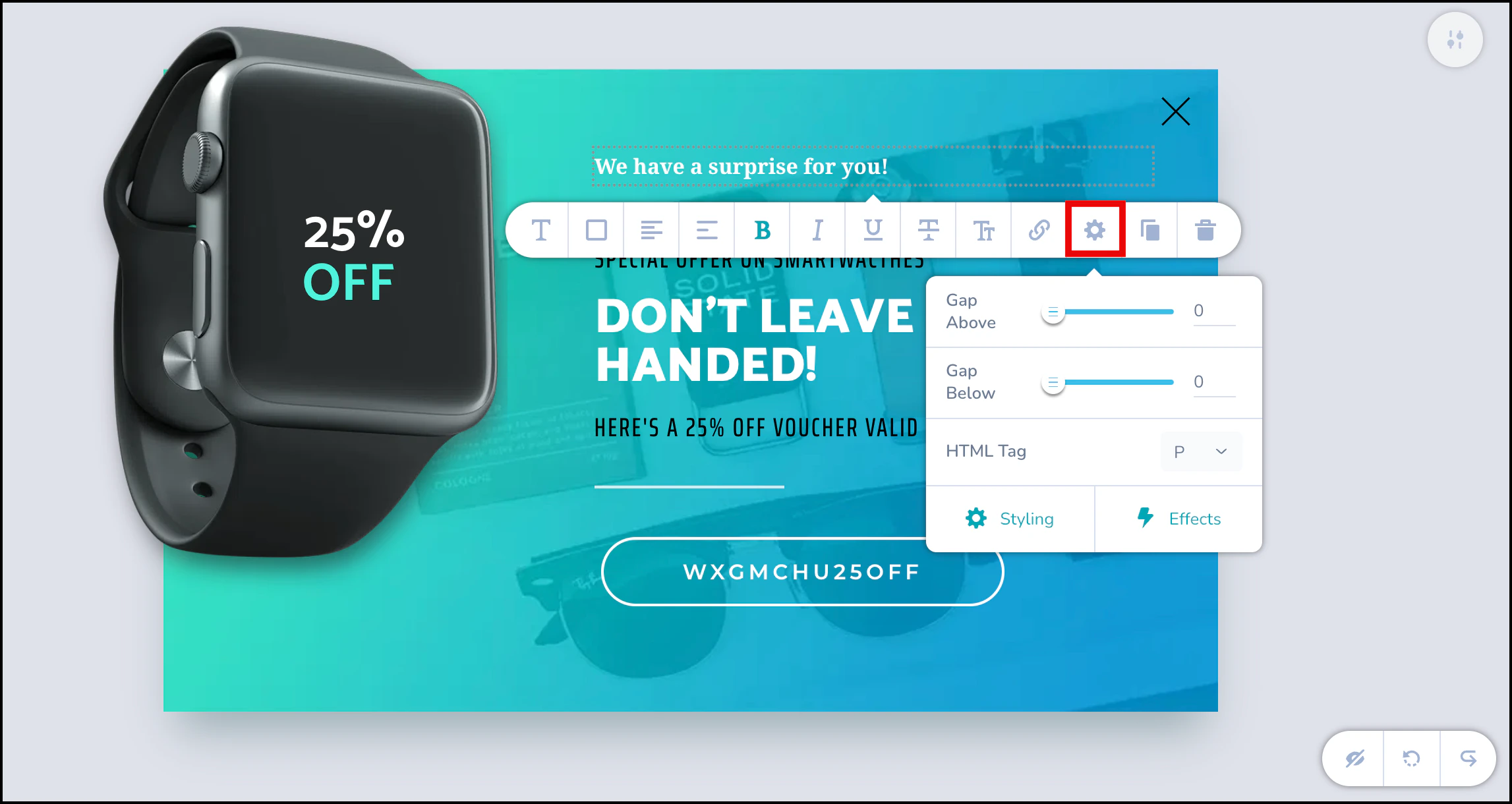
Click the newly added element to open its edit bar. On the edit bar, click the Settings icon, and then click Styling.
-
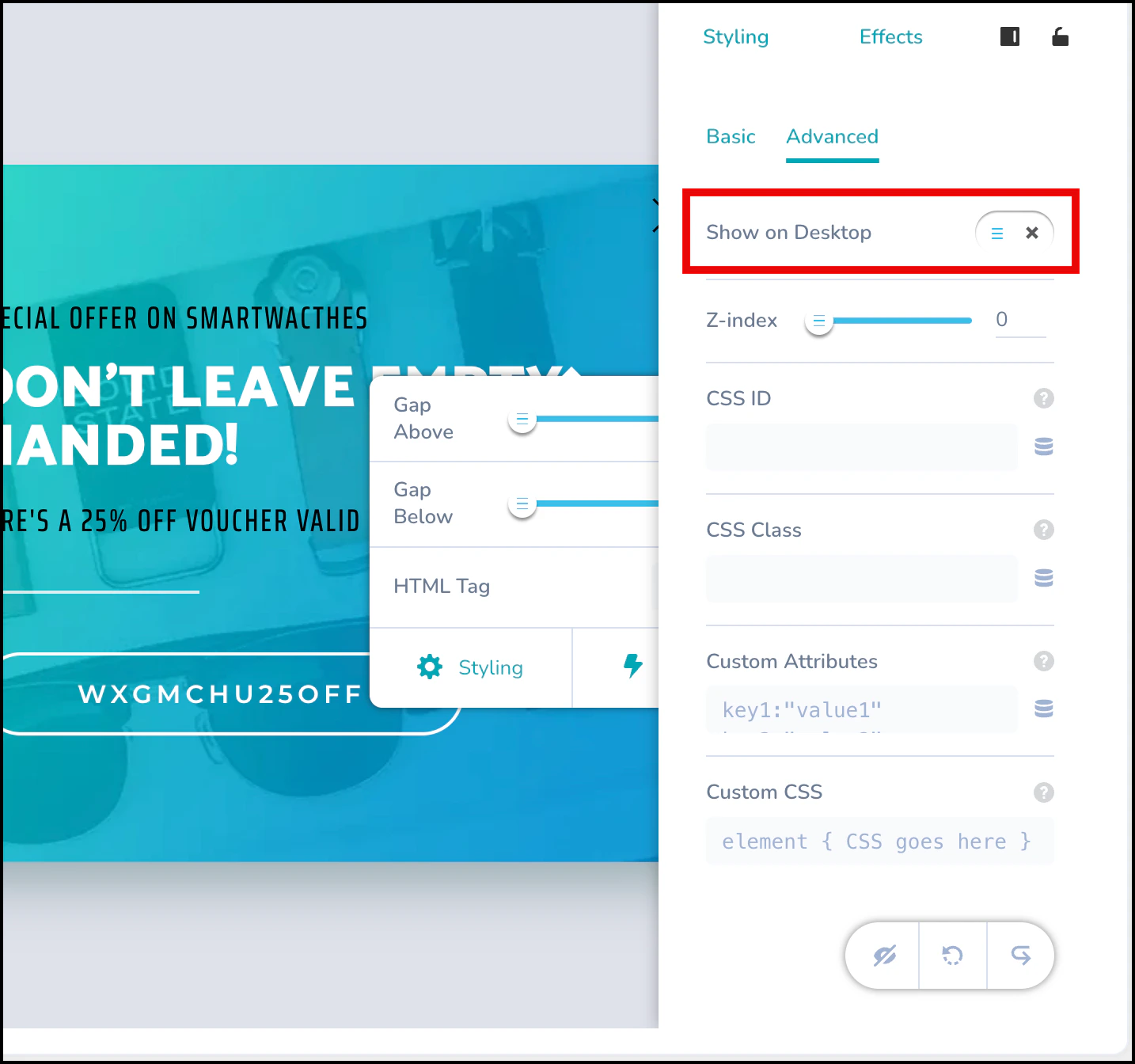
In the Styling menu, click Advanced, and then turn off the Show on Desktop toggle.
-
This action hides the element in Desktop view, but it remains visible in Mobile view.

Style Elements in Mobile View
-
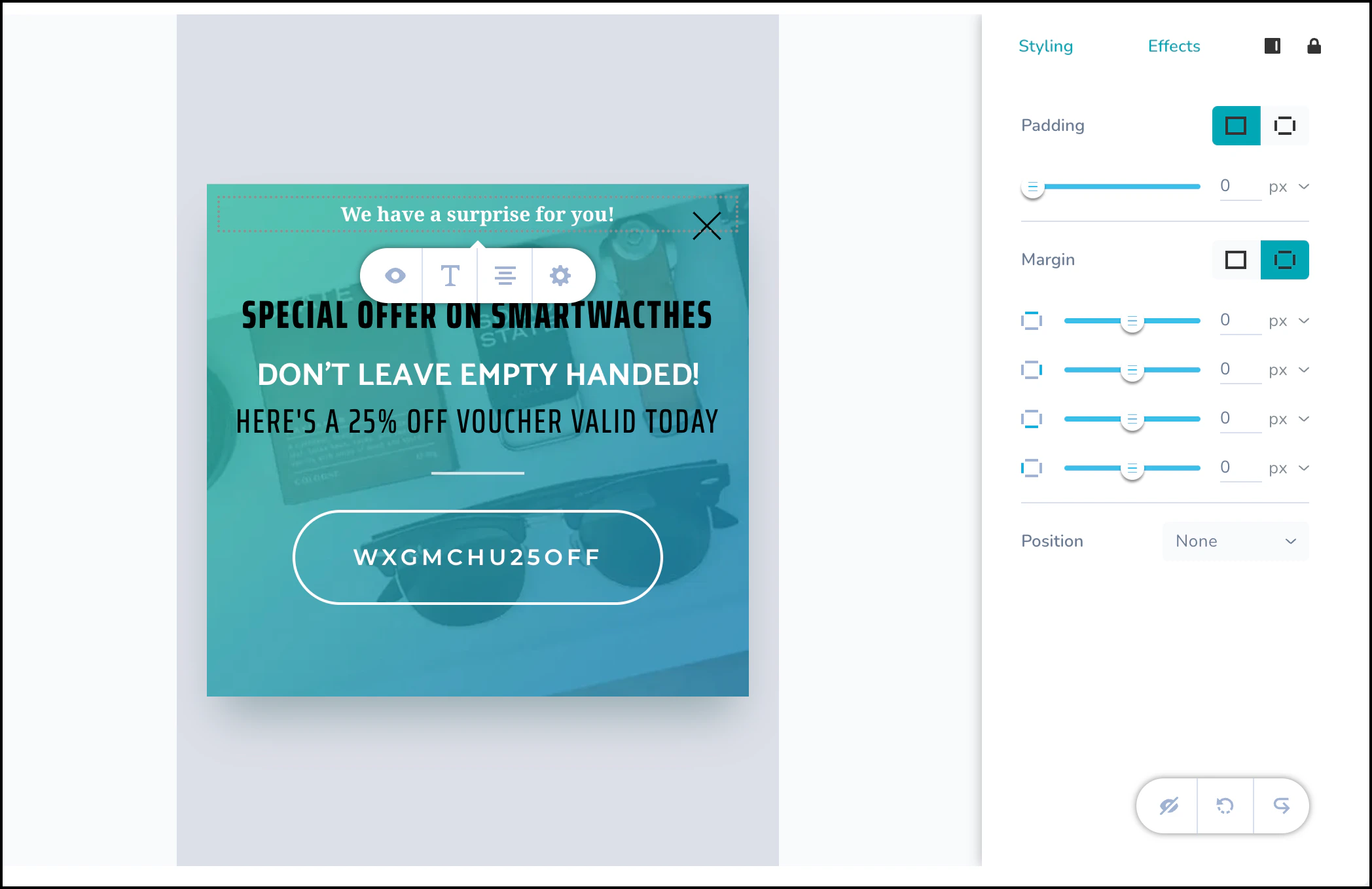
In Mobile view, click the element you want to style. This opens the styling options.
-
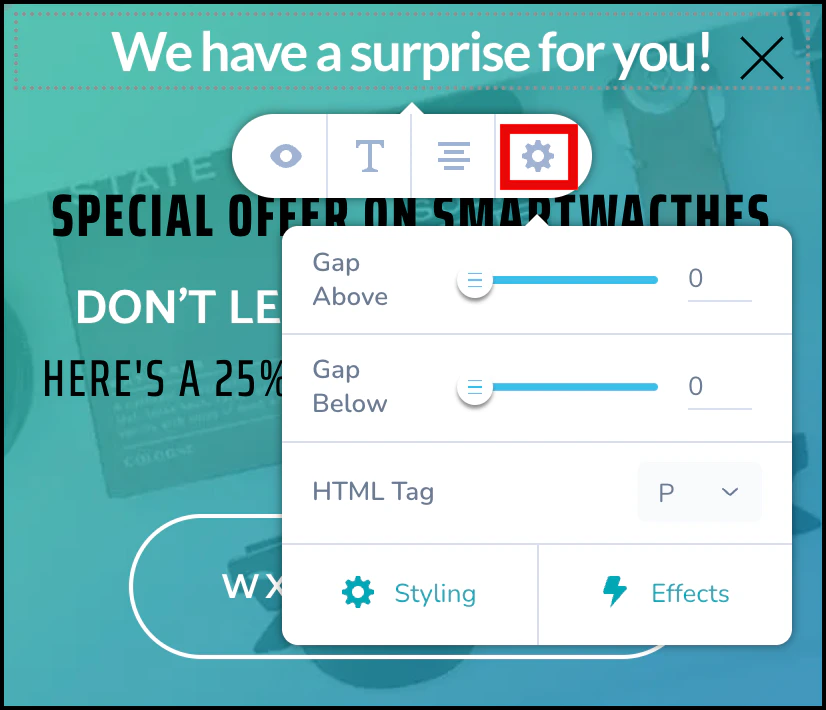
The edit bar provides these four quick customization options:
- Hide: Hides the element in Mobile view.
-
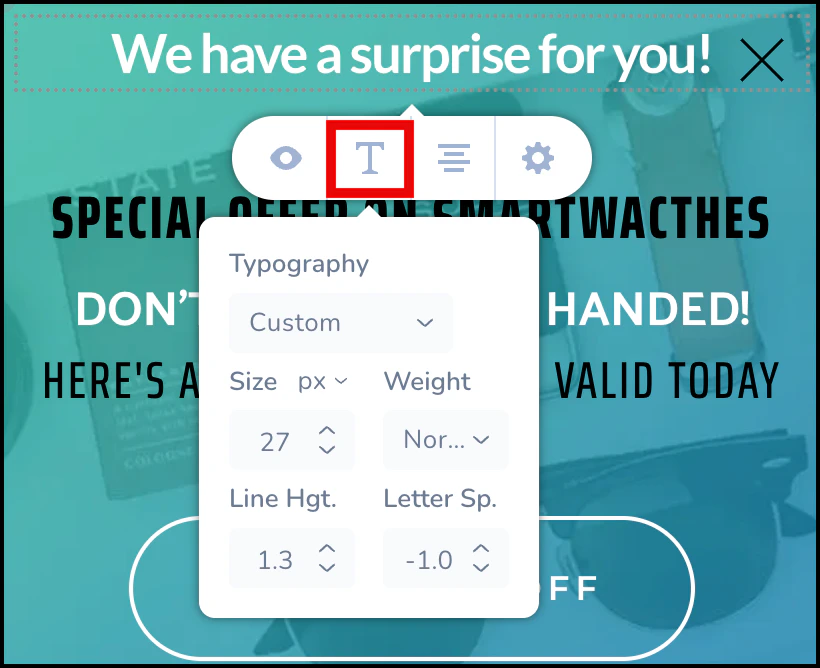
Text: Opens text editing options, such as size, typography, and weight.
- Align: Aligns the element to the right, left, or center of the template.
-
Settings: Allows you to add spacing above or below the element or change its HTML tag.
-
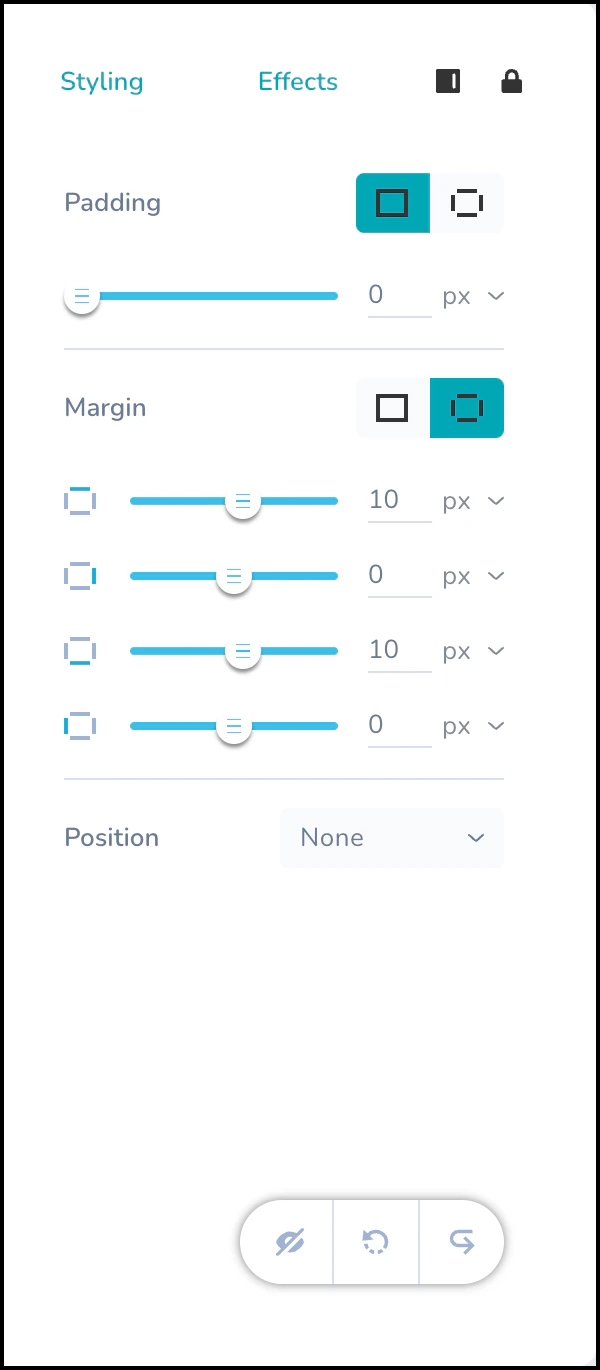
The Styling and Effects tabs appear on the right side of the editor. Use Padding and Margin to ensure elements don’t appear cramped on smaller mobile screens, improving readability.
-
Styling: Use the Padding and Margin options to modify the element’s position on the template.
-
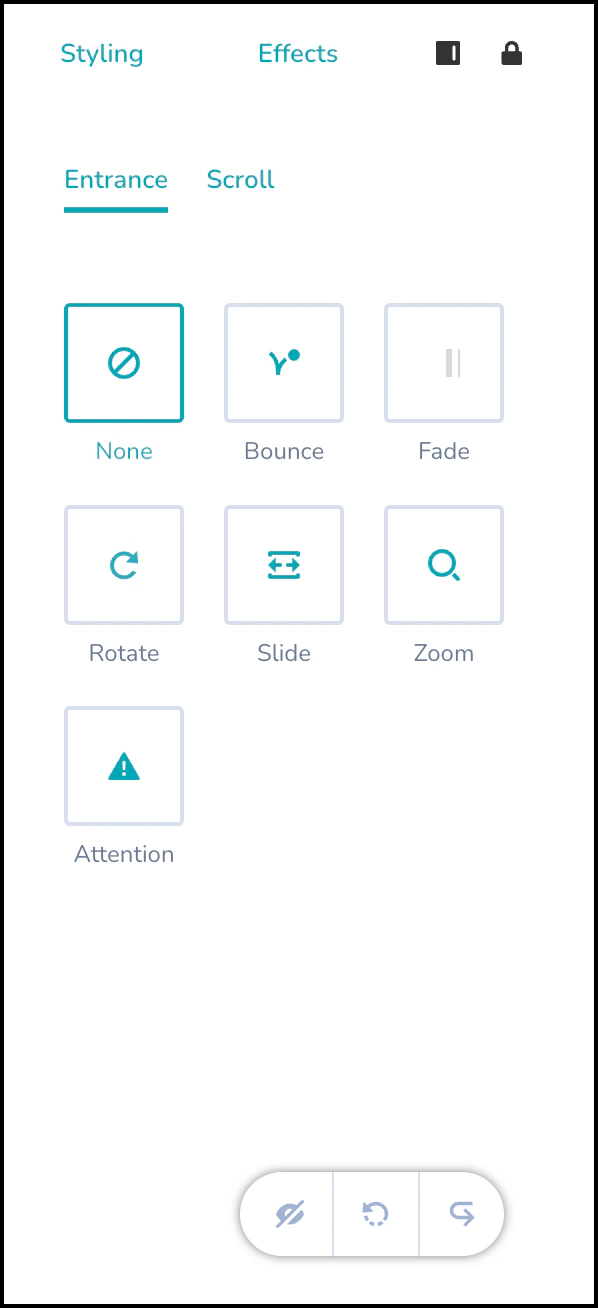
Effects: Apply short animation effects to the element. You can also modify the duration and delay of these effects.
-
Styling: Use the Padding and Margin options to modify the element’s position on the template.