

Problem
The following error is displayed during the SMS campaign creation: No default SMS connector is configured. Please set a default SMS connector and proceed.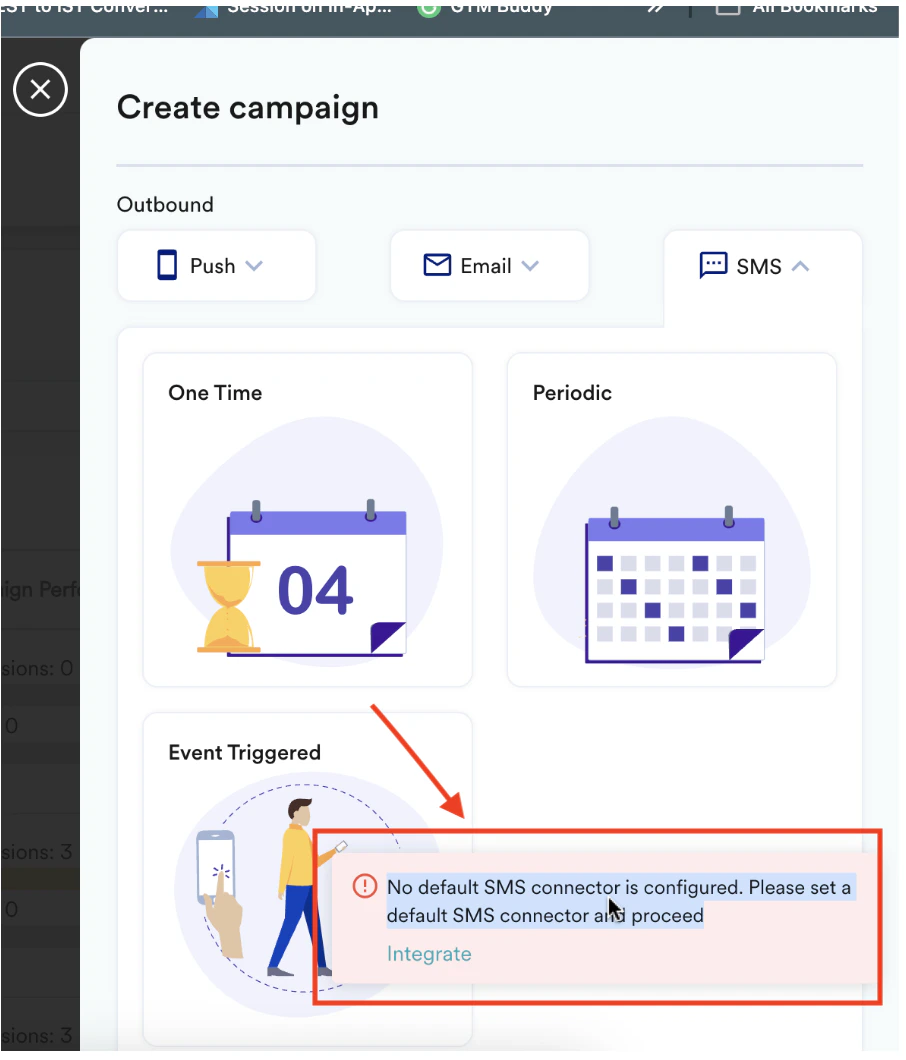
Instructions
- You must configure an SMS connector to use SMS campaigns.
- On the left navigation menu in the MoEngage dashboard, go to Settings > Channels > SMS > Sender configuration.
- Hover over the required connector and click the ellipsis icon.
-
Click Mark as default.
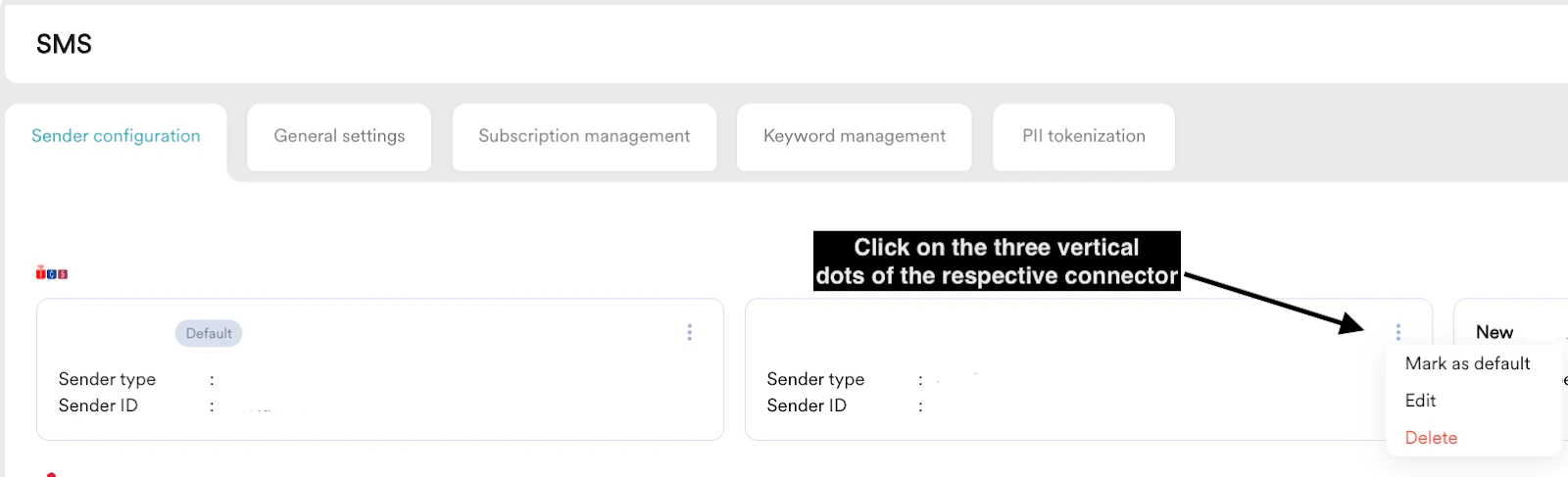
- MoEngage supports multiple connectors, but you must select one as the default.
- You will encounter this error if you haven’t set a default connector. Setting one as the default will resolve the issue.