

Problem
Unable to identify users with bounced emails.Explanation
- An email hard bounce occurs when the MoEngage system detects that the recipient’s email address does not exist. This tracking is unique for each user based on their user ID.
- An email soft bounce is tracked in the MoEngage system when there is a temporary delivery issue. This tracking is unique for each user based on their user ID.
Solution
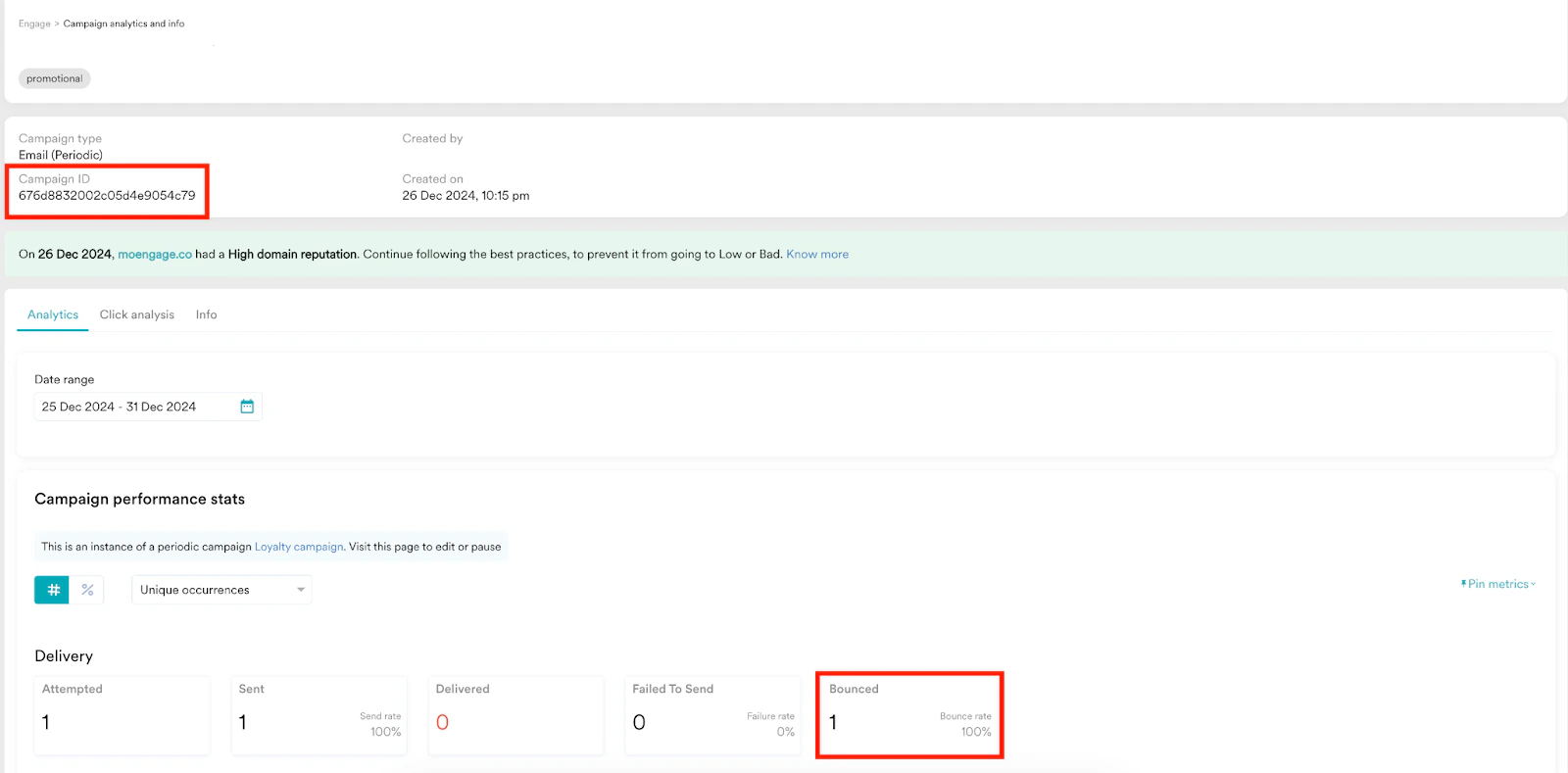
Perform the following steps:- Go to the desired Email campaign to identify users who have encountered bounced emails.
- Copy the campaign ID.
- Hover over to the left menu and select Segment > Create segment.
- While creating the segment, use the OR condition instead of the AND condition between the Email Bounced and Email Soft Bounced events in the nested filters.
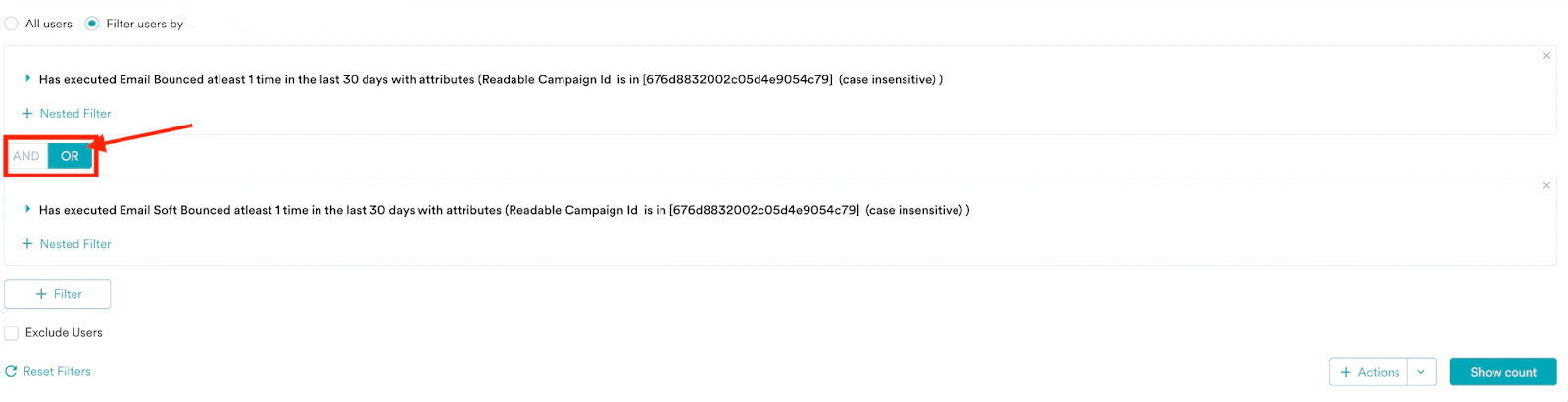
Example
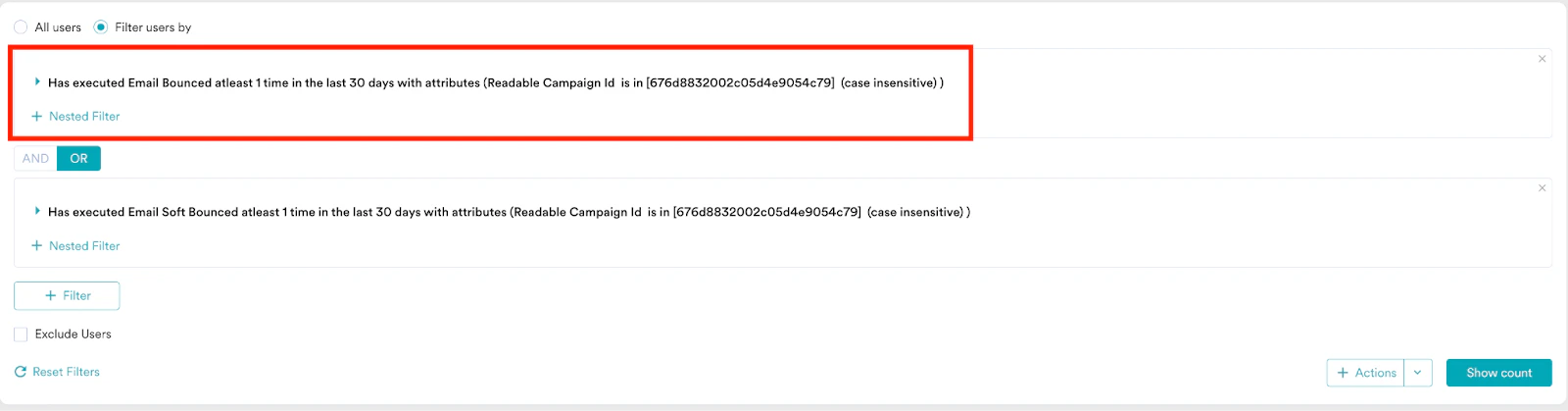
- As shown in the following screenshot, the first filter searches for users who experienced at least one hard email bounce in the past 30 days.
- The second filter searches users who experienced at least one soft bounce in the past 30 days.
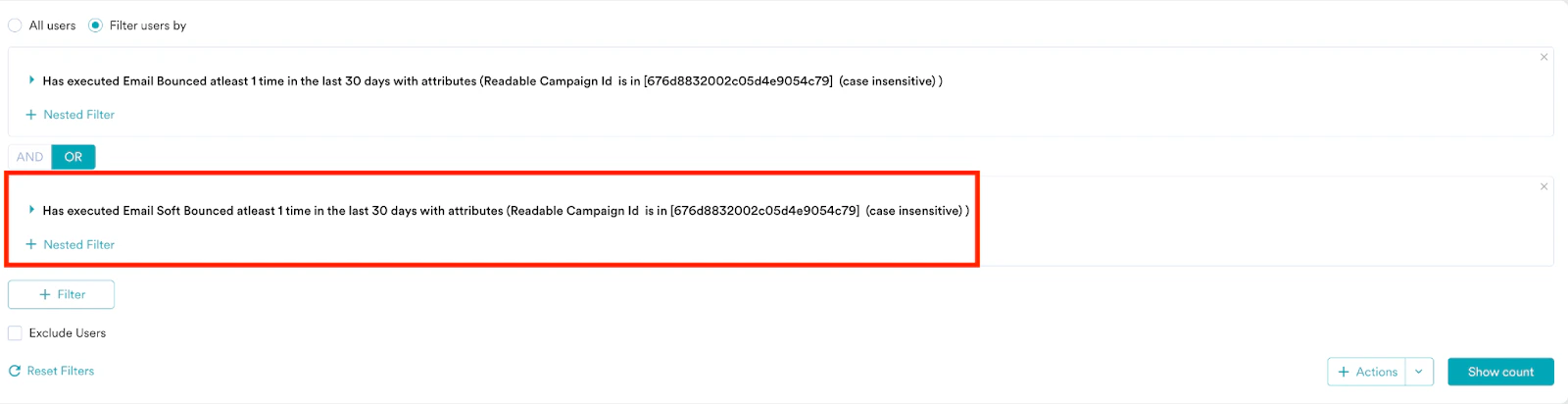
- In both filters, the Readable Campaign Id (case-insensitive and dependent on a specific scenario) matches the specified value.
- As a result, hard or soft bounce emails associated with Readable Campaign Id in the past 30 days will be identified as true.
