

Problem
Push templates (carousel images, background color, font color, and so on) do not display correctly in Push notifications when the Notification Content Extension is not implemented.Instruction
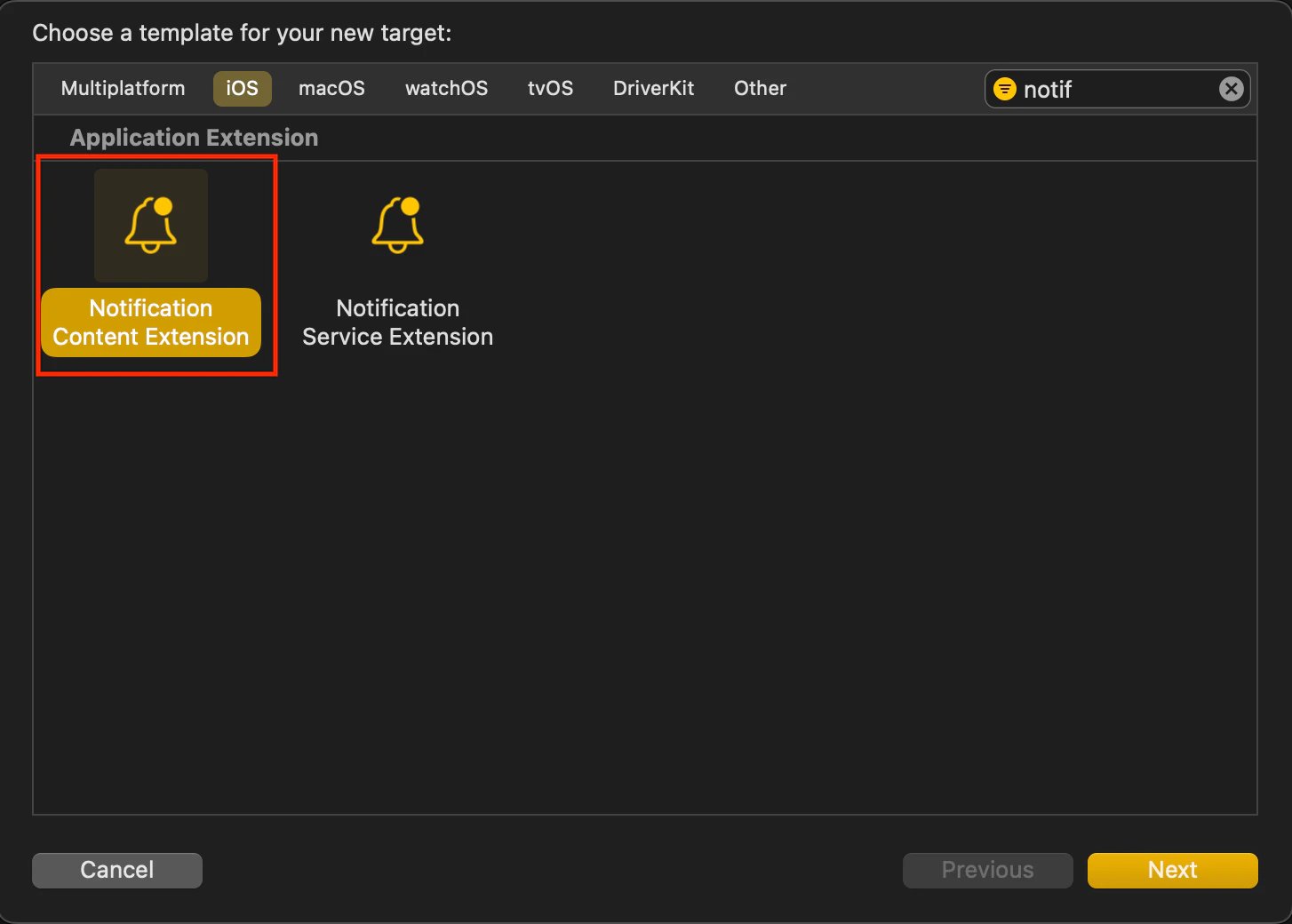
Perform the following steps:- Create a Notification Content Extension Target.
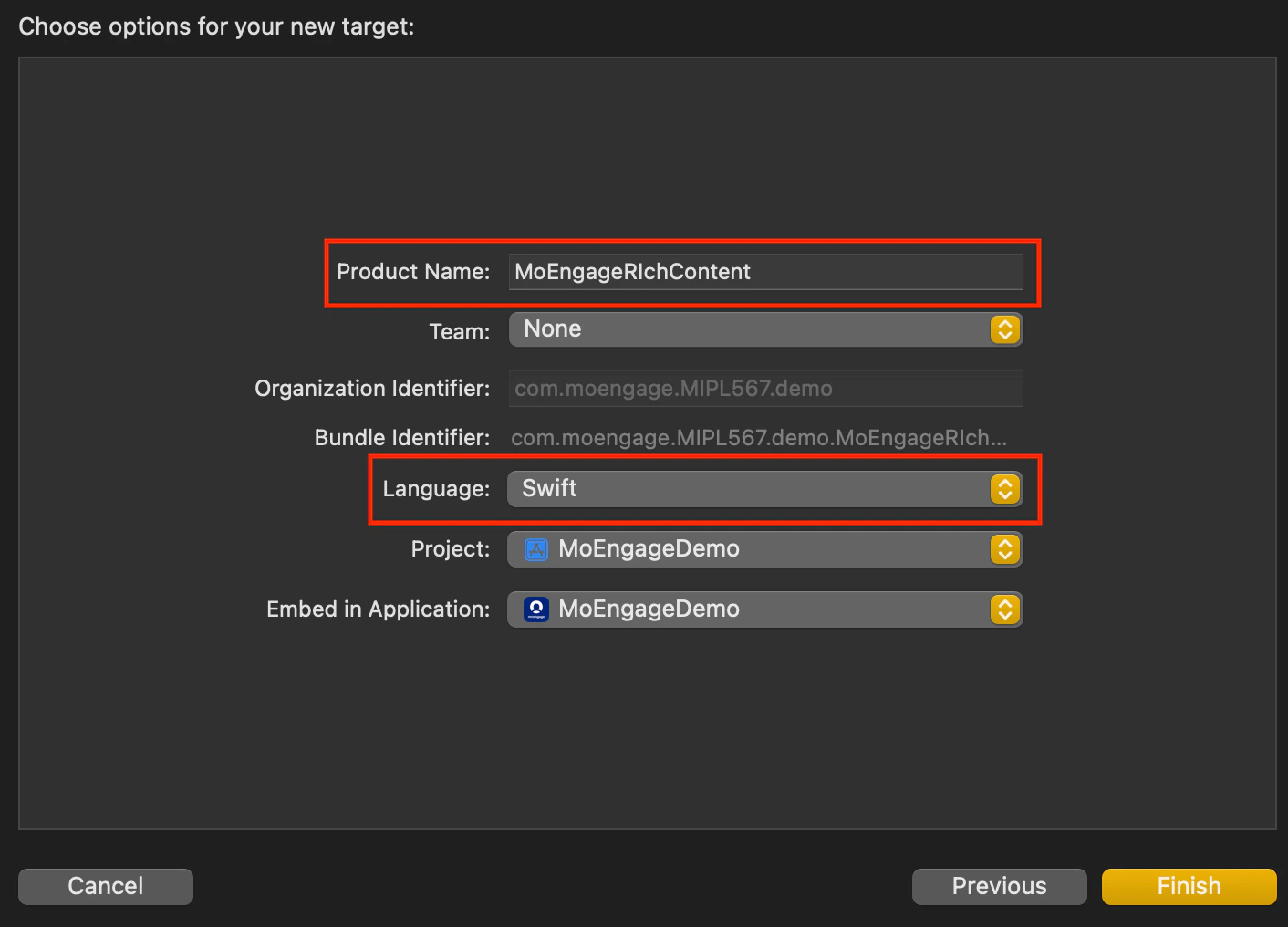
- Name the Extension Target. Choose a name for the extension target. Swift is recommended as the language as it works seamlessly with Objective-C projects too.
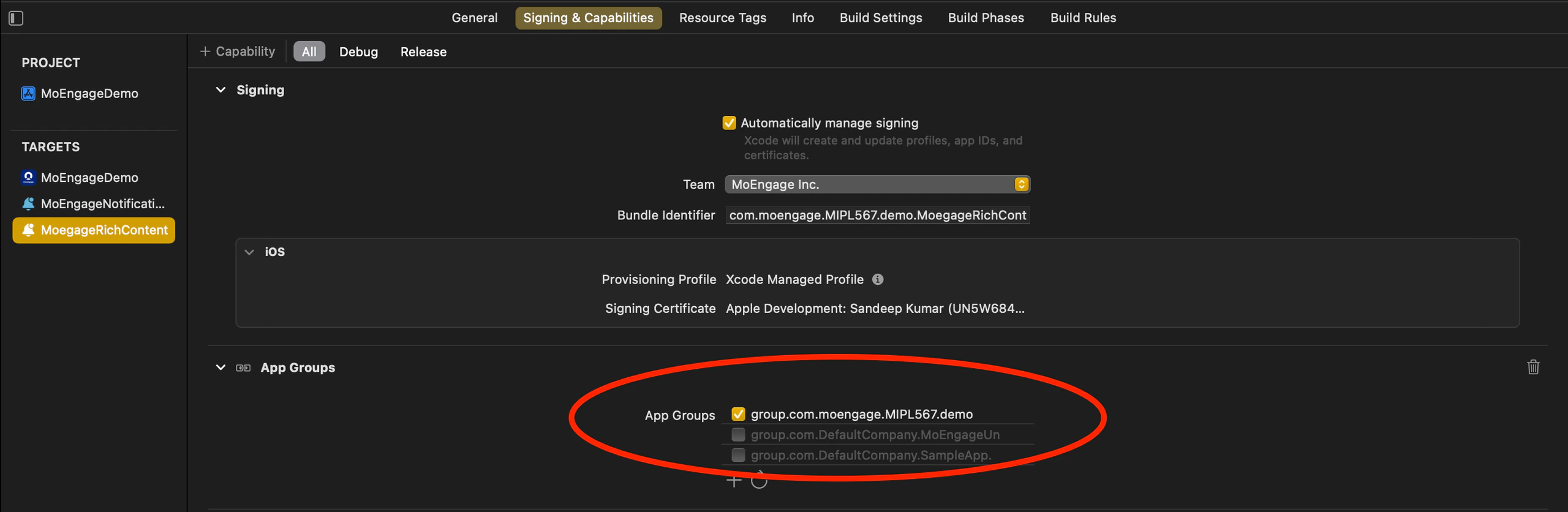
- Add the AppGroupId to the Notification Content Extension’s Signing & Capabilities settings.
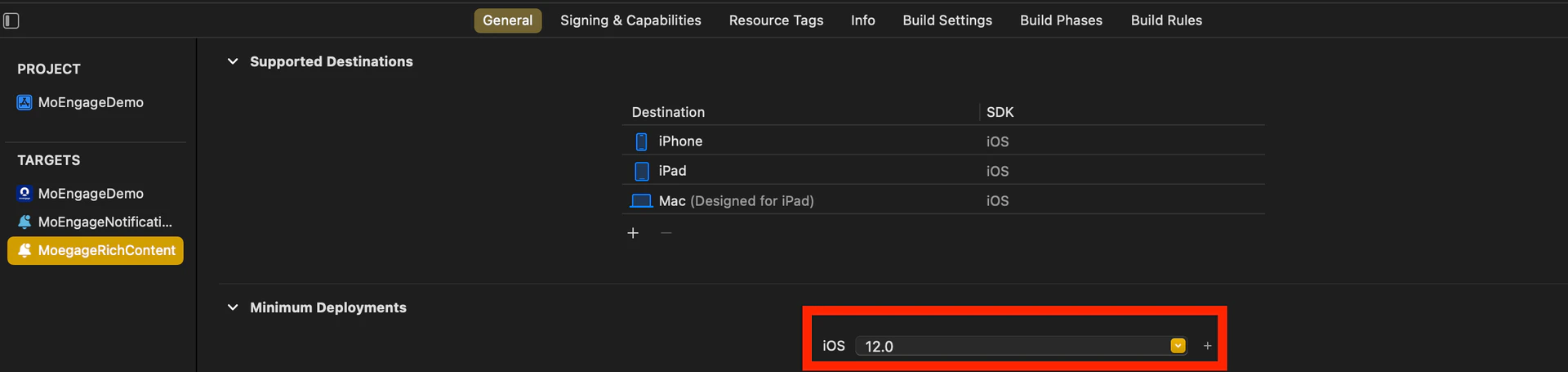
- Set the minimum deployment iOS version of the Notification Content Extension to match the main app’s iOS version.
- Name the Extension Target. Choose a name for the extension target. Swift is recommended as the language as it works seamlessly with Objective-C projects too.
- Integrate the MORichNotification Framework into the Notification Content Extension Target.
- In your podfile, add the Notification Content Extension as a separate target and install the MORichNotification framework.
Swift
- In your podfile, add the Notification Content Extension as a separate target and install the MORichNotification framework.
- Code changes in NotificationViewController.swift file.
Swift
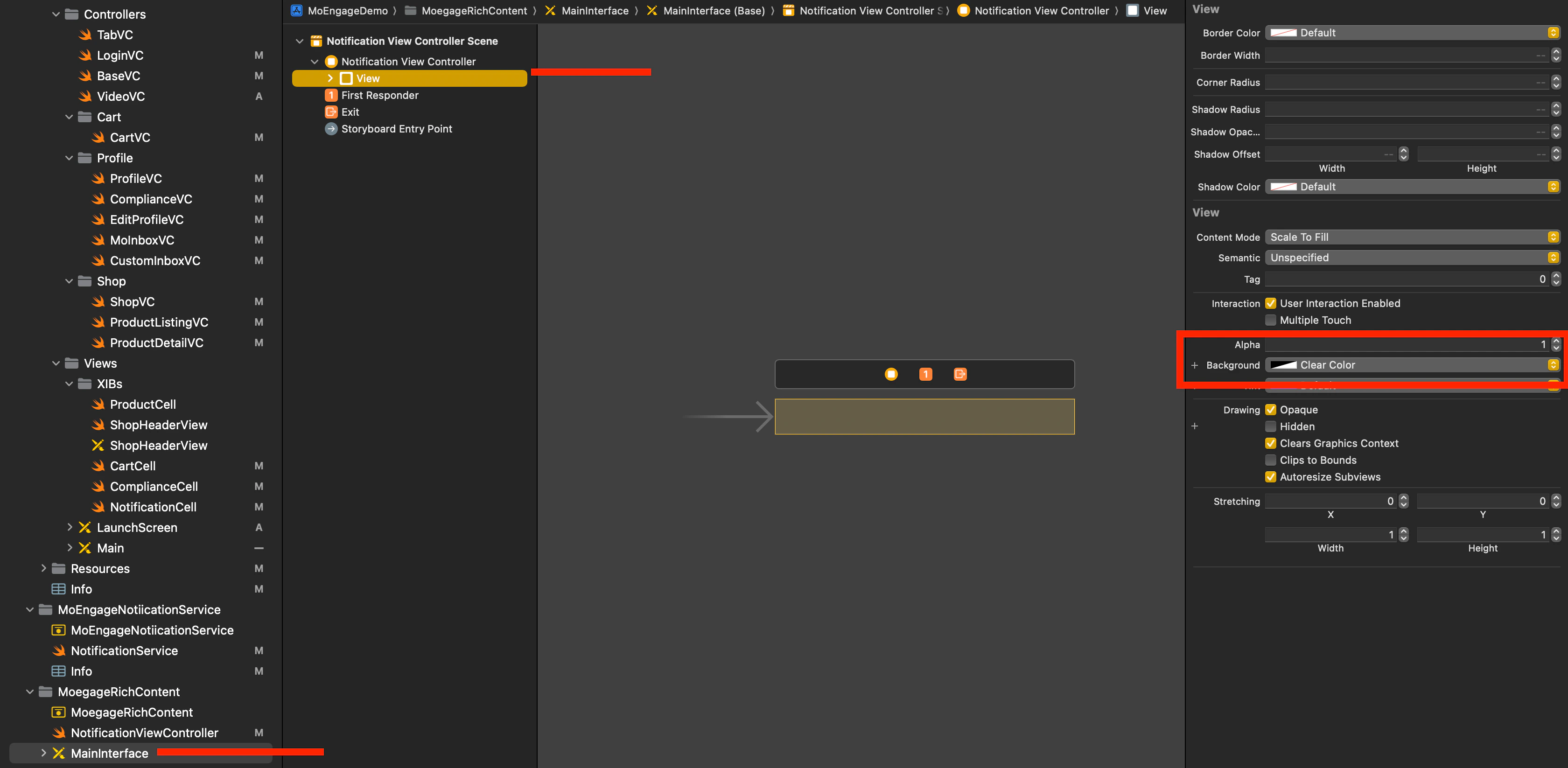
- Select MainInterface.storyboard in the Content extension, remove the default label, and set the background color of the View to clear.
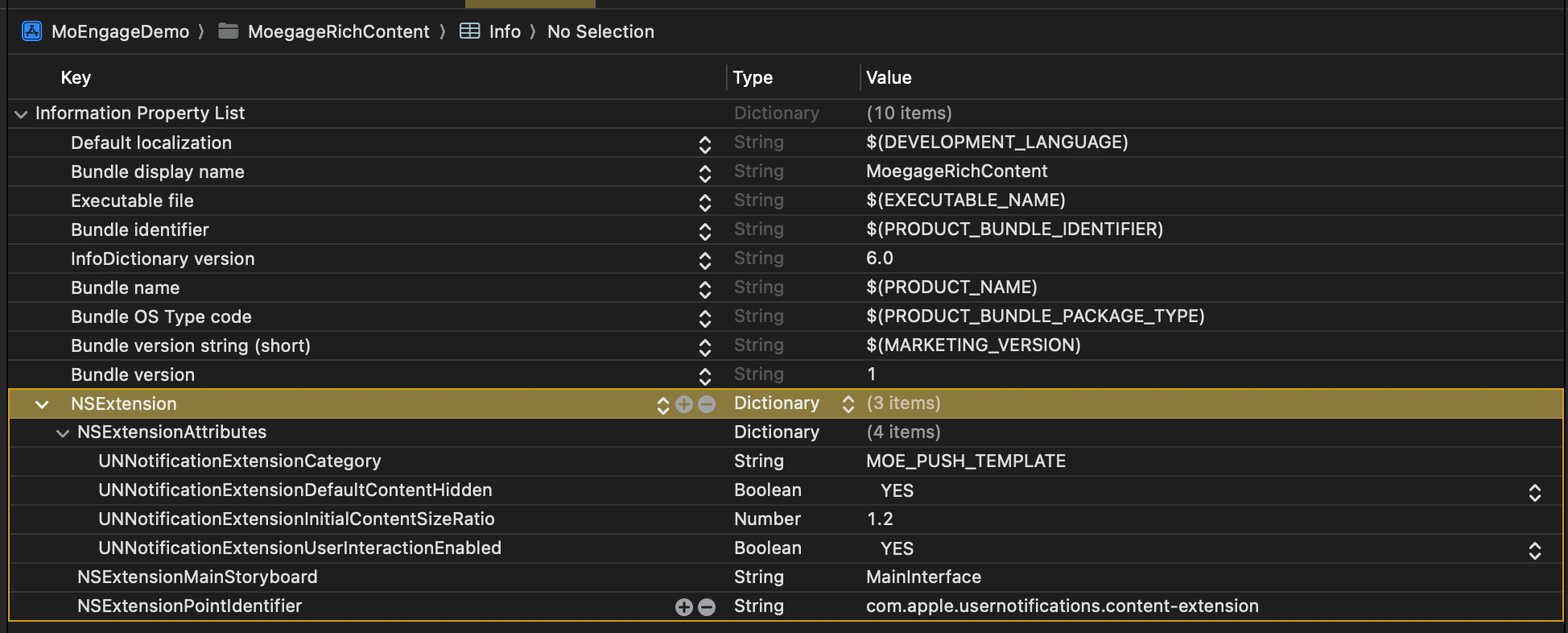
- Info.plist changes:
Swift
- Check Build Phases in Main App Target.
- In Embed App Extensions/Embed Foundation Extensions, ensure that Copy only when installing is not selected.
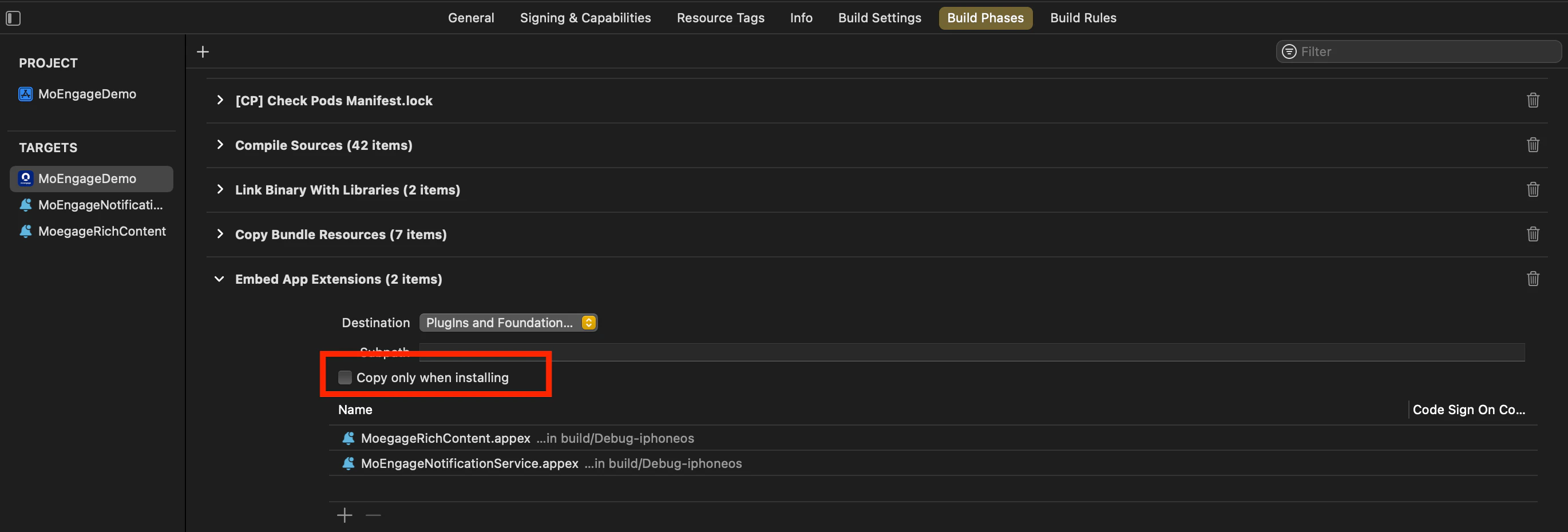
- In Embed App Extensions/Embed Foundation Extensions, ensure that Copy only when installing is not selected.
- Ensure Consistent appGroupId Across Configurations.
- Verify that the appGroupId is consistent across all schemes and configurations (for example, Debug/Release/QA/UAT) in the project.
- Align Build Configuration.
- When running or archiving the project, make sure that the Build Configuration for the Main Target, Notification Service Extension, and Notification Content Extension Target points to the same scheme/configuration.


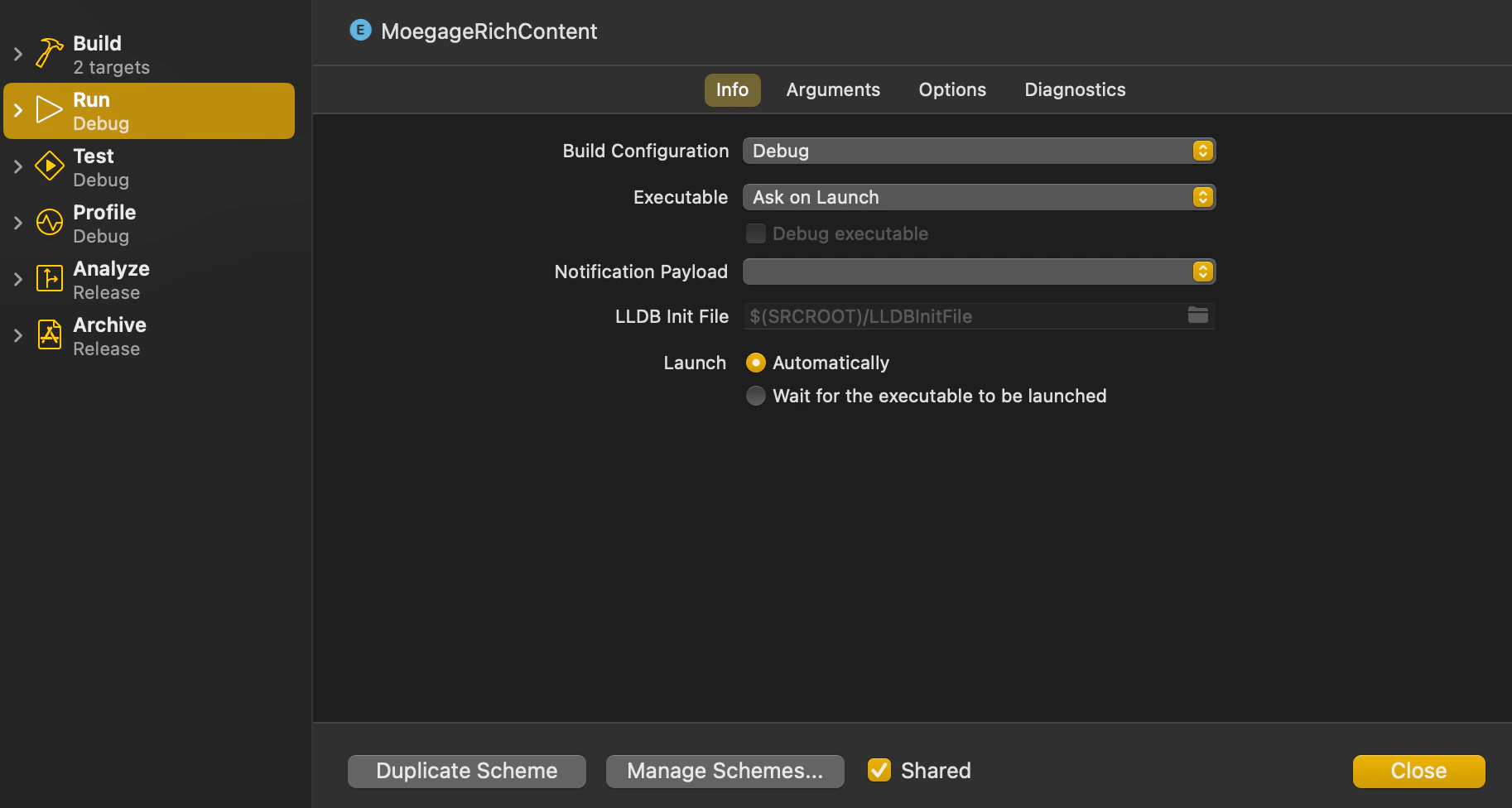
- When running or archiving the project, make sure that the Build Configuration for the Main Target, Notification Service Extension, and Notification Content Extension Target points to the same scheme/configuration.